Client Onboarding Email Template: 5 Examples for Coaches

Coachful
You just wrapped a discovery call that clicked. The client paid their invoice ten minutes later, and now you're staring at a blank draft in your inbox at 9:30 p.m., second-guessing every word. Should you attach the coaching agreement, the intake worksheet, the calendar link, and your portal login all in one message so they have everything? Or will a wall of instructions trigger buyer's remorse before you ever meet for session one?
That quiet hesitation is where most onboarding breakdowns start. When coaches copy a generic client onboarding email template, they usually treat onboarding as a rigid checklist that marches every new client down the same path at the same speed. One person finishes the intake in five minutes, while a busy executive or a hesitant first-time client freezes up, leaves the tab open, and disappears for a week.
Sending more automated nudges rarely fixes that stall. As Goodwill Holder's review of onboarding benchmarks points out, behavior-triggered onboarding is used by 57% of SaaS trials, yet average onboarding-checklist completion sits at just 19.2%. Pushing the same reminders at everyone creates pressure rather than momentum.
The fix isn't writing longer emails. It's treating your onboarding sequence as a branching, trust-first process that adapts to a client's actions, while baking privacy boundaries and accessibility options straight into the copy. When your emails answer a client's unspoken worries before they have to ask, they show up to their first session prepared, calm, and ready to work.
When Each Client Onboarding Email Goes Out
Imagine a client who just put a four-figure coaching package on their credit card. They close the checkout tab, glance at their inbox, and see nothing except a generic payment processor receipt. Twenty minutes pass, then two hours. Their brain immediately fills the silence with doubt: did my enrollment go through, did I pick the right coach, and am I supposed to be doing something right now?
Meanwhile, you're probably thinking the opposite: I don't want to spam them with five different emails in two weeks. Isn't one thorough welcome letter cleaner? In practice, a single mega-email fails because no client can sign an agreement, fill out a reflective intake, and book a session in one sitting. A coaching client journey starts on purchase, moving through an agreement, intake worksheets, the first call, and program access, and your emails should mirror those distinct moments.
| Send when | Job | Primary call to action | Metric to track | |
|---|---|---|---|---|
| Welcome | Within minutes of signup or payment | Confirm enrollment and say what happens next | Open the intake link | Intake opened within 48 hours |
| Intake request | Day 1, if intake is not submitted | Explain why each question matters | Submit the intake worksheet | Intake completion rate |
| Session prep | 24 hours before the first session | Set expectations and ask one preparation question | Reply with a goal | Reply rate |
| Payment or renewal | At purchase, 7 days before renewal, or after a failed charge | Confirm billing or restore access | Update payment method | Payment success rate |
| Re-engagement | After 7 days without login | Offer a low-pressure restart | Book a short check-in | Reactivation rate |
The Default 14-Day Trigger Sequence
Timing carries more weight than clever copywriting. According to Experian CheetahMail's Welcome Email Report, welcome emails generated four times the total open rate and five times the click rate of standard bulk promotions, while welcome series mailings achieved 40% higher click rates and three times the transaction rates of promotional mailings. You earn that attention only when each email arrives at the exact moment a client needs the next instruction.
If you're building a baseline workflow, start with five timed checkpoints tied to real client behavior:
- Real time after payment: Send Email 1 immediately with enrollment confirmation, the client's agreed first objective, a secure link to complete intake, and one clear call to action.
- After 24 hours: Deliver activation guidance that walks the client through submitting their intake worksheet if they haven't touched it yet.
- Around day 3: Share a brief support note or a grounded example of how clients typically use their first week, easing early nerves.
- Around day 7: Send deeper program guidance covering how accountability works between calls and where session notes live.
- Around day 14: Trigger a milestone check-in confirming early progress or surfacing anything that feels unclear.
Two essential rules keep this sequence feeling attentive instead of mechanical. First, fire each message from a defined event (payment completed, intake submitted, first session booked, or milestone missed) so every email matches the client's real state. Second, suppress any follow-up the instant a client finishes that step. Nothing erodes trust faster than nagging a conscientious client on Tuesday to submit a form they already completed on Monday night.
Operational guardrails: Keep sensitive coaching goals, leadership struggles, or health details completely out of subject lines and preview text. Put personal information behind authenticated portal access, and structure your automated follow-ups using dedicated email sequences for new coaching leads so marketing messages never collide with client onboarding.
Once you have this 14-day map in front of you, build your own personal timing list by cutting ruthlessly. Look at each day and ask what concrete action it moves the client toward. If day 3 or day 7 doesn't lead to an intake, a booking, or a reply, delete it. Shorter sequences built around real milestones outperform bloated calendars every single time.
Writing Subject Lines and a Welcome Email Clients Answer
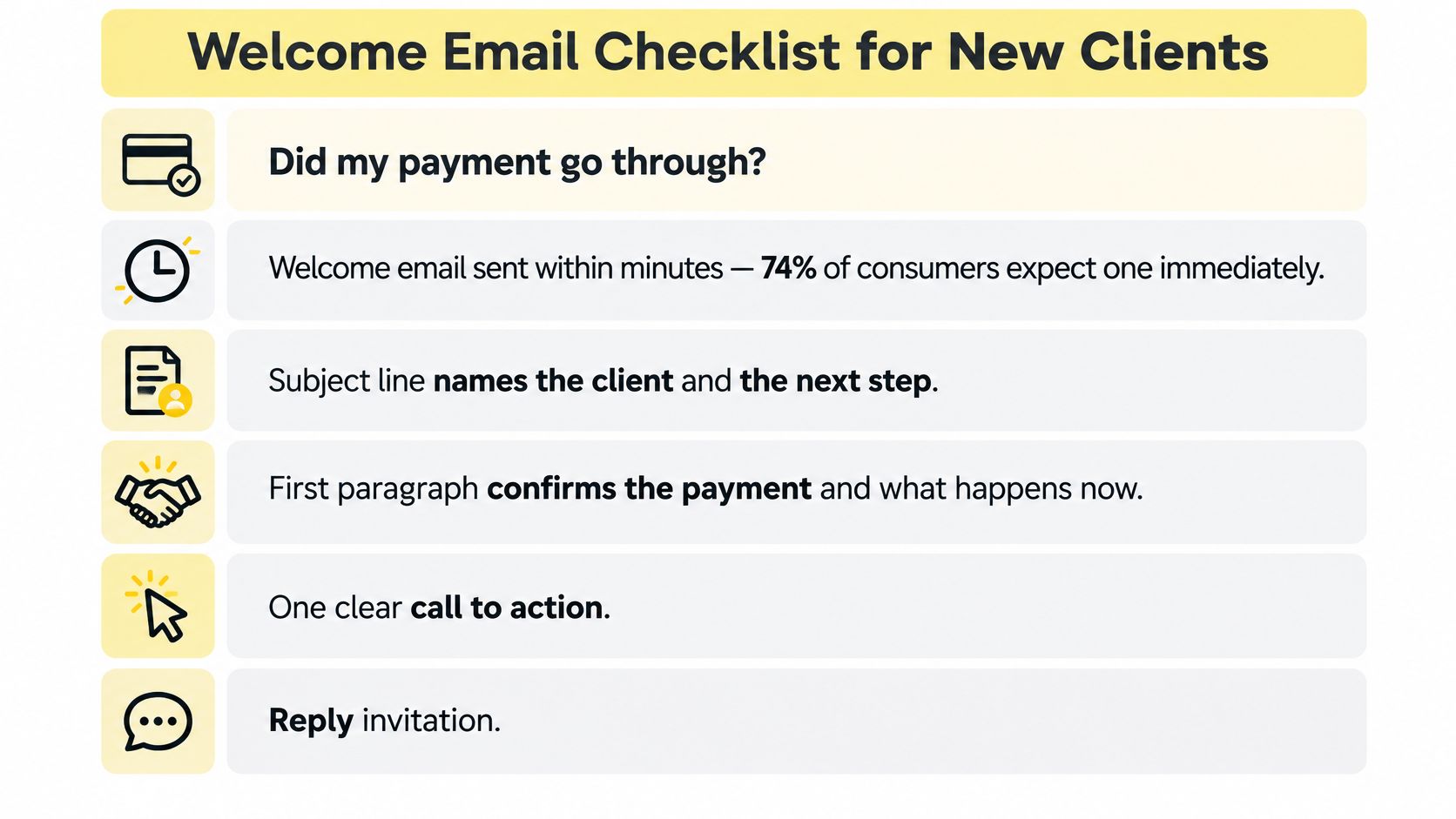
Right after a client pays, they aren't looking for your life story or a philosophical manifesto on personal growth. They have one silent question running in the back of their mind: Did my payment go through, and what happens now? Wait even two days to answer that question, and you force a brand-new client to reconstruct your process on their own.
Speed matters because client enthusiasm peaks immediately after commitment. Campaign Monitor's welcome email analysis reports that 74% of consumers expect a welcome email as soon as they subscribe, and new leads are most engaged during the first 48 hours. Waiting to write a manual note from scratch on Friday afternoon wastes the sharpest window of attention you'll get in the entire engagement.
Three Subject Line Formulas That Get Replies
Generic subject lines like "Welcome to our program" or "Onboarding information" blend straight into a crowded inbox. They tell the client nothing about what's inside or whether the email needs action today. That same Campaign Monitor report found that personalized subject lines are 26% more likely to be opened, and pairing a name with a concrete step turns curiosity into action.
Use one of these three formulas depending on your coaching style:
- Name plus first step: "Maya, your first step is a 10-minute intake"
- Outcome-focused opener: "Your leadership plan starts with one question"
- Clear logistics: "Next: confirm your start date"
Notice what's missing from all three examples. There are no exclamation marks begging for excitement, no vague promises, and no private details that would embarrass the client if a colleague glanced at their phone screen.
The Five-Part Welcome Email Template
A common fear I hear from coaches is, If I automate my welcome email, won't I sound robotic? You avoid that trap by keeping the structure tight and adding one specific human touch, like your own name and a real upcoming window on your calendar. For instance, opening with "Maya, your first step is a 10-minute intake. I have saved a Thursday slot at 10 if you want to talk first" signals immediately that a real coach is on the other side of the screen.
Structure the body in five crisp parts: one sentence confirming enrollment, one sentence explaining how the coaching relationship works, three numbered next steps, one primary call to action pointing to the intake link, and a plain-text reply invitation. Here is a complete template under 120 words you can copy and adapt:
Subject: {first_name}, your first step in {program_name} is a 10-minute intake
Hi {first_name},
Your enrollment in {program_name} is confirmed, and I am glad we are working together. My job is to give you a clear, focused space to work through your priorities without adding busywork to your week.
Here is what happens next:
- Complete your short intake form using the link below.
- Pick your first session slot inside your portal.
- Watch for a brief prep note 24 hours before we meet.
Start here: {intake_link}
If anything looks unclear, reply directly to this email and I will read it myself.
{coach_name}
Before turning this template on, apply two strict personalization rules. First, pull only verified first-party fields like {first_name} and {program_name}. Never auto-insert guessed goals or health details scraped from an early inquiry form, because one awkward phrasing mistake destroys rapport. Second, test your fallback text for every single variable before going live. If a first name field is blank, your email should smoothly read, "Hi there, your first step is a 10-minute intake," never "Hi, your first step..."
Could a busy client read this email on their phone between meetings and complete the next step without having to reply and ask what to do? If the answer is no, cut a paragraph and sharpen the link.
Intake and Session Prep Templates You Can Adapt
Most coaches overload email one because they're trying to be considerate. The inner monologue goes something like this: My client is busy, so I'll put the intake questions, the rescheduling policy, the session prep exercise, and the calendar instructions in one tidy email so I don't clutter their inbox. Unfortunately, cognitive overload backfires. When a new client sees twelve questions and three links in one message, they flag it for "later" and forget about it for a week.

Attention naturally tapers off after initial enrollment. Stripo's welcome email benchmark shows that welcome autoresponder series average 51.05% opens and 5.59% clicks, well below the engagement of a standalone welcome email. That drop isn't a reason to abandon follow-up emails. It's a signal to distribute mental effort across focused, single-purpose messages so each note asks for one small, doable action instead of feeling like a handbook and contract rolled together.
The 10-Minute Intake Request Template
Your intake email has one job: gather the client's main goal, essential context, and scheduling details inside a form they can finish in about ten minutes. Clients hesitate on intake worksheets when they don't understand why you're asking personal questions or who will see their answers. Much like the thoughtful framing in reVIBE Mental Health therapy preparation tips, explaining the purpose behind intake prompts ahead of time lowers anxiety and produces far more honest reflections.
Use this sub-110-word intake request template when a client hasn't submitted their form by Day 1:
Subject: Quick 10-minute intake for your first session, {first_name}
Hi {first_name},
Before we meet, please share your starting context around {goal_summary} using this short form: {intake_link}.
It takes about 10 minutes. Your answers help me skip generic background questions on call one so we can spend our full time on what matters most to you.
Only I read your responses, and your notes stay inside your private portal for {retention_period}. If typing out answers feels heavy this week, reply and we can cover these questions live instead.
{coach_name}
The Session Prep Template
Split your intake request from your session prep message so each email stays light. For 1:1 offers, linking the offer to a booking product lets the client schedule their first session once checkout is completed, which means by the time your prep note lands 24 hours before the call, the slot is already on both calendars. Keep the email focused on expectations and one sharp reflection prompt, similar to the checklist approach in coaching session prep notes before a call.
Here is a session prep template under 80 words that works across executive, life, and business coaching:
Subject: Your first session is {session_date}, {first_name}
Hi {first_name},
Your first session with {coach_name} is on {session_date} at {session_time}. Before we meet, think about the one decision you most want to make this month and reply with a sentence.
Need a different time? Reschedule here: {reschedule_link}. Your booking link is where the session is scheduled.
Talk soon, {coach_name}
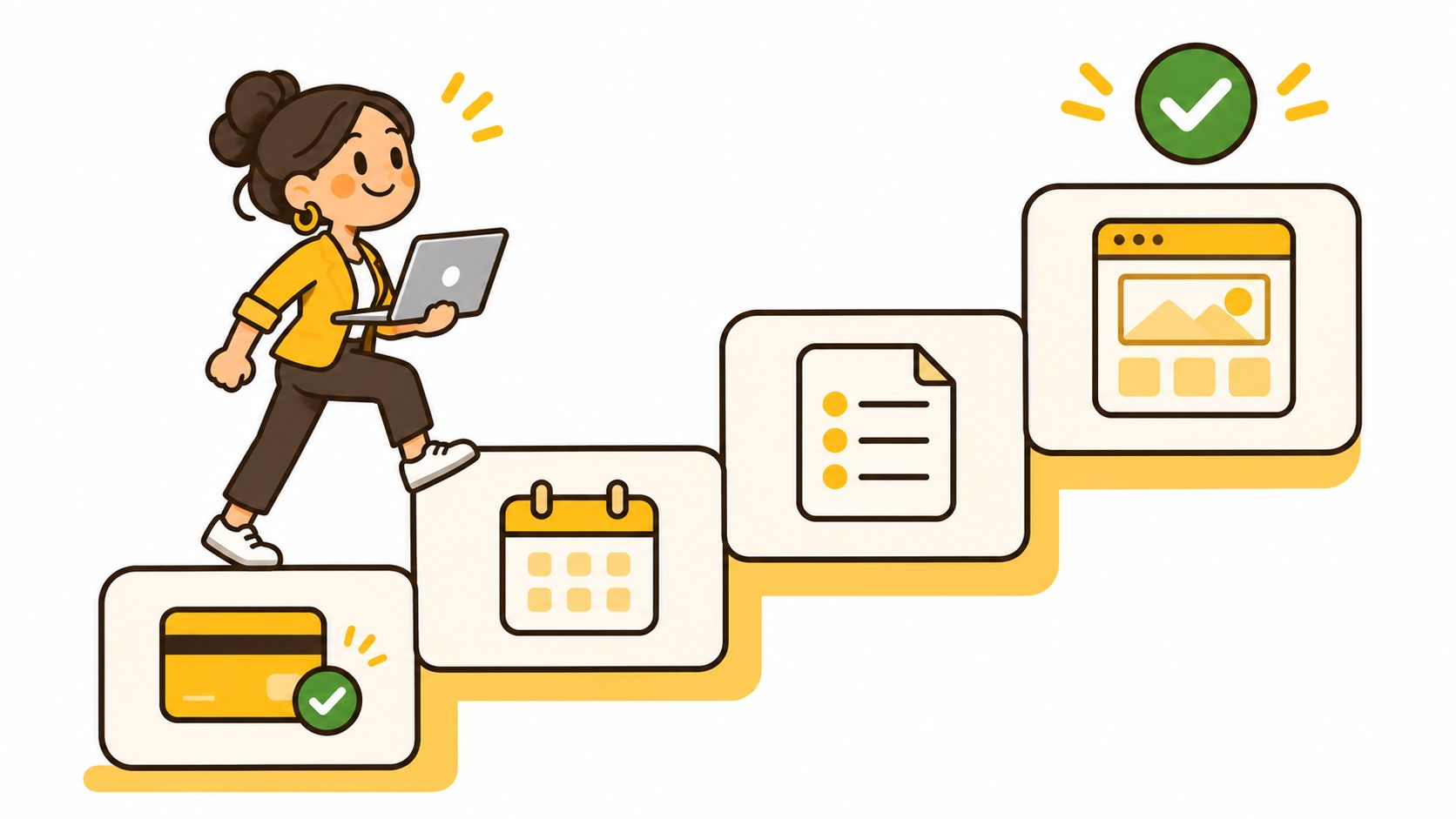
Seeing how these touchpoints connect visually makes it easier to keep your own sequence lean. The walkthrough below shows how to pace intake and prep prompts without overwhelming new clients.
Before finalizing either template, stick to a simple rule of thumb: no more than three questions per email and one primary call to action. Run two quick checks on every draft. First, does the client have a single, obvious link to act on? Second, can they immediately see why every question matters to their upcoming session? If a question is only there because you've always asked it, cut it.
Payment, Renewal and Re-engagement Email Templates
Nothing makes a coach procrastinate faster than writing billing emails or following up with a client who has gone quiet. You start worrying about sounding money-hungry when a card declines, or sounding needy when someone hasn't logged into the portal for a week. Yet silence on your end creates far more stress for the client than a calm, matter-of-fact email ever will.
When billing issues hit, clients immediately fear two things: being charged twice by accident, or getting abruptly locked out of their coaching program mid-month. Your tone should remove both fears in the first two sentences. Treat renewals and failed charges as routine logistics, never as moral failures.
Renewal Reminder and Failed Payment Templates
Send a renewal reminder seven days before the next billing cycle so nobody gets surprised by a charge on their statement. State clearly what the next period includes and give them a direct link to adjust or pause without having to send an awkward email asking permission.
Subject: Your {program_name} renews on {renewal_date}
Hi {first_name},
A quick heads-up that your {program_name} plan renews on {renewal_date}. Your upcoming cycle includes {included_items}.
If everything looks good, you don't need to do anything. To change or pause your plan before then, use this link: {plan_link}.
{coach_name}
When a card expires or a bank blocks an installment, speed and neutrality protect the relationship. After a recurring charge fails, Coachful sends the client an automated email with a secure link to update their payment method, saving you from chasing card details manually. Keep your failed-payment copy under 90 words, avoid harsh labels like "overdue" or "delinquent," and state plainly when access remains active:
Subject: Quick card update needed for {program_name}
Hi {first_name},
Your recent payment for {program_name} did not go through, which usually happens when a card expires or a bank flags a recurring charge. Your access continues uninterrupted through {grace_date}.
You can update your payment method safely here: {update_link}.
If you think this was an error or want to adjust your schedule, reply to {support_reply} and we will sort it out together.
{coach_name}
The Guilt-Free Re-engagement Template
Clients stall for plenty of boring, human reasons: a family illness, a brutal product launch, or simple embarrassment that they didn't finish last week's reflection. If your follow-up sounds like a disappointed teacher ("Just checking in since you missed your goals!"), they will avoid opening your emails altogether. When you write a gentle restart note after seven days without a login, borrow the low-pressure framing used in reactivation campaigns for past coaching clients so coming back feels effortless.
Subject: Still want to work on your goal, {first_name}?
Hi {first_name},
I noticed you haven't logged in since {last_login}. Weeks get sideways, so there is zero pressure here.
Pick whichever option fits right now:
- Restart quickly: Book a 15-minute reset call at {restart_link}.
- Pick up later: Keep your spot and jump back into your next step when things calm down.
- Pause or stop: Let me know at {stop_link} and I will turn off reminders.
{coach_name}
Set a strict cap on these nudges: send no more than two re-engagement emails over 14 days, then stop. Chasing a quiet client week after week burns goodwill and trains them to ignore your name in their inbox.
The three-choice rule: Every re-engagement email should give the client one choice they can take right now, one choice for later, and one clean way to stop. Handing control back to the client is often the exact thing that gets them replying again.
Branching Paths for Clients Who Stall
Sending one linear sequence to every client assumes that a C-suite executive on a corporate sponsorship, a burned-out founder, and a first-time life coaching client all have the same schedule, tech comfort, and willingness to open up. They don't. A fixed drip sequence puts identical pressure on busy, uncertain, and privacy-conscious clients, which is why good people stall right between payment and session one.
You might be thinking, Building branching emails sounds complicated. Isn't that going to double my admin work? In reality, you only need five common stall triggers, each paired with a short path, a clear wait window, and a single owner responsible for watching it.
| Situation | Email path | Owner | Timing |
|---|---|---|---|
| Intake not submitted after 3 days | Privacy note plus a voice-note or call option | Coach | 3 days |
| Missed booked session | Reschedule link with no guilt wording | Coach | Same day |
| Cohort member silent in group chat for 5 days | Group prompt with one question | Program lead | 5 days |
| First installment paid, no login | Show community access that is already open | Automated | 2 days |
| Returned after 30 days of silence | Short re-entry email with one choice | Coach | On return |
Building a Privacy-First and Accessible Branch
Most onboarding advice obsesses over clicks while ignoring why clients hesitate to type honest answers into a web form. As AgencyPro's analysis of client onboarding templates points out, benchmark pages routinely spotlight reported onboarding open rates of 40-60% and click-through rates of 10-25%, yet those numbers tell you nothing about informed consent, psychological safety, or whether a client can complete the form. A client might click your intake link, wonder whether their employer can read their answers, and close the browser tab.
This blind spot hits hardest in executive, workplace, and health-adjacent coaching, where the client, the coach, and the company paying the invoice may have competing interests. Before asking anyone to disclose sensitive challenges, answer the question they're too polite to ask: Who sees what I write, and what if a long form doesn't work for me? Healthcare providers handle this upfront by walking patients through confidentiality and setup expectations before the first meeting, as seen in the Refresh Psychiatry & Therapy telehealth guide. Coaches benefit from the same plain-language transparency.
Drop a short privacy and accessibility block directly into your Day 3 intake branch:
Only {coach_name} reads your intake answers, and notes are kept for {retention_period}. If you prefer a voice note, a call, or another format, reply with "call me" or write to {support_reply}, and expect a response within {response_time}. You never need to share medical details to request an accommodation.
If your practice involves corporate sponsors or regional data regulations, pair this copy with a quick legal review so your retention window and confidentiality boundary match your actual coaching agreement.
Channel Choice and Cohort Adjustments
Branching also means matching the channel and destination to what the client purchased. Keep email as your default channel so clients have a searchable paper trail they can read on their own schedule. Clients can receive email reminders, and SMS and WhatsApp reminders once messaging is turned on, provided the client has explicitly agreed to texts. Never surprise someone with a WhatsApp ping if they only gave you a work email.
For group programs, align your branching emails with real access milestones. A client who pays the first installment of a payment plan gets group community access immediately, even before the program officially starts. If that client hasn't logged in after two days, don't send a generic countdown reminding them to wait for the kickoff date. Send an automated branch pointing straight to the live community introductions thread so they feel connected right away. Fewer emails consistently outperform long sequences when every branch has one named owner and one obvious next step.
Set Up Coachful Before You Send
Even the sharpest onboarding templates fall flat if your client hits a broken checkout page. A transaction fails if a client reaches checkout before the coach's Stripe account is fully verified, so Stripe onboarding must be completed before you share any offer link. Running setup in the right order prevents that awkward Day 1 tech snag and makes sure every automated trigger fires on cue.
Follow these five steps in sequence before sending a single live link:
- Verify Stripe first. Open Coach → Settings → Billing and finish Stripe onboarding. It takes about five minutes, and completing it upfront guarantees your very first client payment goes through cleanly.
- Link your offer directly to the program. Build your coaching offer and connect it to the right program and booking product. When a client completes checkout on a payment plan offer linked to a program, Coachful automatically enrolls them in the program, and adds them to the group chat if the program has a cohort squad configured.
- Know the webhook safety net. Client enrollment is triggered by a Stripe webhook. If a test or live enrollment hasn't processed after 10 minutes, head to Coach → Settings → Integrations → Stripe → Webhooks and click Resync to re-check the event immediately.
- Load your five templates and bind their triggers. Paste your welcome, intake, session prep, billing, and re-engagement emails into the onboarding sequence. Tie each message to its real event trigger (payment completed, intake submitted, first session booked, or milestone missed) and enable suppression rules so completed steps stop firing reminders.
- Run a live practice test. Sign up with a personal test email, complete checkout, and open every email on both desktop and mobile. Check that variables like
{first_name}and{intake_link}populate accurately, and verify your fallback lines display cleanly when an optional field is left blank.
If building out offers or sequences feels slow, our AI assistant Michelle inside the coach dashboard can walk you through each step or pre-fill offer fields from your program details. Hold off on posting your offer link publicly until that practice run passes from payment to booked session without a single hiccup.
Testing Templates and Reading the Right Metrics
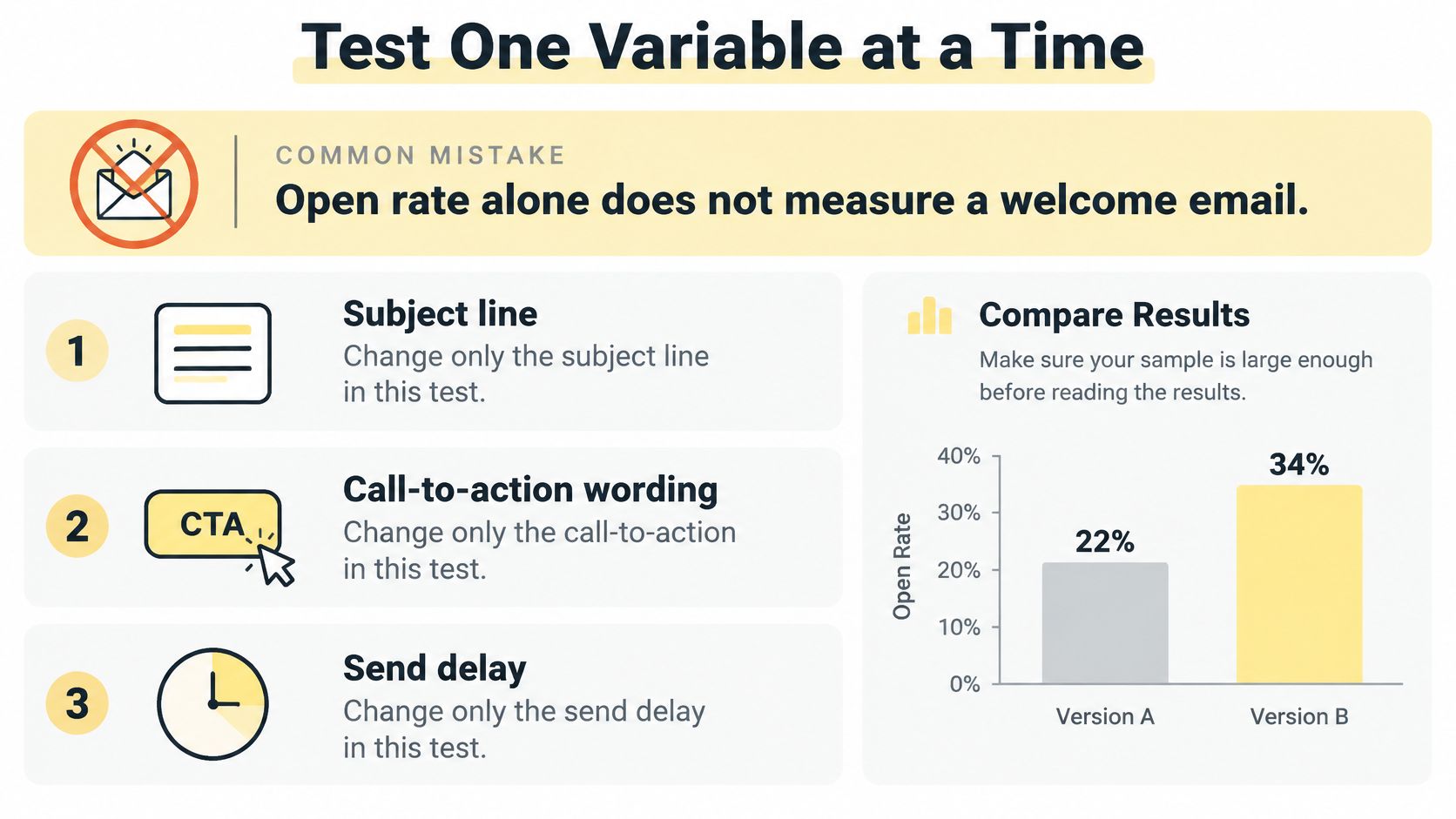
Once your onboarding emails are live, it's tempting to open your dashboard, see a high open rate on your welcome email, and assume everything is working. That's the most common diagnostic trap in coaching operations. Opens only tell you whether your subject line sparked curiosity or whether an email app pre-loaded tracking pixels. They say nothing about whether the client submitted their intake or booked call one.
Context helps keep those numbers grounded. GetResponse's 2024 email marketing benchmarks report recorded an average 83.63% open rate and 16.60% click-through rate for welcome emails, alongside a 19.85% click-to-open rate, 0.94% unsubscribe rate, 0.05% spam rate, and 3.98% bounce rate. Treat those figures strictly as directional reference points rather than pass-fail grades, because open rates vary heavily by audience size, sender reputation, and privacy software. Your real scoreboard is client action.
Running a Clean One-Variable Test
Guessing what to rewrite wastes months. Instead, run a disciplined A/B test that changes one variable at a time (subject line, call-to-action wording, or send delay), keeps a clean holdout comparison, and locks in the success metric before you send a single message.
Say you enroll 50 new clients over a quarter. Split them evenly: 25 receive Welcome Subject Line A, and 25 receive Welcome Subject Line B, while the body, link, and send time stay identical. Declare your winner by intake completion per delivered email after seven days, not by which subject line got more opens.
Pay just as much attention to permission and pacing as you do to wording. Moosend's email marketing statistics compilation notes that personalized messages produced a 44.3% open rate versus 39.13% for non-personalized messages, while excessive frequency drives opt-outs, with one cited survey finding 69% of users said too many emails could make them unsubscribe. Set a firm frequency cap across your onboarding and marketing lists, authenticate your sending domain properly, and honor every unsubscribe or channel preference promptly.
What to Check Weekly Versus Monthly
Checking every metric every morning creates noise. Group your reviews by cadence so you catch broken links quickly without overreacting to two slow days.
| Metric | What it tells you | Check when |
|---|---|---|
| Open rate | Whether the subject line and sender are trusted; weak as a diagnostic on its own | Weekly |
| Intake completion per delivered email | Whether the welcome gave a clear next step | Every two weeks |
| First-session booking rate | Whether prep emails moved clients to a session | After each cohort |
| Reply rate | Whether clients feel safe to respond | Weekly |
| Unsubscribe rate | Whether frequency or relevance is off | After each send |
| Time to first value | Days until a client sets a goal or books | Monthly |
Build one quiet monthly habit: pick a single template to test, write down what changed and what happened, and retire any email that fails to move clients to the next observable onboarding step. You don't need a massive list to start improving today. Send the five-part welcome template to your very next new client this week, track intake completion across the next two weeks, and rewrite whichever stall branch shows the lowest completion rate first.
Ready to turn these templates into a calm, reliable onboarding experience without stitching together five different tools? Coachful brings your offers, Stripe billing, intake worksheets, session scheduling, private client portal, and automated onboarding sequences into one workspace built specifically for coaches. Visit Coachful to set up your client journey and put your next onboarding sequence to work.