Kittl vs Canva: Coaches, Pick Your Best Design Tool for 2026

Coachful

You're a busy coach, and I get it. You're probably thinking, "Just tell me which one to use already! I don't have time for another 3,000-word article." When it comes to the Kittl vs. Canva debate, the answer is refreshingly straightforward.
For most coaches who need to quickly create social media graphics, client workbooks, and presentations, Canva is your dependable workhorse. But if your brand's unique, artistic feel is what sets you apart and justifies your premium pricing, then Kittl is your creative secret weapon.
Kittl vs Canva At A Glance For Coaches
You need tools that save you time and make you look good—not another complicated system to master. You're thinking, "Will this be easy? Or will I waste a whole afternoon just trying to figure it out?" This first look is designed to cut through that noise and show you exactly where each platform shines for the things coaches actually do.
Think of it this way: Canva, which has been around since 2013, is a design powerhouse. It’s built for speed and volume, boasting millions of templates and a massive library of stock assets. This is fantastic when you're thinking, "Oh no, I forgot to schedule a post for tomorrow!" and need to get a polished graphic out the door in ten minutes. It’s incredibly easy to use, which is why its G2 rating consistently hovers around a stellar 4.7/5—beginners can create something professional-looking almost immediately. You can dig into similar findings over on contentbeta.com.
Kittl, on the other hand, is the newer artist on the block, having launched in 2020. It's not trying to be everything to everyone. Instead, it focuses on high-end, beautifully crafted templates and advanced design features that let you create visuals that don't scream, "I made this with a template."
The Core Decision: Your choice boils down to a simple question you should ask yourself right now: Is my main priority speed and consistency across a lot of materials, or is it creating unique, standout assets that define my premium brand?
One tool helps you produce a wide range of great-looking content fast. The other helps you create truly distinct visuals that feel custom-made.
To help you see the difference in practical terms, here’s a quick breakdown of how they compare on the features that matter most to your coaching business.
Kittl vs Canva At A Glance For Coaches
This quick comparison will help you make an initial decision based on your biggest needs right now.
| Feature | Canva | Kittl | Best For The Coach Who... |
|---|---|---|---|
| Ease of Use | Extremely simple, minimal learning curve. | Easy, but with more advanced options. | ...is thinking, "I am NOT tech-savvy" and needs to start today. |
| Templates | Massive library for every use case. | Smaller, curated, and artistic collection. | ...needs to produce a high volume of varied content quickly. |
| Text Effects | Good basic effects (shadow, curve). | Advanced text warping and styling. | ...wants their logo or program titles to look truly unique. |
| Team Features | Robust Brand Kits and real-time collaboration. | Basic collaboration for small teams. | ...works with a VA or plans to scale their business. |
Ultimately, looking at this table, you can probably already feel yourself leaning one way or the other. Your gut instinct is likely telling you whether you value Canva's all-in-one convenience or Kittl's specialized creative flair. Trust that instinct.
Comparing Creative Tools For Workbooks And Branding
When you're creating materials for your coaching business, you're doing more than just putting words on a page. You're building a brand experience. You're probably thinking, "My workbooks look so generic. How do I make them feel like me?" The real question isn't about which tool has more templates, but which one will help your workbooks and branding truly stand out. So let's get into the creative DNA of Kittl and Canva.
Think of Canva as a massive creative superstore. It's got an aisle for everything. If you need a workbook template in a hurry, it has literally thousands to choose from. This is its superpower: incredible variety and speed for everyday design tasks.
Kittl, on the other hand, feels more like a curated design studio. The library is more selective, but every template feels intentional and on-trend. The goal isn't just to give you a starting point, but one that already looks and feels like a premium, custom piece.
The Power Of Text Transformation
The clearest difference between the two, especially for coaches creating logos or signature program titles, comes down to how they handle text. This is where the Kittl vs Canva debate really gets interesting.
Canva gives you the essentials—curving text, adding shadows, and outlining. These are solid, reliable effects that work perfectly for most day-to-day social media graphics or simple worksheets. But if you’ve ever had that frustrating thought, "I just want the text to look a little more special, but I can't seem to do it," you’ve probably felt Canva's limitations.
Kittl was built from the ground up with professional typography in mind. It has a text-warping engine that feels like something out of Adobe Illustrator, letting you bend, shape, and apply complex distortions with incredible control.
Key Insight: Kittl’s text tools are for coaches who want typography to be a signature element of their brand. It's how you create a logo or program title that looks like it was custom-made by a graphic designer, not just typed into a box. For example, you can easily create a '70s retro wavy effect on your program title or a sophisticated, embossed look on your logo—things that are nearly impossible in Canva.
The difference in creative potential is immediately obvious. Just look at what’s possible when you move beyond standard text effects.
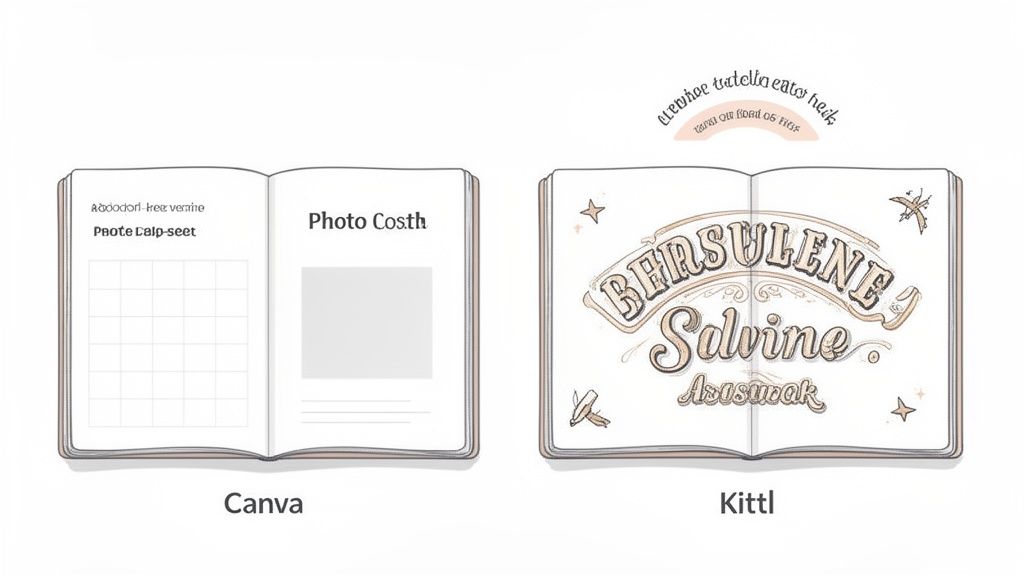
What you’re seeing here is how Kittl’s advanced shadowing and warping tools can give text a tangible, almost 3D quality. Achieving this in Canva would require a series of complicated and frustrating workarounds, if it's possible at all. You can find more of our helpful resources on other great content creation sites.
A Deeper Look At Design Capabilities
Of course, there’s more to design than just text. Both platforms provide easy-to-use interfaces for putting together a solid graphic design layout, which is fundamental for any professional-looking workbook or brand guide.
But when you dig into the details, Kittl consistently edges out Canva in specialized areas. Its advanced text manipulation, with features like anchor point adjustments and complex shading, simply produces more professional-grade results. Kittl’s vector exports are also cleaner for high-quality printing, and its product mockups are known for their realism.
While Canva has some great AI features for quick animations, some data suggests Kittl's specialized templates can lead to 30-40% faster outcomes for experienced users aiming for that pro look. For coaches who see their content as a form of artistry, this is a critical distinction.
How AI Features Can Actually Lighten Your Coaching Workload
We all hear the constant buzz about AI, but I know what you’re probably thinking: “Is this really going to save me time, or is it just one more complicated tool I have to learn?” It’s a fair question.
Let's get practical and talk about how AI can genuinely help your coaching business. Both Kittl and Canva have impressive AI tools, but they’re built for very different purposes. Understanding this difference is the secret to getting hours back in your week.
Canva's Magic Studio: Your Content Production Assistant
Canva's AI suite, called Magic Studio, is all about efficiency. Think of it as a tireless assistant whose only job is to handle the repetitive, time-consuming parts of content creation so you can focus on coaching.
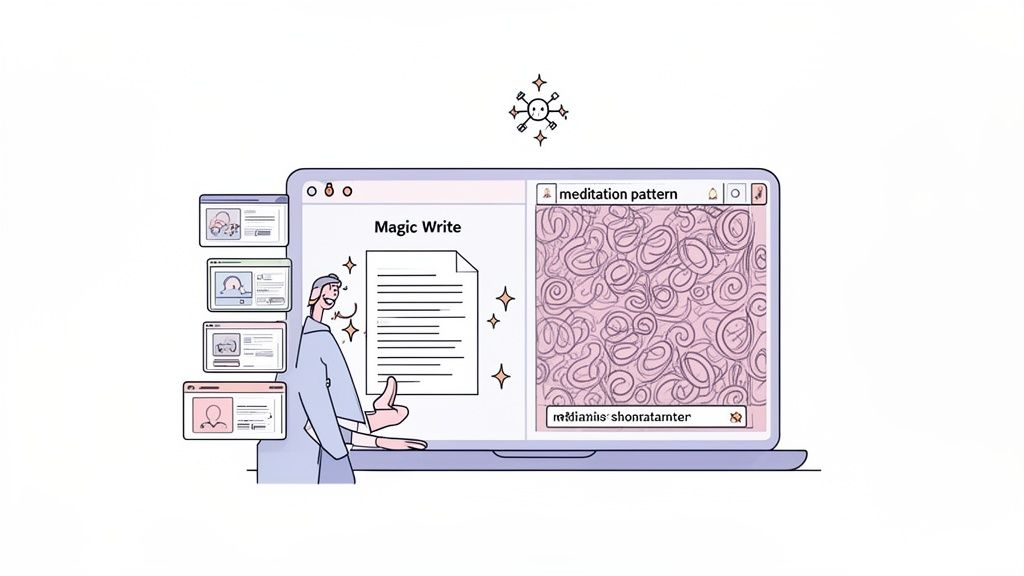
Let’s say you’re a business coach onboarding a new client. Instead of staring at a blank screen, you could use Magic Design. Just type in a simple prompt like, “10-slide presentation for new client onboarding,” and watch it happen. Canva will generate a full, editable deck covering key topics like goal-setting, project timelines, and communication plans. In just a few seconds, you’re 80% of the way done.
This is where the philosophical divide between the two platforms becomes crystal clear. Canva's AI is focused on the substance of your content.
Coach's Inner Dialogue: "I need to come up with some workbook prompts for my group program, but I'm completely drawing a blank today. The deadline is looming."
With Canva's Magic Write, you can ask it to "draft 5 reflective journal prompts about overcoming limiting beliefs for a leadership coaching program." It gives you the raw text, which you can then polish and drop right into your workbook template. It's a lifesaver for beating writer's block and getting that first draft on the page.
Kittl's AI: Your Personal Creative Director
Kittl’s AI, on the other hand, operates more like a creative partner. It’s not here to write your content or structure your presentations. Its sole focus is helping you generate truly unique visual assets that make your brand feel special and memorable.
Imagine you're a wellness coach putting together a new meditation guide. You're thinking, "I want a background that feels calming and aligned with my brand—not a generic stock photo I’ve seen a dozen times before."
Here's how you'd use Kittl's AI:
- Your Prompt: "Minimalist seamless pattern of watercolor eucalyptus leaves and soft geometric lines, sage green and beige."
- The Result: Kittl doesn't just find an image; it generates a brand-new, tileable pattern that is visually yours. You can then use this custom asset everywhere: on your workbooks, social media graphics, and even on branded merchandise like journals or mugs.
The decision really comes down to your primary goal at that moment. Turn to Canva's AI when you need to produce high-quality content quickly and efficiently. Open up Kittl's AI when your objective is to create distinctive, artistic visuals that define your brand’s unique aesthetic. One is an incredible time-saver, the other is an incredible art-maker.
Scaling Your Brand With Team Collaboration Features
There comes a point in every coach's journey when you realize you can't do it all alone. That whisper in your head telling you to hire a virtual assistant or bring on another coach gets louder. Suddenly, you're asking, "How do I make sure my VA creates things that actually look like my brand?" Scalability and brand consistency aren't just buzzwords—they're essential.
This is where the Kittl vs. Canva discussion shifts from a creative showdown to a question of operational horsepower. For a growing coaching practice, this is where Canva really pulls ahead.
Canva for the Scaling Coach
Let's be clear: Canva was built with teams in mind from the ground up. Its Brand Kit feature alone is a lifesaver for any coach who works with a VA, a social media manager, or other coaches. You can lock in your exact brand colors, upload your custom fonts, and store every version of your logo.
What does this mean in practice? It means you can stop worrying. You give a team member access and trust that the new workbook they design will be perfectly on-brand. No more hunting for the right hex code or clarifying which logo to use for a webinar slide versus a PDF download. It’s brand consistency on autopilot.
Example: Think of a corporate coaching agency bringing on new trainers. A central Brand Kit ensures every presentation, client handout, and social media graphic adheres to the company’s polished look. The new trainer doesn't even have to think about it; the right colors and fonts are just there. This creates a unified and professional client experience from day one.
Real-Time Collaboration and Workflow Control
Canva's team-focused design goes much deeper than just branding. You and your VA are probably tired of emailing designs back and forth with notes like "can you move this text a bit to the left?" Canva's platform offers true real-time collaboration that feels just like working in a Google Doc. You and your VA can jump into the same design simultaneously, making edits and leaving comments right where they’re needed. This cuts down feedback loops from days to minutes.
Beyond that, Canva provides the kind of administrative control you need as your operation gets bigger:
- Approval Workflows: A junior team member can create a new social post and submit it for your review directly within Canva. You get a notification, approve it, and it's done. No more messy email chains.
- Version History: Ever thought, "Oh no, I deleted the wrong page!" Canva saves your version history, so you can always rewind and recover your work.
- User Roles & Permissions: This is crucial. You can grant specific access levels to different people, protecting your master templates while giving your team the freedom to work.
The user data backs this up. Canva consistently ranks #1 in graphic design software, with an average user satisfaction rating of 8.6/10, largely thanks to these powerful collaboration tools. Kittl earns a respectable 4.7/5, but its users praise it for its individual creative power, not its team functions.
At its core, Kittl is a tool for the individual creator. While you can share projects, it simply doesn’t have the robust administrative controls, brand-locking features, or integrated workflows that a growing team requires. If you're looking for more guidance on what to prioritize as you expand, check out our complete guide to finding the best coaching business software.
For a solo coach, Kittl's simplicity is a strength. But for the coach with a team and a vision to scale, Canva is the clear winner in this category.
All the feature lists in the world don't mean much until you apply them to your own business. You're a coach, and your needs are specific. You're thinking, "Okay, that's all great, but what about my specific situation?" So let's cut through the noise. The right choice between Kittl and Canva really comes down to your day-to-day workflow and what you’re trying to create.
Let's walk through a few common coaching scenarios. See which one sounds most like you.
You're a Solo Coach Focused on Building a Premium, Soulful Brand
If you’re just starting out, your main goal is to build a brand that feels authentic and looks incredible. You need to create social media graphics that stop the scroll and simple, beautiful PDFs for your first clients. You’re the sole creator, and you're thinking, "I want every visual to feel special and hand-crafted, not like a generic template."
Our Recommendation: Kittl
Kittl is your best bet here. Its strength lies in its curated, artistic templates and sophisticated text editing tools. You can create truly unique, emotionally resonant visuals that set you apart from the sea of look-alike coaching brands. For example, you can create a gorgeous, vintage-style Instagram carousel that feels like a page from an art book, not a standard social media post.
You're a Business Coach Juggling Group Programs and a VA
You're scaling up. This means you’re running multiple group programs, which requires a constant output of presentations, workbooks, and marketing materials. Efficiency is your mantra. You might even have a virtual assistant helping you produce content, and you're thinking, "How do I make this process less of a headache?"
Our Recommendation: Canva
This workflow is exactly what Canva was built for. Its enormous template library means you never have to start from an empty page. The Brand Kit feature is a lifesaver for maintaining consistency, especially when delegating tasks to a VA. Your VA can log in, access the approved brand colors, fonts, and logos, and create a 50-page workbook that looks exactly how you want it to, without needing constant supervision.
This flowchart breaks down the decision at its most fundamental level: are you working alone or with a team?
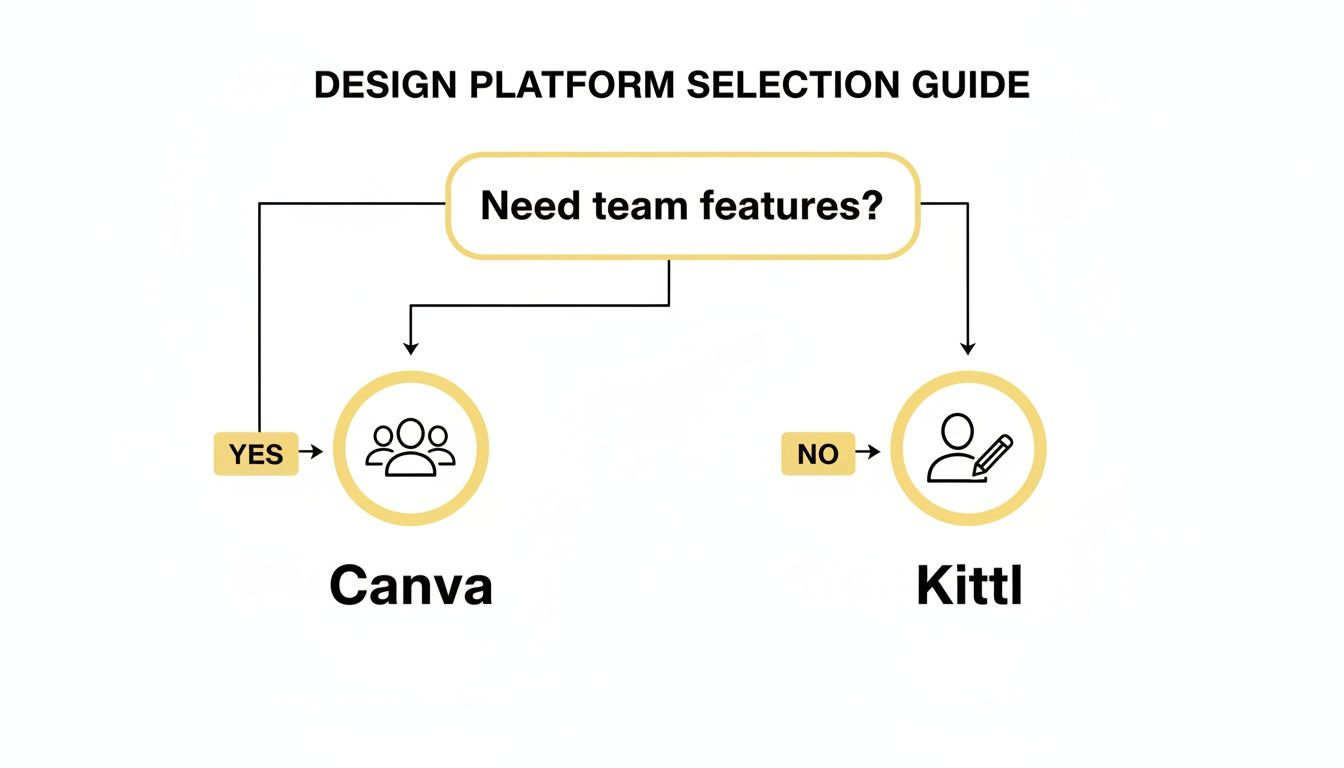
As the chart makes clear, if you need robust team features to scale your coaching business, Canva is the obvious path. If you're a solo creator focused on design artistry, Kittl is designed for you.
You're a Course Creator Looking to Add Branded Merchandise
You’re not just building a digital course; you're building an entire brand ecosystem. This includes physical products like branded journals, planners, or t-shirts. Your big worry is, "Will this actually look good when it's printed?" For this, print quality is everything.
Our Recommendation: Kittl
This is where Kittl truly pulls ahead. Its print-on-demand mockups are far superior, letting you see exactly how your designs will look on physical items. But the real game-changer is its ability to export high-quality vector files (SVG, PDF). This is a critical technical advantage that ensures your logos and designs look sharp and professional on any printed product, big or small. Canva’s focus is primarily on digital and simple print, making Kittl the professional’s choice for merchandise.
Speaking of courses, if you’re still mapping out your tech stack, you might find our guide on the best course creation platforms helpful for choosing where to host your content.
To make this even clearer, let's map these recommendations to different coaching niches. Use this table to find your role and see which tool aligns best with your primary design tasks.
Which Tool Is Best For Your Coaching Niche?
| Coaching Role | Primary Design Need | Recommended Tool | Why It's The Best Fit |
|---|---|---|---|
| New Life Coach | Unique, soulful social media graphics and client freebies. | Kittl | Advanced text effects and artistic templates help create a premium, non-generic brand from day one. |
| Corporate Wellness Coach | Professional, data-driven presentations and branded reports for B2B clients. | Canva | The Brand Kit ensures strict brand compliance, and its presentation features are fast and user-friendly for corporate settings. |
| Course Creator (with Merch) | High-quality designs for both digital workbooks and physical products like hoodies or journals. | Kittl | Its vector export capability is essential for professional printing, and mockup tools help visualize the final product. |
| Scaling Agency or Team | High-volume content production across multiple clients, managed by a team. | Canva | Unbeatable for team collaboration, real-time comments, approval workflows, and managing multiple brand kits efficiently. |
Ultimately, the best tool is the one that removes friction from your creative process. By matching your primary business needs to the core strengths of each platform, you can invest in a tool that will not only support your work today but also grow with you tomorrow.
Final Verdict: Which Platform Is The Best Investment?
Alright, let's get down to it. You're probably thinking, "Just tell me which one to buy for my coaching business!" The answer isn't about which one is cheaper, but which platform truly pays for itself in the long run. This isn't just an expense; it's a strategic investment in your brand.
If you're a coach who is constantly creating content—think weekly social media graphics, new client workbooks every month, and regular presentations—Canva Pro delivers undeniable value. Its real power comes from the massive, all-you-can-eat library of stock photos, videos, and audio. That alone can easily save you hundreds of dollars a year that you might otherwise spend on separate stock subscriptions. Add in its AI tools, and you’re looking at a serious reduction in content creation time.
For a content-heavy coach, Canva’s value is all about operational efficiency. The time saved with its AI tools and the money saved by its unlimited assets go straight to your bottom line. It's the difference between spending an afternoon designing posts and spending 20 minutes, giving you back hours to actually coach clients.
But what if your business model isn't about volume, but about creating a signature, premium aesthetic? This is where Kittl comes in, offering incredible creative firepower without a hefty price tag.
The Return On Creative Distinction
When you’re offering high-ticket programs, every single touchpoint, from your logo to your worksheets, has to communicate premium quality. You're probably wondering, "How can I make my $5,000 program feel like a $5,000 program?" Kittl is an investment in your brand equity. Its sophisticated text effects and truly unique templates let you design assets that simply don't look like they came from a template. This high-end feel can make it much easier to attract discerning clients and confidently charge higher rates.
Let's break down the return on investment for each:
- Canva’s ROI is measured in hours saved and costs consolidated. Its simple collaboration features also cut down on the back-and-forth with a VA or team member, freeing up administrative time for activities that actually make you money.
- Kittl’s ROI is measured in brand differentiation. A stunning, unique workbook you created in Kittl can elevate the perceived value of your entire coaching package, making it easier to justify a higher price point and stand out in a crowded market.
Ultimately, your choice between Kittl and Canva comes down to this: Is your primary goal to optimize for volume and efficiency, or for creative distinction and perceived value? One helps you save time and money; the other helps you make more of it.
Kittl vs. Canva: Answering Your Top Questions
When I talk with coaches about which design tool to use, a few questions always surface. You're trying to build a brand, not become a graphic designer, so let's cut through the noise and get you some clear answers.
Do I Have to Choose Just One?
This is probably the biggest question on your mind: "What if I like features from both? Do I really have to pick a side?"
The short answer is no. In fact, many successful coaches build a workflow that uses both platforms. Think of it like this:
Canva is your reliable daily driver. It’s perfect for the high-volume, everyday assets you need to run your business—social media graphics, client worksheets, and quick presentation slides. Its strength is speed and consistency.
Kittl is your secret weapon for the "wow" factor. You'll pull it out when you need to create something truly special. Think of a standout logo, a beautiful cover for a premium digital product, or unique merch designs. Kittl is where you go for that custom, artistic touch.
Using them together gives you the best of both worlds: efficiency for the daily grind and creative firepower when you need to make a statement.
Which One Is Better if I'm a Complete Beginner?
If your first thought is, "I have zero design skills and just need something that works,” then your starting point is definitely Canva.
Canva is famous for a reason. Its drag-and-drop editor is incredibly intuitive, and you can go from a blank page to a polished, professional-looking graphic in just a few minutes. The learning curve is practically flat, which is a lifesaver for busy coaches who can't afford to get bogged down trying to master complex software.
Coach's Takeaway: Start with Canva. It will help you build confidence and get content out the door fast. Once your brand's visual identity becomes clearer and you start thinking, "I want to take my designs to the next level," you can easily add Kittl to create more sophisticated, signature pieces for your business.
This approach lets you grow into your tools, ensuring your brand always looks its best without overwhelming you from the start.
At Coachful, we believe your tools should support your growth, not slow you down. Our platform brings all your essential coaching workflows into one place, so you can spend less time on admin and more time making an impact. Learn how Coachful can streamline your practice.