
Airtable vs Notion for Coaches in 2026

Coachful

As a coach, you're constantly juggling client information, session notes, program content, and your own business development. You’ve probably heard people buzzing about Airtable and Notion, but the whole "Airtable vs Notion" debate can feel like just another thing to figure out. You're likely thinking, "Great, two more tools I have to learn. Which one will actually make my life easier, and which one is just a time-suck?"
Let’s simplify it. Think of it this way: Airtable is your ultra-organized digital filing cabinet—a powerful database perfect for tracking client progress, payments, and business metrics with surgical precision. On the other hand, Notion is your infinite digital whiteboard, a flexible canvas ideal for crafting beautiful client portals, organizing session notes, and building your entire coaching library in one place.
Your Quick Guide to Choosing Between Airtable and Notion
The real question is, "Will this tool actually save me time, or just add to my to-do list?" The answer comes down to what you need it to do for your specific coaching business. Instead of getting lost in a sea of features, let's focus on which platform solves your biggest administrative headaches right now.
This guide is designed to give you that clarity. We'll look at which tool shines for specific coaching tasks, so you can pick one with confidence and get back to what you love—coaching your clients.
Making the Right Choice for Your Coaching Style
At its core, the decision hinges on one simple question: Is your main goal to manage structured data or to create flexible, content-rich documents?
For Data-Driven Coaches: If you thrive on metrics, love tracking client progress with hard numbers, and need to manage complex client rosters, Airtable's database-first design will feel like a perfect fit. It’s built from the ground up to handle structured information. Your inner dialogue might be: "I need to see at a glance which clients are on track, which invoices are overdue, and how my lead sources are performing. I need a system, not just a bunch of notes."
For Content-Focused Coaches: If your priority is creating gorgeous client portals, organizing your notes with text and images, and building a central knowledge base, Notion's document-centric approach is second to none. You might be thinking: "I want to give my clients a beautiful, branded experience. I need a place where all my worksheets, videos, and session notes live together seamlessly."
This decision tree breaks it down even further, guiding you based on whether your world revolves around data or documents.
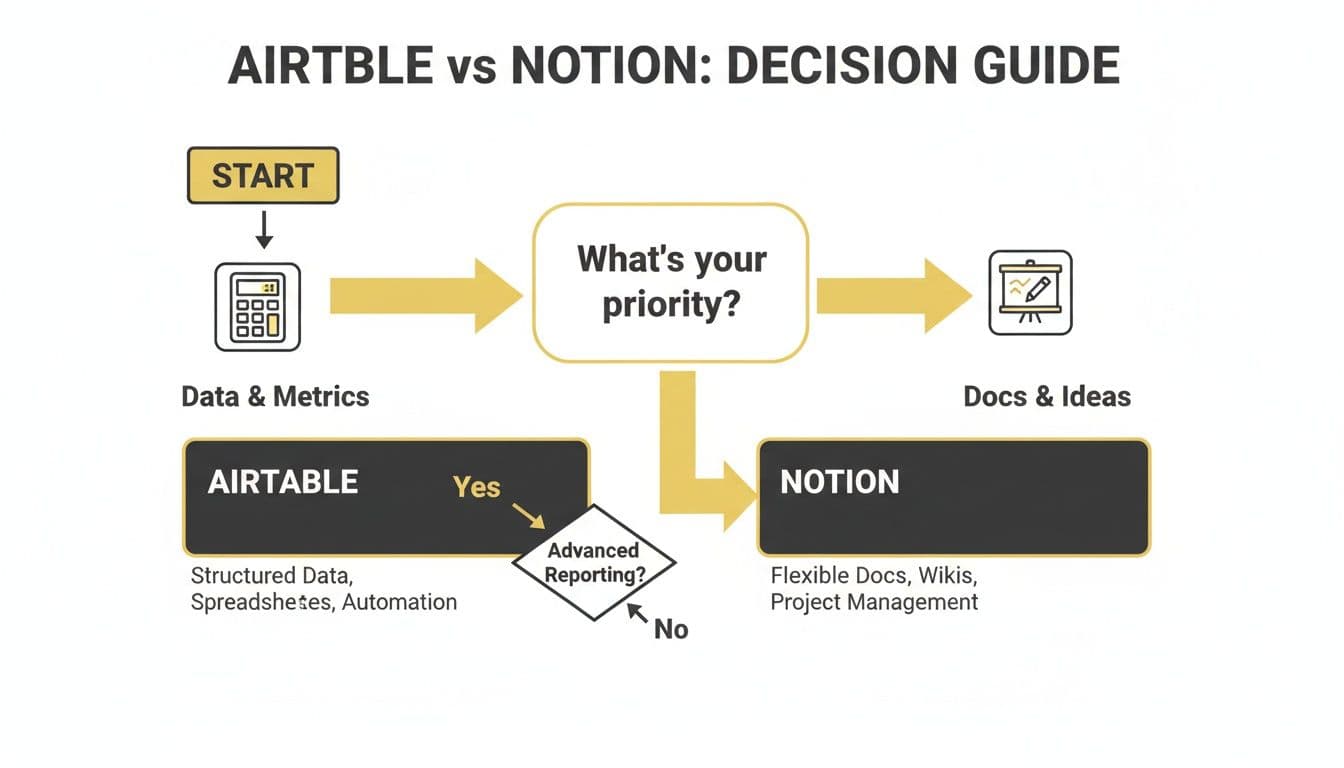
As you can see, your primary need—be it crunching numbers or crafting content—is the clearest indicator of which tool is right for you. For an even deeper dive into the specific features, this comprehensive Airtable vs Notion comparison is a fantastic resource.
Key Insight: Airtable is for coaches who think in spreadsheets and need to analyze data. Notion is for coaches who think in documents and need to organize ideas.
But what about the day-to-day tasks? Sometimes, neither tool is a perfect solo act, and that's when a purpose-built coaching platform might enter the picture. The table below breaks down which tool to choose for common coaching workflows.
Airtable vs Notion At a Glance for Coaches
This quick-reference table maps common coaching tasks to the best tool for the job, helping you see where each platform truly excels.
| Coaching Task | Choose Airtable If... | Choose Notion If... | Consider a Dedicated Platform When... |
|---|---|---|---|
| Client Management (CRM) | You need to track detailed data, link clients to sessions, and run reports on your pipeline. | You want a simple client list with rich notes, files, and a dedicated page for each client. | You need automated scheduling, invoicing, and contract management tied to your CRM. |
| Session & Progress Tracking | You use quantifiable metrics and want to create charts to visualize progress over time. | You prefer free-form notes, checklists, embedded videos, and linking to resource docs. | You want clients to log their own progress and have it auto-populate their profiles. |
| Client Portals & Onboarding | You want to create functional, data-driven dashboards for clients to see their own stats. | You want to build beautiful, content-rich welcome kits, resource hubs, and shared workspaces. | You need secure, pre-built client portals with integrated messaging and course access. |
| Content & Program Planning | You're managing a complex editorial calendar with multiple contributors and strict deadlines. | You're brainstorming, outlining, and writing course materials, modules, and a knowledge base. | You need to host and sell a course with integrated payment processing and user management. |
Ultimately, this isn't about finding the "best" tool, but the best tool for you. By understanding whether you lean more towards data management or content creation, you can make a choice that supports and scales your coaching practice.
The Core Difference: Powerful Databases vs. Flexible Documents
When you're trying to choose between Airtable and Notion, it helps to get past the feature lists. The real difference isn't what they do, but how they think. Understanding their core philosophy is the first step to figuring out which one will click with the way you run your coaching business.
Think of it this way: Airtable is a relational database at its heart, just one that happens to look like a friendly spreadsheet. It was designed from day one to handle structured, interconnected data. Are you thinking, "I need to track every client, link them to every session, log each payment, and then automatically calculate their satisfaction score?" That's what Airtable was born to do.
Notion, on the other hand, started as a document and wiki tool. It’s more like an infinite digital canvas. While you can add databases (and they are quite good!), they are just one type of "block" you can place on a page. Notion's genius is in how it lets you weave together text, images, checklists, and those databases into a single, beautiful document—perfect for something like an interactive client welcome packet. Is your inner voice saying, "I just want one place where I can write my session notes, embed a YouTube video, and make a quick checklist for my client without opening three different apps?" That's Notion.
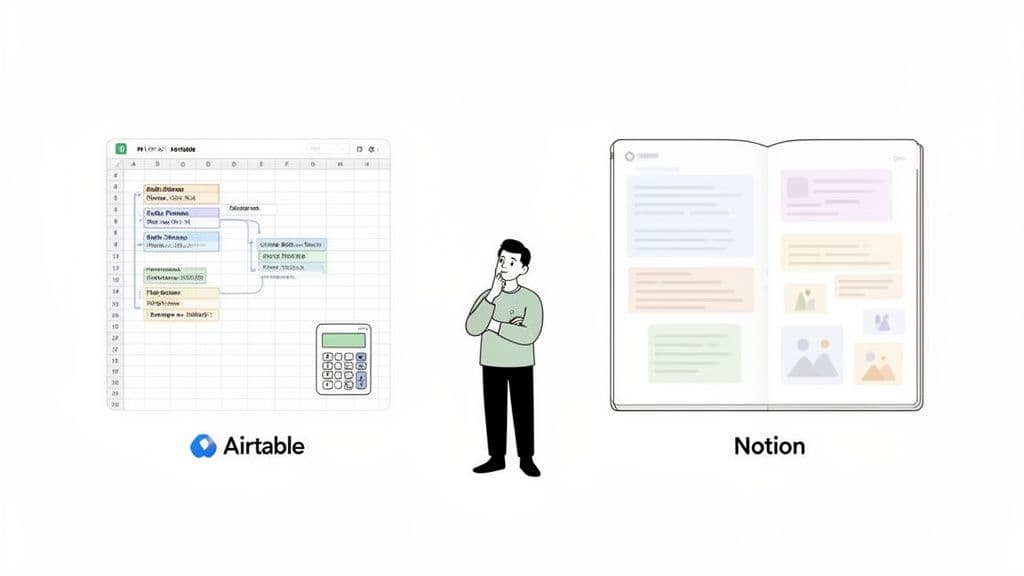
This "database-first" vs. "document-first" DNA has real consequences for performance. Airtable's focus on structured data allows it to handle huge volumes with ease. We’re talking about managing 2,400 leads with multiple complex views and filters without breaking a sweat. In contrast, a single Notion database can start to feel sluggish once you get past 500 or so entries. For a growing coaching practice, that's a critical distinction.
Real-World Coaching Examples
Let’s make this more concrete by looking at how you might use each tool for common coaching tasks. This should help you see which approach feels more natural for your workflow.
Scenario 1: The Business Coach's Sales Pipeline
A business coach is managing a pipeline of 50+ active leads. They need to track where each lead came from, their current stage (Initial Contact, Proposal Sent, Closed), potential deal size, and the date of the last conversation. The coach is thinking, "I'm losing track of who I need to follow up with. I need a system that tells me what to do next so leads don't go cold."
- In Airtable: This is a perfect fit. The coach can set up a dedicated "base" with strict field types—like single-select dropdowns for status—to keep the data clean and consistent. They can then visualize this pipeline as a Kanban board, dragging leads from one stage to the next. Even better, they can build an automation that flags any lead who hasn't been contacted in 14 days. Airtable becomes the proactive assistant they've been looking for.
Scenario 2: The Life Coach's Client Dashboard
A life coach wants to build a private, inspiring hub for each client. This space should hold resources, journaling prompts, session notes, and weekly goals to keep clients engaged between calls. The coach's thought is, "I want my clients to feel supported and inspired even when we're not on a call. How can I create a beautiful, central space just for them?"
- In Notion: This is where Notion truly shines. The coach creates a master template page and simply duplicates it for each new client. Inside, they can embed a welcome video, create a gallery of inspirational quotes, add a shared reading list, and include simple checklists for weekly action items. It’s all about creating a rich, contextual experience, not just crunching data.
The Coach's Inner Dialogue: "Do I need a super-powered calculator or an infinite whiteboard? Airtable is for calculating and organizing my business data. Notion is for organizing my thoughts and presenting my content."
As you think about how this applies to your own practice, you might find our guide on building a student progress tracking template helpful, as it dives deeper into these ideas. In the end, the choice comes down to your primary need: Is it managing structured business data at scale, or is it crafting flexible, personalized experiences for your clients?
How Each Tool Handles Real-World Coaching Workflows
Okay, let's move past the feature lists. What really matters is how these tools fit into your actual day-to-day work as a coach. The whole Airtable vs. Notion debate comes down to which one solves your real-world problems with the least amount of friction.
I hear it all the time: "Just tell me which one will get rid of my admin headaches for this specific task!" So, let's do that. We'll look at the core workflows of a coaching business and see where each platform really pulls its weight.
Client Onboarding Workflows
That first interaction with a new client is everything. It sets the stage for your entire relationship, and how you gather their initial info is a massive part of that first impression.
Airtable for Structured Intake
If you're a coach who craves clean, organized data from the get-go, Airtable will feel like a breath of fresh air. Imagine sending a new client a simple, professional intake form. The moment they hit "submit," all their details—name, goals, initial assessment scores—populate your client database perfectly.
This approach is for the coach who thinks, "I need this data to be perfect and reportable from day one. I'm tired of copying and pasting info from emails and intake forms into a messy spreadsheet." No more manual entry. The information is instantly structured, ready to be linked to session notes, invoices, and progress reports. To really dial this in, we have a whole guide on client onboarding automation.
Notion for a Branded Welcome Experience
Notion plays a different game. Instead of just a form, it lets you build a beautiful, immersive welcome portal. Think of a custom page with a welcome video from you, your coaching agreement, some initial journaling prompts, and a checklist of "first steps."
This is for the coach whose inner voice says, "I want my client to feel like they're stepping into a high-touch, personalized experience, not just filling out paperwork." You send one link, and they get a complete, branded introduction to your world. While you can embed forms in Notion, its real power lies in wrapping that data collection inside a rich, narrative-driven experience.
Program and Content Management
You’ve poured your heart into a signature 12-week program. Now, how do you manage the delivery and organize the content without losing your mind?
Airtable for Complex Timelines
If your program has dependencies—for example, a client must finish Module 3 before they can see Module 4—Airtable’s database structure is your best friend. Its Gantt and Timeline views are literally built for mapping out these kinds of complex projects. This is for the coach thinking, "How can I manage 15 clients at different stages of my program without something falling through the cracks? I need a bird's-eye view."
Key Insight: Airtable is a master at managing the logistics of your program. It’s all about answering, "Who gets what, and when?" with precision, making sure nothing falls through the cracks.
You get a high-level view of your entire client roster, can track their progress against key milestones, and even automate reminders. It’s a logistical powerhouse.
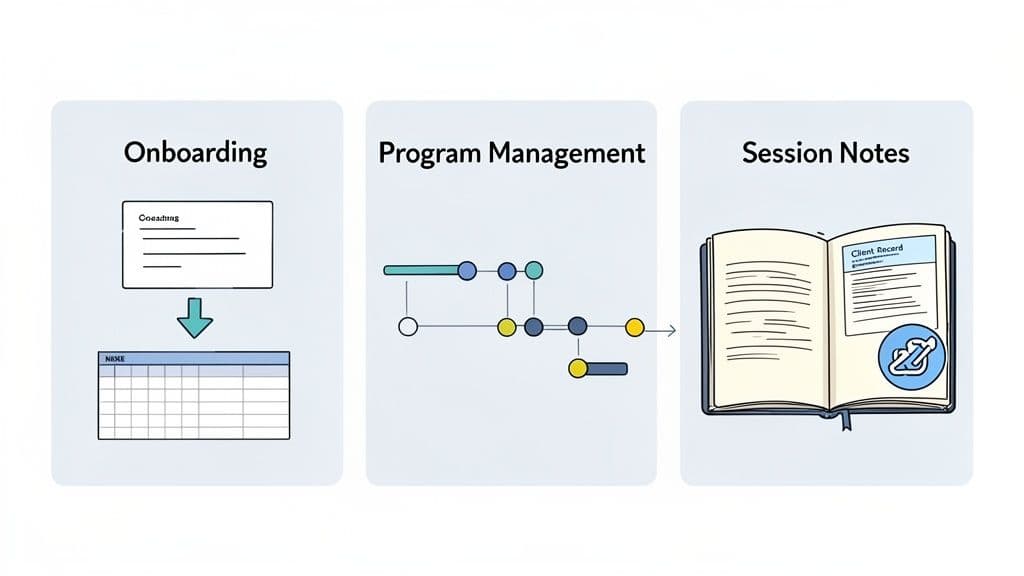
While this image shows a marketing workflow, the principle is identical for coaching. You can manage multiple clients, track their progress through your program, and see content deadlines all in one structured, visual dashboard.
Notion for a Central Resource Hub
Notion, on the other hand, is the ultimate library for your program. It lets you build out each module as its own beautiful page, complete with text, embedded videos, worksheets, and other resources.
This is the perfect fit for the coach thinking, "I need one gorgeous, organized home for all my program materials that my clients will actually enjoy using." You create a master program hub and simply share it with clients. It becomes their go-to spot for everything, feeling less like a checklist and more like a cohesive digital course. For coaches wanting to apply this organizational power to their marketing, learning how to automate social media posts can be a huge time-saver.
Session Notes and Progress Tracking
The real coaching magic happens during your sessions. Capturing those insights in a way that’s actually useful later is critical.
- Airtable for Linked Notes: Here, you create a "Sessions" table and link each entry to a specific client record. Even better, you can link it to their specific goals in a separate "Goals" table. This builds an incredibly powerful, interconnected web of data that’s amazing for reviewing long-term progress. Your thought process: "I want to be able to see a client's entire journey, connecting every session note back to the goals we set in our first call."
- Notion for Free-Form Notes: Notion feels more like a perfect digital notebook. You can have a running page for each client, freely typing notes, adding checklists on the fly, and even embedding audio snippets from your call. It's fluid and feels more like journaling than rigid data entry. Your thought process: "I just need a simple, clean page to capture my thoughts during a session without being boxed in by fields and formats."
So, when it comes to the Airtable vs. Notion question, it’s not about which is "better." Airtable is for organizing the data about the coaching. Notion is for organizing the content and context of the coaching.
Scaling Your Coaching Business From Solo to Team
Eventually, every successful coach reaches a tipping point. The systems that were perfect for you as a solo operator start to feel clunky and restrictive the moment you think about hiring a VA or bringing on another coach. That nagging question starts to surface: "This works for me, but will it break when we're a team?"
This is when the Airtable vs. Notion choice becomes absolutely critical. The tools that got you here might not be the ones to take you to the next level. Let's look at how your systems need to evolve to support a growing team.
Airtable for Granular Control and Team Dashboards
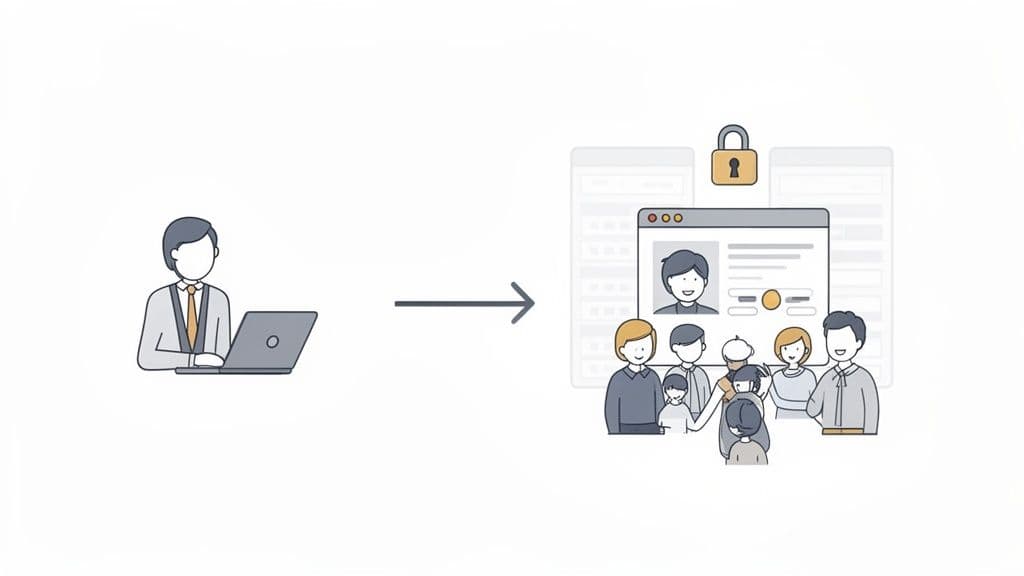
As you add people, you add complexity. You simply can't have your new assistant seeing your private financial projections, or an associate coach accidentally deleting your master client database. Your inner objection might be, "I'm terrified of someone messing up my client list or seeing sensitive information. How can I give them access to only what they need?" This is where Airtable's fundamental design as a true database gives it a serious edge.
Its power comes from granular permissions and the ability to handle data with precision. You can lock down access to specific fields, ensuring team members see only what’s relevant to their role. For a growing coaching team, the "Interfaces" feature is a standout.
Think of it this way: you can build a clean, custom dashboard for your associate coaches that only shows their assigned clients and session notes. At the same time, your virtual assistant gets their own Interface focused purely on appointment scheduling and invoice tracking. All the while, you’re the only one who sees the "messy" backend with all the sensitive data, financials, and master lists.
This ability to create separate, focused views is a lifeline when scaling. Airtable was built for organizations that need to securely manage and report on structured information—exactly what you need when you're tracking hundreds of clients across different programs.
Notion for Collaborative Knowledge and Team Hubs
Notion's path to scaling looks different. It shines brightest as a shared brain for your team. When you hire, you suddenly need a central hub for SOPs, training materials, and company playbooks. For building this kind of internal wiki, Notion is in a class of its own.
But its database functionality can quickly become a bottleneck. As a coach, you might already be feeling this: "My client list is getting huge, and my Notion pages are starting to lag." You're not imagining it. When it comes to the data-heavy side of a coaching business, Airtable's higher database limits and faster views are a clear winner.
Airtable's Enterprise plans can handle up to 100 million records per table, while Notion's paid plans top out at 20,000 rows per database, where performance often starts to degrade. In fact, recent benchmarks show Airtable's filtered views manage large coaching datasets 2-3x faster, which can cut down admin time by as much as 40%. You can explore more data-centric comparisons of Airtable and Notion to see exactly how this works in practice.
The Scaling Wall: Most growing coaching businesses eventually hit a "wall" with Notion once their client database swells to a few thousand records. This is the point where migrating data-intensive workflows like your CRM or progress tracking over to Airtable becomes a practical necessity for performance.
On the flip side, if your team’s main job is creating content together—like co-designing a new group program or building out a massive resource library—Notion's collaborative workspace is infinitely better. Trying to co-author long documents in an Airtable record would be an absolute mess.
Ultimately, each tool scales a different part of your coaching business. Airtable is for scaling your data operations; Notion is for scaling your team's shared knowledge.
Cost vs. Value: The Pricing Breakdown for Coaches
Let's get down to the brass tacks: the money. It's never just about the monthly subscription fee you see on a pricing page. The real cost is a mix of your money and, more critically, your time. The question you're probably asking yourself is, "Is the more expensive plan actually worth it for what I really do every day? Can I get away with the free version, or am I just setting myself up for a headache later?"
We're going to break down the pricing for Airtable and Notion through the lens of a working coach. This isn't just a sticker price comparison. We'll look at the hidden costs, long-term scalability, and which tool genuinely gives you a better return for your specific coaching business. The Airtable vs. Notion debate gets very real when it's your credit card on the line.
Your Investment Choice: A Creation Suite vs. An Operational Engine
Look at their pricing pages, and you'll spot a major difference right away: Notion’s Business plan is significantly cheaper than Airtable’s equivalent. This isn't by accident; it’s a direct reflection of what each tool is built to do. You’re choosing between two fundamentally different types of investments for your business.
Notion's Investment: You're paying for a flexible, all-in-one creation suite. That lower price point delivers incredible value for solo coaches who need to build out beautiful client portals, organize their content, and manage projects without a steep learning curve. Its power is in presentation and unstructured collaboration.
Airtable's Investment: You're paying for a powerful operational engine. The higher cost funds its sophisticated database architecture, advanced automations, and granular permissions. These aren't just nice-to-haves; they become essential as your client load grows and your data becomes more complex.
This pricing gap tells the whole story. Notion is chasing a massive user base, targeting 100 million users by aiming for an accessible Business plan around $20/user/month. That's roughly half of Airtable's $45 Business tier. Airtable justifies its price with its database-first power, with paid plans offering up to 100,000 automation runs per month. Implementing features like this for automated check-ins and follow-ups can directly boost client retention by as much as 25%. You can dig into more of these growth strategies and what they mean for users over on Cotera.co.
Coach's Takeaway: Are you paying for a beautiful, client-facing workspace (Notion) or a robust, scalable business machine (Airtable)? Your answer here is the key to figuring out which price tag makes sense for you.
Free Tiers: The First Big Decision
Both platforms offer surprisingly generous free plans, but their limitations speak volumes about their core focus.
With Airtable's Free Plan, you're capped at 1,000 records per base. For a coach, that means every session note, client interaction, and lead you track eats into that limit. If you’re a data-heavy coach who loves to track everything, you will feel that ceiling pretty quickly. You might start thinking, "Will I have to start deleting old client data just to stay under the limit?"
Notion's Free Plan, on the other hand, is much more generous with content creation—the old block limit for personal use is long gone. The real restriction for a coach is collaboration. The free plan limits how many guests you can invite, which becomes a bottleneck the moment you want to create private, individual portals for each of your clients. Your objection here is, "This is useless if I can't even share a private page with each of my clients."
Think of this first choice as a preview of the paid experience. Do you see your data growing faster, or your client roster? Answering that will tell you which free plan offers more runway for your coaching practice right now.
When a Dedicated Coaching Platform Is the Better Choice
So, you've seen what Airtable's data-driven world and Notion's creative canvas have to offer. But instead of feeling empowered, you might be feeling a familiar sense of dread creeping in. The little voice in your head is probably saying, "This is going to take me weeks to set up, and I'll still be gluing different systems together. I just want to coach, not become a software developer."
Listen to that voice. It's telling you something important. This entire Airtable vs. Notion debate is centered on general-purpose tools. Their greatest strength is their flexibility, but that comes with a hidden cost—the burden is 100% on you to build, connect, and maintain your entire coaching operation from scratch.
This brings us to a crucial third path: a purpose-built coaching platform. These tools aren't blank slates; they're designed from day one to handle the specific, interconnected tasks that make a coaching business run.
The True Cost of a DIY System
For many coaches, the DIY route starts with the best of intentions but quickly spirals into a mess of technical headaches. You find yourself trying to link Airtable or Notion to your calendar, then to Stripe for payments, and then to your email marketing service. Each new connection is just another thing that can break.
The real cost here isn't the monthly subscription fees. It's the hours you lose trying to build, troubleshoot, and maintain this fragile setup. Every hour spent wrestling with a Zapier automation is an hour you’re not spending on coaching clients or growing your business.
The Coach's Reality: Trying to duct-tape Airtable, Notion, Calendly, and Stripe together can cost you more in lost time and missed client opportunities than investing in a single, integrated system from day one. You'll spend more time being an IT manager for your own business than being a coach.
A dedicated coaching platform isn't just another app; it's a complete business ecosystem. All the functions you’d have to build from the ground up in Airtable or Notion are already there, working together seamlessly. If you want to dive deeper into what these platforms offer, check out this guide to the best software for your coaching business.
When You've Outgrown the DIY Approach
How do you know when you’ve hit the ceiling with a general-purpose tool? A dedicated platform becomes the obvious choice when your needs become more specialized and interconnected. These platforms are built with a coach's real-world workflow as the blueprint.
Think about these core coaching functions that come standard in a purpose-built platform:
- Integrated Scheduling & Payments: Clients can book a session and pay their invoice in one simple process, and all the records are updated automatically. No more "Did they pay? Let me check Stripe. Did they schedule? Let me check Calendly."
- Secure Client Portals: You get pre-built, secure spaces for each client to find their resources, check their progress, and communicate with you directly. No more worrying about Notion's sharing permissions.
- Automated Progress Tracking: These systems are designed for clients to log their own wins and challenges, giving you real-time insight without any manual data entry on your part.
- Unified Communications: A central messaging hub keeps all your client conversations organized and neatly separated from your personal email or social media DMs.
The key is that these features don't just exist—they communicate with each other. A paid invoice can automatically unlock the next module in a course. A completed session can trigger a follow-up email with a feedback form. Achieving this level of smooth integration with a DIY stack is nearly impossible without serious technical skills and constant maintenance.
If the thought of that setup and maintenance nightmare feels all too real, it’s a clear sign you need to look beyond the Airtable vs. Notion debate.
Answering Your Top Questions
As a coach, when you're looking at tools like Airtable and Notion, you're not just comparing features. You're trying to figure out what will actually save you time, improve your client's experience, and not give you a technical headache. Let's tackle the questions that probably keep coming to mind.
Can I Use Both Airtable and Notion Together?
You absolutely can, and honestly, a lot of experienced coaches land on this "hybrid" model. It’s often the most effective way to run your back-office and your client-facing experience. But you might be thinking, "Ugh, another subscription? Do I really need both?"
Think of it this way: Airtable becomes your secure, powerful backend. It’s the vault where you meticulously track client payments, session notes, and contact information with the precision of a real database. This is your business's "single source of truth."
Then, you use Notion as your beautiful, flexible frontend. This is where you build out your polished client portals, embedding clean, read-only views of your Airtable data directly into a page. You get the data integrity of Airtable with the design freedom and brandability of Notion.
Which Tool Is Better for Creating a Client Portal?
If building a rich, welcoming, and content-filled client portal is your main goal, Notion is the clear winner. It's built for creating pages that feel like a website or a digital magazine.
You can effortlessly blend text, welcome videos, image galleries, and resource libraries into one cohesive experience. It’s perfect for creating that high-touch, branded welcome packet or resource hub.
Airtable’s “Interfaces” feature can create functional dashboards, but they feel very data-first. They're great for showing charts and filtered lists, but they lack the narrative, free-form style that makes a Notion portal feel so personal and impressive. The objection here would be, "Airtable dashboards look like something from my corporate job. I want my clients to feel inspired, not like they're looking at a sales report."
Which Tool Is Easier to Learn for a Non-Techy Coach?
Let's be real—you just want the one that won't make you want to throw your computer out the window. For most coaches just starting out, Notion has a much gentler learning curve.
If you're comfortable with a standard word processor, you can start building pages and organizing your thoughts in Notion almost immediately. The core of it feels very intuitive.
Airtable, on the other hand, is a relational database at its heart. Getting your head around concepts like linked records, formulas, and rollups takes a bit more of a mental leap. Your inner thought might be, "I see the power in Airtable, but am I going to spend 20 hours on YouTube just to figure out how to link two tables?" For making simple lists, both are easy, but Notion is definitely more approachable right out of the gate.
How Do Airtable and Notion Handle Client Privacy?
This is a big one. You need to be able to share things with clients without accidentally exposing your private notes or other clients' information. Both platforms are secure, but they manage permissions in fundamentally different ways.
Airtable's Strength: It offers granular permissions. You can create and share a specific, filtered "view" of your data. This means you can show a client just their own action items or progress without them ever seeing the rest of the database or your internal notes column. It's incredibly precise.
Notion's Approach: Its permissions are managed at the page level. If you share a page, you share everything on that page. While you can get creative with sub-pages, it can be trickier to selectively hide specific data points that live inside a shared database or table. This can lead to that nagging worry: "Did I accidentally share my notes about Client A on Client B's page?"
The Verdict: For coaches who handle highly sensitive client information, Airtable’s structured, view-level permissions provide more control and greater peace of mind. You know with certainty exactly what your client can and cannot see.
Stop wrestling with generic tools and start saving time with a platform built for you. Coachful brings your scheduling, payments, client portals, and program management into one seamless system, so you can focus on what you do best—coaching. Discover how Coachful can transform your practice.