Coaching Booking Software: How to Choose and Set It Up

Coachful

You've finished a coaching session, but you can't finish your day. A client wants to move tomorrow's call, another hasn't paid, and someone's intake answers are buried beneath email notifications. Before you can prepare for meaningful conversations, you're doing front-desk work.
The right coaching booking software connects those loose ends. The wrong setup gives you another subscription to manage. Choose by what happens before and after an appointment, not just how attractive the booking page looks.
Coaching Booking Software Explained in Plain Terms
Say Maya is a life coach with 40 clients. She keeps availability in one app, payment links in another, intake answers in email, and session notes in a notebook. When someone books, she checks each place before confirming they're ready.
Coaching booking software connects availability, appointments, payments, forms, and client records so a booking can move through a defined service workflow. Some products handle only scheduling. Others support the whole practice.
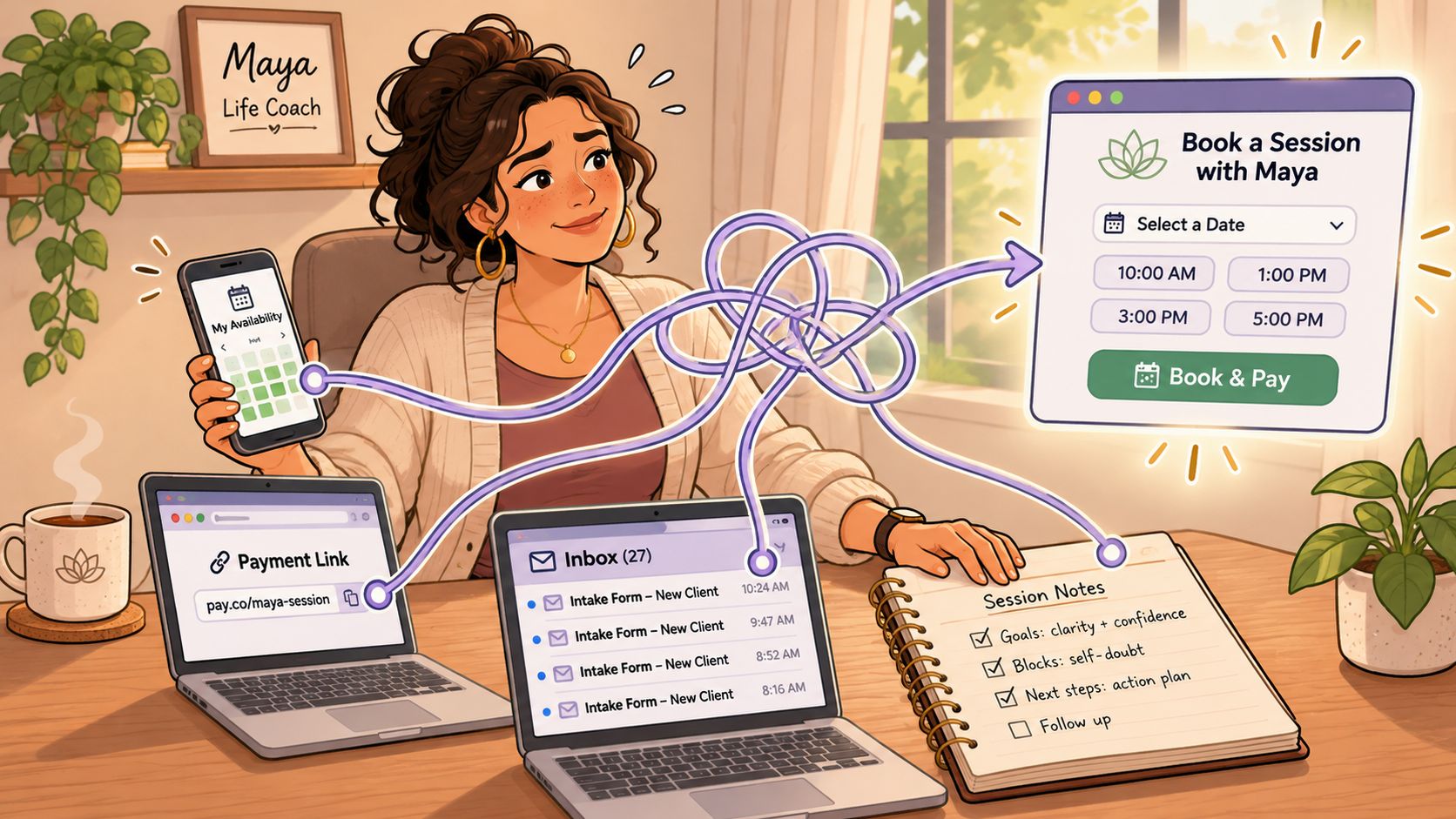
A calendar shows when a slot is free. A digital front desk can also check whether the client has paid, signed their agreement, completed intake, and has session credits available. Maya shouldn't need to reconstruct that information before every appointment.
According to the International Coaching Federation's 2025 Global Coaching Study, summarized by Erickson, 47% of coaches used digital coaching platforms, with scheduling and client management accounting for 23% of applications among platform users. Booking and administration are substantive uses, not decorative extras.
Think beyond the appointment
A coaching package needs an agreement, a way to pay, session credits, booking rules, something that opens after payment, and a renewal path. Without those connections, the client can buy a package while the coach still manually delivers access.
For a public-facing example outside professional coaching, look at how someone can reserve a trial training session with Locals Jiu Jitsu Alexandria. Use that kind of entry point to ask what your own prospective client needs to understand before committing.
Practical rule: Buy the smallest system that removes a complete administrative loop, not the system with the longest feature list.
If you're thinking that you only have ten clients, that's a reasonable objection. Count the payment checks, rescheduling messages, and missed appointments you absorb first. A small practice can justify software through administrative relief, but it doesn't need enterprise complexity.
Core Features Compared, From Scheduling to Group Programs
Core features and what each must do
| Feature | What It Must Do | Question to Ask the Vendor |
|---|---|---|
| Scheduling | Support 1:1 sessions, group calls and intake calls, with two-way calendar sync | Does the calendar sync both ways, and can retainer clients call while I'm available? |
| Payments | Handle recurring billing, deposits, instalments and failed-payment retries | Do payouts go straight to my bank account? |
| Client onboarding | Connect payment to an agreement and client access | Does the client's access open automatically after payment? |
| Messaging | Keep messages attached to the client record | Can clients message me without using my personal email? |
| Session notes | Store private notes with appropriate access controls | Who can read notes, and can an admin see them? |
| Progress tracking | Connect goals, habits, check-ins and sessions | Can I see each client's engagement at a glance? |
| Group programs | Support cohorts, assignments and community touchpoints | Can one curriculum serve many clients at once? |
A booking workflow should match the service being sold. Intake calls, paid sessions and cohort calls need different rules, even when they share a calendar. Coachful scheduling supports 1:1 sessions, group calls, intake calls and calendar integrations, with two-way sync for Google, Apple and Outlook.
Payment handling also needs a real-world test. Coachful's Stripe-powered billing supports recurring charges, smart retry logic and direct payouts to the coach's bank account. Ask a vendor to show what happens after a failed payment, then check which steps still require manual follow-up.
Test the work behind each feature
Onboarding should connect the payment to the service. Check that a client receives the right agreement and access after paying, rather than leaving you to create each item manually. Coaching agreements can be signed electronically.
Messages and private notes serve different purposes. A client question belongs with that client's record, while private reflections need controlled access. Coachful's Coaching CRM connects intake, goals, habits, check-ins, sessions, private notes, tasks and messages around one client.
- Progress tracking: Check whether goals and check-ins make unfinished work visible, rather than relying on a dashboard of activity.
- Group delivery: Test cohort membership, assignment access and community touchpoints inside the group program you plan to run. If the program uses scheduled events, you can also browse 2026 dance workshop dates as a reference for event scheduling, then assess how your software handles participant access after registration.
- Retainer access: Decide whether clients need scheduled sessions, instant calls when you are available, or both. Coachful retainers can support instant calls alongside scheduled sessions.
Coachful includes Scheduling, Coaching CRM, Payments, Contracts, Group coaching, Website builder and Digital products. A solo coach may prioritize booking, payment, onboarding and notes. A growing team should also settle who can access client records and how group programs will run before adding another coach.
How Booking Software Reduces No-Shows and Admin Time
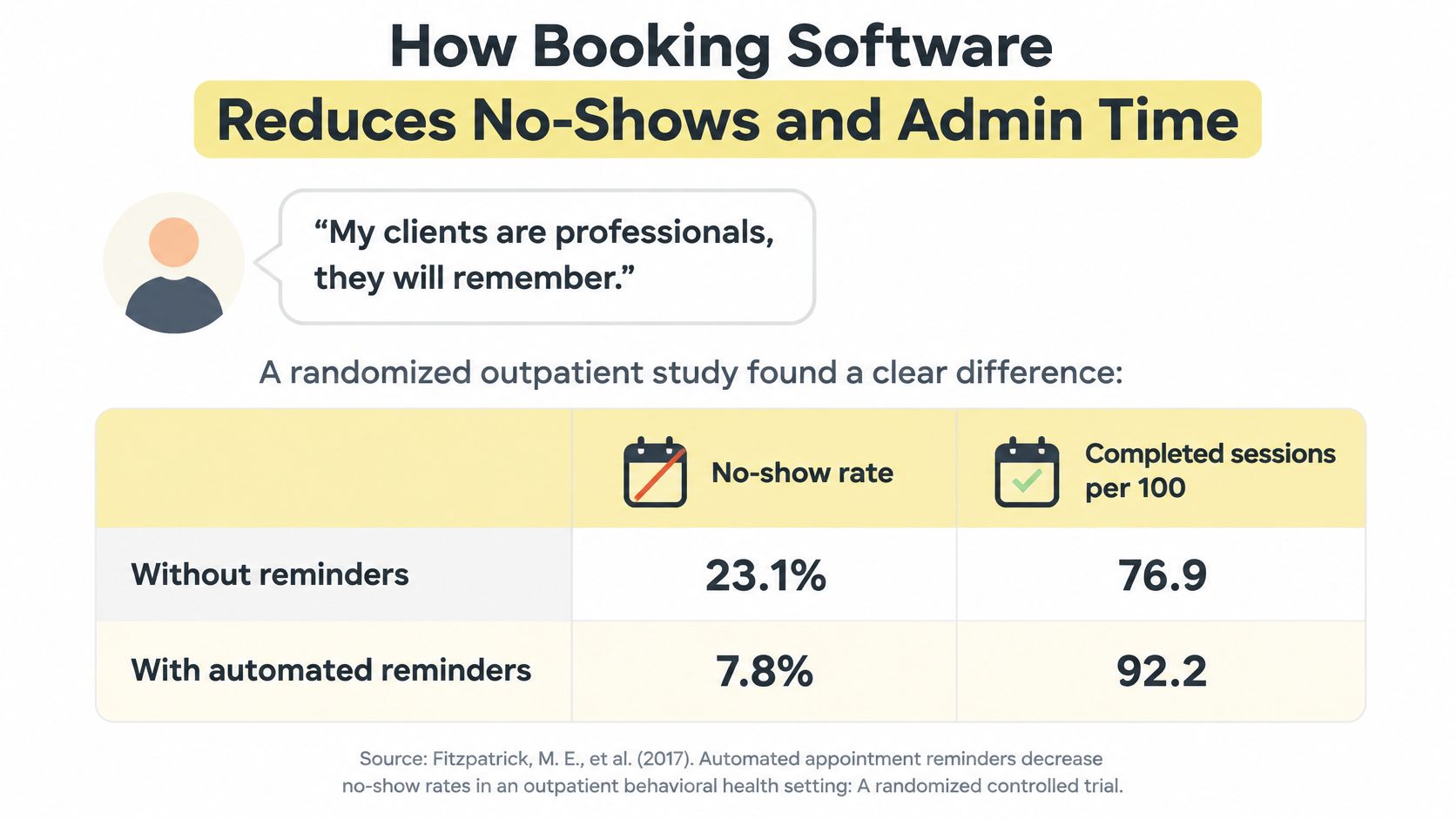
Your clients are professionals. Surely they'll remember.
Professional commitments don't prevent calendar mistakes, travel disruptions, or forgotten appointments. A randomized outpatient study published in The American Journal of Medicine00108-7/fulltext) recorded no-show rates of 23.1% without reminders, 17.3% with automated reminders, and 13.6% with staff-generated reminders.
No-show rates by reminder approach
| Reminder Approach | No-Show Rate |
|---|---|
| No reminder | 23.1% |
| Automated reminder | 17.3% |
| Staff-generated reminder | 13.6% |
For a hypothetical 100 appointments, subtracting those rates from the booking total gives 76.9, 82.7, and 86.4 non-no-show appointments, respectively. These are arithmetic complements, not separately measured completion outcomes. Moving from no reminder to staff-generated reminders represents roughly ten fewer missed sessions, not the effect of automation alone.
Match the channel to the client
Do you need more than email? A randomized trial summarized by Penn's PAIR Center involving 59,994 high-risk patients found that adding an automated voice call to text reminders reduced no-shows from 11.3% to 9.6%, while net appointment completions rose from 75.9% to 77.8%.
Neither study tested coaching. Treat them as reasons to test reminders, not promises about your practice.
- Established clients: Start with their preferred channel, rather than assuming an executive always notices email.
- Late bookings or previous missed sessions: Offer SMS or an additional call, with the client's agreement.
- Team delivery: Use shared reminder rules so attendance doesn't depend on which coach remembers to follow up.
Put a value on the work
Calculate admin hours saved × your chosen hourly value, then separately calculate otherwise-lost billable sessions × the amount recoverable. Don't count a prepaid missed session as new revenue if you were already paid.
A solo coach gets relief from chasing. A team lead gets consistent handling across calendars. Use our guide to reducing no-shows and late cancellations to turn that intention into a written workflow, then compare attendance by session type and booking lead time.
Security, Privacy and Consent Questions to Ask Before You Buy
A simple form isn't automatically a safe form. Even a short intake can contain session goals, health-related details, private messages, and information a client wouldn't want an employer or another coach to read.
Security starts with deciding who needs access to what, not with asking whether the platform has a password. A school administrator may need to assign coaches and manage billing without reading private session notes.
Ask for a permissions demonstration
NIST's security and privacy controls recommend traceable audit records, protection against unauthorized log access or alteration, and restricted log-management privileges. Translate that guidance into a demonstration using separate coach, administrator, and client accounts.
- Assigned-client access: Can a coach open only the records they're responsible for?
- Administrative boundaries: Can an administrator manage settings without automatically gaining access to sensitive notes?
- Audit history: Can you identify who viewed, created, exported, or changed a client record?
- Log protection: Are audit records tamper-evident, and are log-writing and log-reading permissions separated?
- Retention and deletion: What remains after account closure, who authorizes deletion, and how are backups handled?
Ask for documented answers. A salesperson showing a private-note icon hasn't demonstrated what support staff, administrators, or exports can access.
Separate service requirements from optional permission
For EU clients, the European Data Protection Board's consent guidance explains that consent must be freely given, specific, informed, and unambiguous. Pre-ticked boxes aren't valid consent, and withdrawal must be possible without negative consequences.
Your form can require acceptance of coaching terms while leaving promotional email permission optional and unticked. Explain who processes the information, why it's needed, the applicable legal basis, and relevant recipients. Don't label every necessary service activity as consent when another lawful basis applies.
A short form can still bundle unrelated purposes. Judge each field by why you need it and what happens to the answer.
For example, an appointment reminder needs contact details. A newsletter subscription serves a different purpose and shouldn't become the hidden price of booking.
Finally, inspect AI features separately from ordinary storage. Ask whether they process session notes, which providers receive the content, where processing occurs, whether humans review generated notes, and whether you can disable the feature for an individual client. Convenience isn't permission to expose confidential conversations.
Buyer's Checklist for Comparing Coaching Booking Software
Score each option from 1 to 5 against the work your practice does. Treat these as decision scores, not objective product ratings. A feature only helps if it fits your workflow without adding avoidable admin.
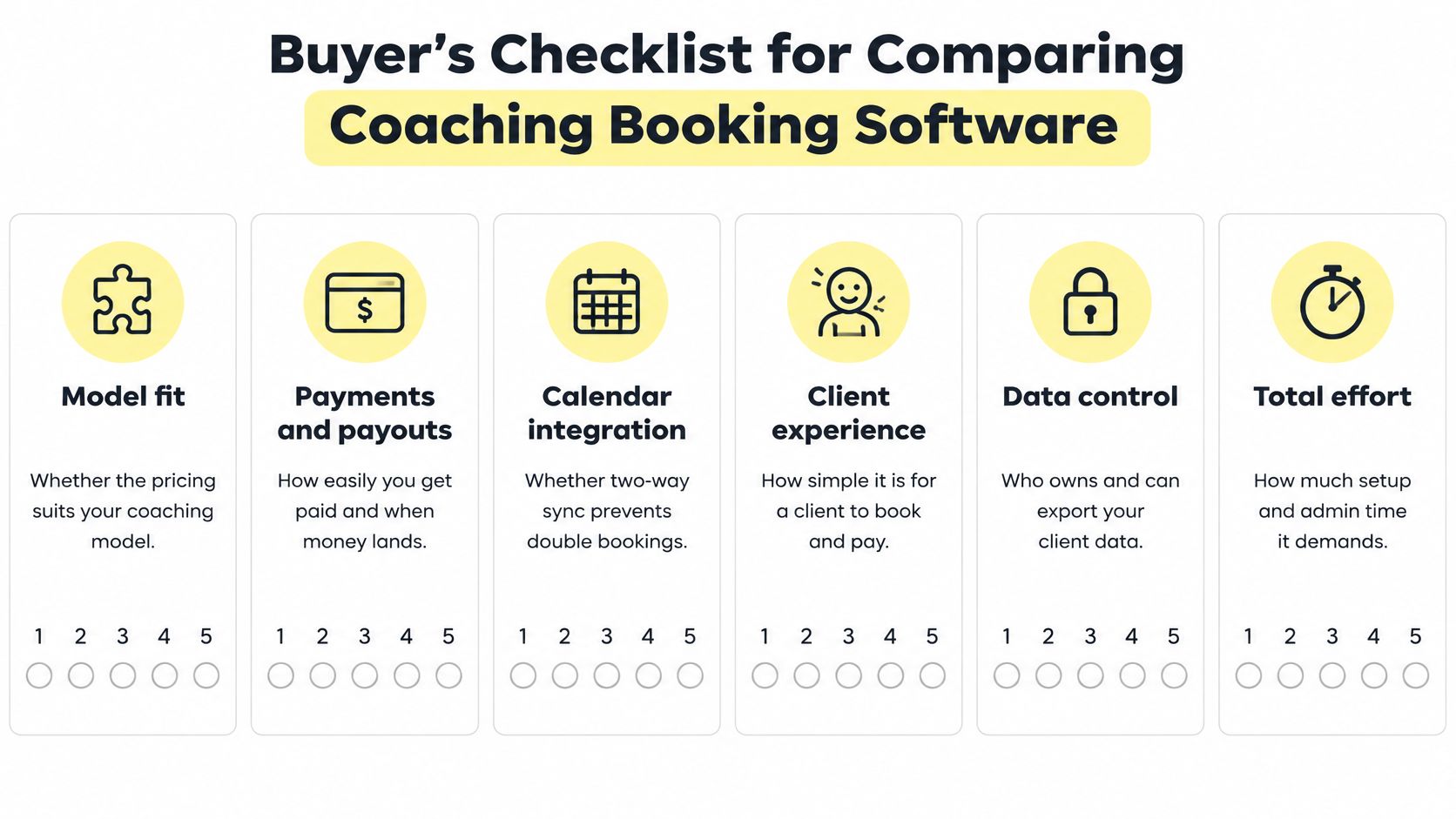
- Model fit. Check whether you can sell single sessions, fixed-length programs, monthly retainers, and self-study tiers with separate checkout links.
- Payments and payouts. Trace deposits, instalments, refunds, failed charges, and payouts to your bank account. Confirm what happens to client access if a payment fails.
- Calendar integration. Create a conflicting appointment, then move a booking. Check whether both calendars update and clients see only available times.
- Client experience. Complete the booking journey on a phone. Coachful offers branded iOS and Android apps for coaches and clients, but keep intake questions focused enough for clients to finish.
- Data control. Review the export, written access policy, and role permissions. A contact export alone may not include the full client record.
- Total effort. Count subscription costs, migration, configuration, training, support, and manual tasks that remain. Include time spent correcting booking or payment problems, not just setup.
Illustrative worked score for a solo coach
| Criterion | Option A | Option B | Note |
|---|---|---|---|
| Model fit | 4 | 5 | Option B supports retainers and self-study tiers |
| Payments and payouts | 4 | 4 | Both pay out to the coach's bank account |
| Calendar integration | 3 | 5 | Option A syncs one way only |
| Client experience | 4 | 3 | Option B intake form is longer |
| Data control | 5 | 3 | Option B exports contacts only |
| Total effort | 4 | 3 | Option B needs about a week of setup |
| Total | 24 | 23 | Option A wins on data control; B wins on fit and sync |
This example shows how the scores add up, not how every practice should rate these options. A high total should never override a required feature. If two-way synchronization is necessary for your workflow, Option A fails that requirement regardless of its overall score.
Compare the complete cost
Coachful's Studio plan costs $199 per month when billed monthly and covers the owner plus three coaches, unlimited clients, and 1,000 AI credits a month. Compare the full subscription and support costs with the work required to configure the system and maintain any tasks it does not automate.
Include compliance-related administration in the calculation. If staff must document permissions manually, retrieve consent records, or reconstruct access history, account for those hours rather than guessing at a possible fine.
Reject unresolved red flags: no usable export, no written data-access policy, no permission settings, or a demonstration limited to the public booking page.
Integrations and Automations to Check Before You Buy
Start with the connections your practice uses. An integration directory doesn't tell you whether a rescheduled appointment updates the right calendar, replaces the video link, or sends a contradictory reminder.
Follow a changed booking through every tool
- Calendar: Check conflict detection, time zones, cancellations, and rescheduled events. Our guide to connecting Google Calendar gives a concrete setup starting point.
- Payment processor: Confirm that payment status reaches the client record and failed charges don't grant the wrong access.
- Video service: Move a booking and inspect the joining instructions.
- Email and SMS: Verify delivery status, channel preferences, and removal of obsolete reminders.
- Accounting export: Check that transactions, fees, refunds, and client references can be reconciled.
- Intake form: Make sure answers attach to the correct client rather than remaining in a disconnected submission inbox.
Not every connection needs to be two-way. Accounting exports may be deliberately one-way; calendar changes usually need reciprocal updates. Ask which system is authoritative when records disagree.
Automate the handoffs, not the relationship
Payment should start the correct onboarding sequence. A booking should trigger confirmation and the chosen reminder channel; a rescheduling link should move the session without a message to you. Test whether a waitlist can offer a cancelled slot and whether program check-ins run at appropriate milestones.
Automate predictable administration. Keep exceptions, sensitive conversations, and coaching judgments under human control.
Delivery mode matters. The health-and-wellness coaching survey described in the ICF's published executive-summary resource, covering 2,328 coaches in 2025, reported 87% using video, 50% offering in-person sessions, 44% using phone or audio-only, and 25% using text or email; it also reported 38% using AI tools, including documentation uses.
Say a client can't reliably use video. Their phone-session booking shouldn't force a video link or instructions to test a webcam. Ask whether an offer can include phone and in-person sessions with mode-specific instructions, reminders, and calendar entries.
For asynchronous coaching, define the response window and submission route instead of inventing a meeting that neither person needs to attend.
How to Migrate Clients and Set Up Your First Workflow
A client transfer is complete only when the next booking, payment, and session balance are clear. Start by reconciling what each person is owed, what they have paid, and what happens next.
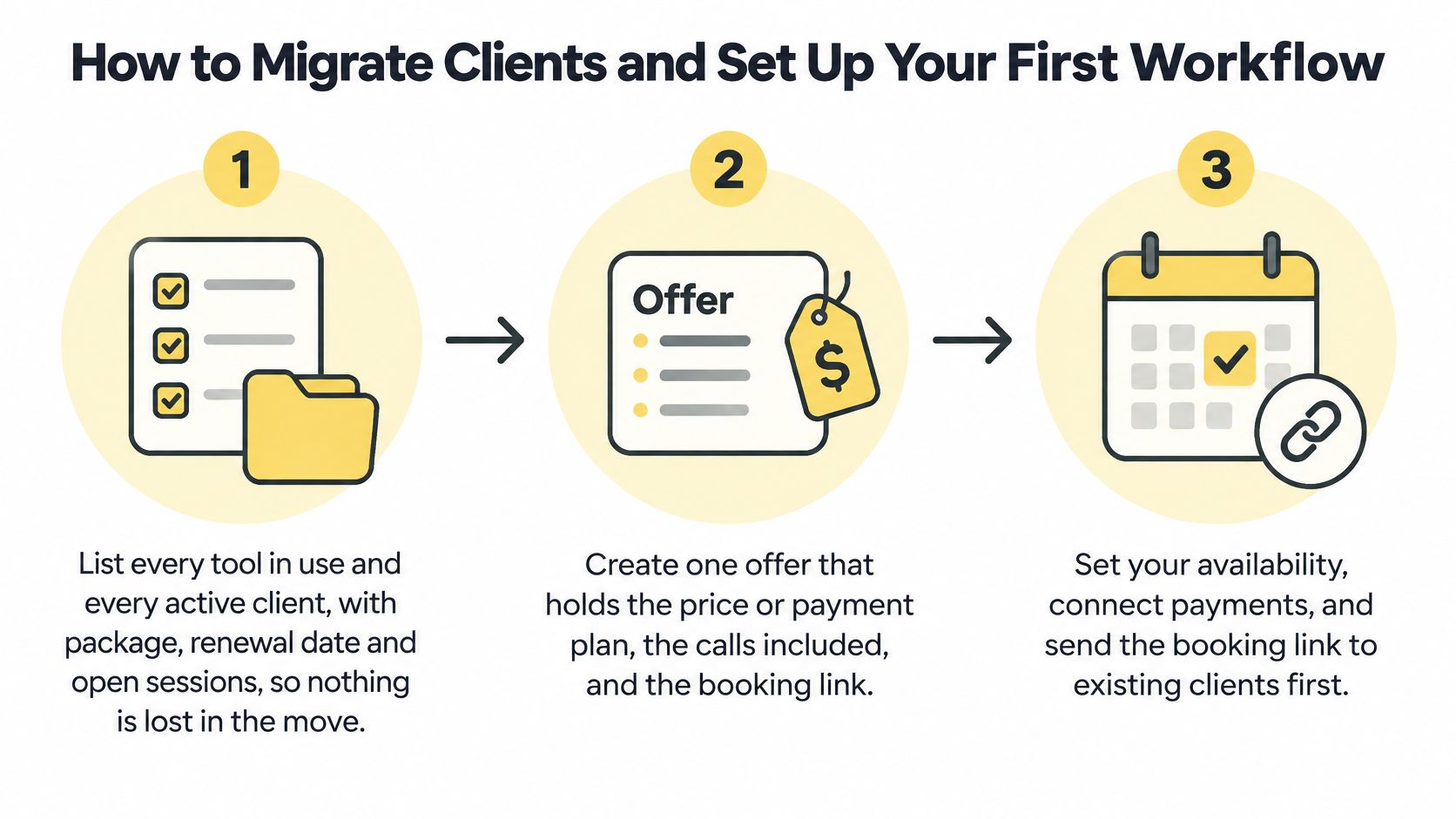
Inventory the current practice. List active clients, their packages, renewal dates, unused sessions, agreements, and outstanding payments. Reconcile session balances before importing, so an old error does not become a new client record.
Create one complete offer. Set the price or payment plan, calls, private chat, and program in one Coachful offer. Payment starts client onboarding. Set up one representative service first, then recreate the rest of your catalogue once its client journey works.
Set appointment rules. Define availability, buffers, notice periods, and cancellation handling for 1:1 sessions, intake calls, and group calls. Coachful's native Intake Call bookings are under Coach → Bookings → Intake calls, so first conversations can be kept distinct from paid delivery.
Connect and challenge the calendar. Test a booking, reschedule, and cancellation against your existing calendar. Coachful calendars sync both ways with Google, Apple, and Outlook. Check the client's local time display before sharing the booking page.
Build purpose-specific forms. The General Data Protection Regulation requires affirmative, specific, informed consent when consent is the legal basis for processing. Keep required service terms separate from optional marketing permission, leave the latter unticked, and record each choice.
Import in batches and test the journey. Use a test client to complete booking, payment, intake, portal access, and reminder delivery. The client-migration guide can help structure the transfer. Use a small batch to catch missing balances or unclear instructions before moving the rest.
Pilot before retiring old channels. Run a two-week pilot with three clients and record each intervention needed. Retire the spreadsheet only after active bookings and balances reconcile, and clients know where to book and get support.
Keep a controlled fallback
In a hypothetical practice, Maya could move clients in batches of ten and retain her notebook securely for a month while checking the transfer. The notebook can preserve reference information, but it cannot replace a reminder that fails to arrive.
Give pilot clients a named support contact and a clear changeover message. Fix confusing instructions before inviting everyone else. For a separate example of record organization, organize your student pilot training.
Choose the Setup That Matches Your Practice
Setup and KPIs by coach segment
| Segment | Priority Features | KPI to Track | First Check Before Buying |
|---|---|---|---|
| Solo life or business coach | Scheduling, payments, intake and notes | No-show rate and admin hours per week | Price packages before choosing a plan |
| Coaching school or academy | Group programs, cohort scheduling and role permissions | Completion rate per cohort and no-show rate by cohort | Test role-based access with an admin and two coaches |
| Team of two coaches | Shared calendar, client assignment and shared inbox | Rebooking rate and double-booking incidents | Ask for a custom arrangement in writing |
| Consultant or course creator | Self-study tiers, retainers and digital products | Renewal rate and revenue per client | Map each tier to its own checkout link |
A solo coach needs a viable package before a complicated system. Our Coaching Package Pricing Calculator returns the package price, per-session figure, deposit, and instalments from your own numbers. Use those outputs to decide what the booking workflow must collect and deliver.
For a school, test what happens when a client changes coaches or joins another cohort. Completion and attendance need consistent definitions, otherwise an academy can mistake incomplete records for poor engagement.
Measure the setup you actually run
A 2024 ophthalmology study found 1.6% no-shows for online-booked appointments versus 6.8% for offline bookings, but didn't establish that online booking caused the difference. For coaching, the useful lesson is to record booking channel, lead time, reminder delivery, cancellations, rescheduling, and attendance before judging results.
- Small teams: Check client assignment and ownership of incoming messages. If you work with one other coach, email us to work out a custom arrangement rather than assuming a larger team plan is necessary.
- Course creators: Our programs can have self-study, group, and VIP pricing tiers, each with its own checkout link. Track the relationship between the tier purchased and subsequent renewals.
- Retainer practices: Make the availability promise explicit. Immediate access shouldn't accidentally mean permanent availability.
Choose the row that matches your practice, configure one offer, and run a four-week measurement period as a practical starting point. Compare it with your previous workflow, noting holidays, client mix, and booking lead times. Keep the setup only if clients can use it and you can demonstrate less administrative work or more reliable delivery.
Coachful brings scheduling, payments, agreements, client records, and program delivery into one workspace. Visit Coachful to build one complete offer, test its booking-to-onboarding journey, and decide whether it removes the administrative work your practice carries.