
Online Course Platform Comparison: Find the Best Tool for Your Coaching Business

Coachful

You're ready to scale, ready to systematize, but when you start comparing online course platforms, the sheer number of options can feel like hitting a wall. An avalanche of features, pricing tiers, and promises. But it really comes down to a single, fundamental question that cuts through the noise: are you just selling static content, or are you coaching actual human beings through a transformation?
Your inner voice is probably whispering, "I just need something to host my videos and take payments, right? How complicated can this be?" But then another thought creeps in: "But what about my 1:1 clients? Where do my session notes go? How do I track their progress beyond a 'video complete' checkbox?"
This is the critical fork in the road. Traditional platforms like Teachable are fantastic for delivering one-to-many courses. Then you have all-in-one systems like Kajabi that bolt on marketing tools. But a third category has emerged, one built from the ground up to manage the high-touch, personalized interactions that are the lifeblood of a real coaching business.
Why Your Platform Choice Is A Critical Business Decision
If you're a coach, I'm sure your mind is spinning with questions. 'Will this software actually save me time, or is it just another tech headache? What if I spend months getting everything set up, only to find out it’s the wrong fit and I have to start all over again?' You picture yourself months from now, drowning in support tickets, regretting your choice.
Those aren't just nagging doubts; they're valid business concerns. This decision isn't just about software—it's about the very foundation of your coaching practice. The right platform works like an invisible partner, handling everything from lead capture and client onboarding to payments and delivering a world-class experience. Imagine a client signing up, booking their first call, and completing their intake form in one smooth motion, all while you sleep.
The wrong one, on the other hand, is a constant source of friction. It creates administrative drag and pieces together a client journey that feels clunky and unprofessional. This guide is designed to cut through that noise and go far beyond generic feature checklists.
Beyond Generic Feature Lists
Plenty of platforms market themselves as "all-in-one," but what they're "all-in-one" for varies wildly. A system designed to sell thousands of $49 video courses has a completely different DNA than one built to manage $5,000 high-ticket coaching programs.
Your platform choice doesn't just impact your bottom line; it dictates your client's entire experience and, ultimately, your own capacity to grow. The goal isn't to find a place to just host content—it's to find a system that amplifies your actual coaching.
This online course platform comparison is built around the practical realities of running a coaching business. We’ll dig into how each type of platform actually supports your day-to-day operations.
Here's a quick breakdown of their core philosophies:
| Platform Type | Primary Focus | Best For... |
|---|---|---|
| Course Marketplaces | Audience Reach & Content Sales | Creators who want to sell standalone courses to a wide, new audience. |
| Course Creation Software | Branded Schools & Memberships | Entrepreneurs building a branded library of content or a community space. |
| Specialized Coaching Platforms | Client Management & Workflows | Coaches who need dedicated tools for scheduling, client notes, and progress tracking. |
We’re going to give you a coach-centric framework for making this choice, analyzing how each solution handles the real-world workflows that define a successful coaching business. The goal is to help you choose with confidence, picking a partner that serves your business today and supports you as you scale.
Defining The Core Criteria For Evaluating Coaching Platforms
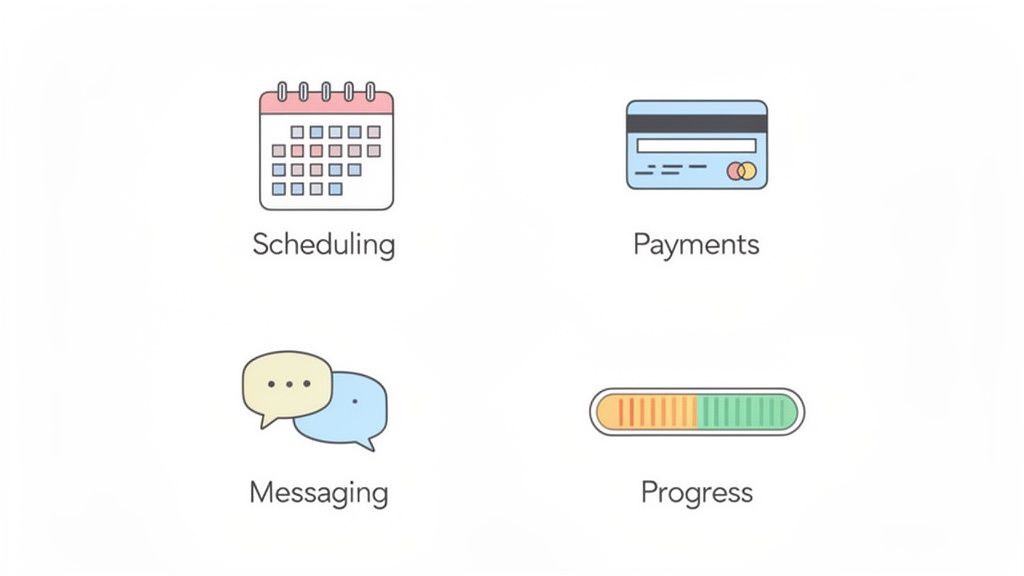
Before you can compare any platforms, you have to know what you’re actually looking for. I’ve seen countless coaches get stuck here, evaluating tools designed for one-to-many courses when their business is built on high-touch, personalized relationships. It's like trying to use a megaphone when what you really need is a telephone.
You're probably wrestling with the real-world questions: “How can I get discovery calls booked without the endless back-and-forth emails? And once they’re a client, how do I actually show their progress from that first session to their big breakthrough? I need them to see the value they're getting.” Answering these questions is what separates a generic piece of software from a platform that can truly run a coaching business.
Core Coaching Workflows
A great platform should feel like the operational hub of your business, not just a digital filing cabinet for your course content. This means you need to look past the flashy course builders and focus on the daily actions that define both your work and your client’s experience. The nagging thought, "Am I spending more time on admin than actually coaching?" should be the problem your new platform solves.
The goal is to find a system that slashes your admin time so you can get back to what you do best—coaching. When businesses adopt the right digital tools, they often see training time drop by 40-60% and costs shrink by 50-80%. For you, that translates directly into more time for billable work and a clear path to scaling your programs.
Client Management and Onboarding
That initial client experience sets the stage for your entire relationship. A clunky, confusing start can create doubt before you've even had your first session. Your platform needs to make onboarding feel professional, organized, and effortless.
Think through that first impression:
- Integrated Scheduling: "If I link my calendar, will it know to block off my kid's dentist appointment? Can I offer 15-minute free calls on Tuesdays but paid 60-minute sessions on Thursdays?" Yes. A good system should let you set specific availability rules for different appointment types.
- Automated Intake: Can new clients fill out a custom form before your first call? This simple step gathers the information you need and gets them invested in the process from day one. Imagine jumping on your first call already knowing their biggest challenges and goals.
- Contracts and Payments: Can a new client sign your agreement and pay for their package in one smooth, uninterrupted flow? This is a huge friction point. You don't want to send three separate links and hope they complete them all. A good platform removes it completely.
It's not about whether a platform has a feature; it's about how well that feature works for a coach. A basic "scheduling" tool is useless if it can't handle the different appointment types that actually run your business.
Program Delivery and Progress Tracking
Once a client is in, the real work begins. Your platform has to support the kind of structured, accountable process that gets people results. This is where most generic online course platforms fall flat—they might offer a "complete" button on a video lesson, and that's it.
But coaching is far more nuanced. You're tracking a journey, not just checking off a task. Your client is wondering, "Am I actually making progress?" To answer that, you need a tool that lets you:
- Set Goals and Milestones: Create a clear, visible roadmap for each client with objectives you can both track. For example, setting a milestone for "Launch First Marketing Campaign" and attaching the relevant worksheets right to it.
- Manage Session Notes: Keep secure, private notes from every call so you can easily reference past conversations and maintain momentum. No more frantic searches through a messy Google Drive folder right before a call.
- Share Resources: Quickly drop in relevant worksheets, links, or documents for a client right where they need them.
- Secure Messaging: Give clients a private, dedicated channel to communicate with you between sessions. This keeps important conversations out of your personal inbox and organized by client.
Starting with these core needs helps you cut through the marketing noise and evaluate platforms based on what really matters: their ability to support a professional, scalable coaching business. For a closer look at the tools that power modern practices, check out our guide on essential coaching business software.
A Side-By-Side Online Course Platform Comparison
You've mapped out your core needs. Now comes the million-dollar question: “Okay, I know what I need, but how do platforms like Teachable, Kajabi, and these newer coaching-specific tools actually differ in practice? Show me, don't just tell me.” It's time to cut through the marketing noise and see how these systems really perform on the ground.
This isn't another generic pros-and-cons list. Think of this as a practical, side-by-side comparison that shows how different types of platforms handle the day-to-day work of a real coach. We'll get specific, showing you exactly where each platform type shines—and where it’s likely to cause you headaches.
Client Onboarding and Intake
A smooth onboarding experience makes you look like a pro and sets your clients up for success from day one. A clunky one, on the other hand, creates instant friction and a pile of admin work for you. Let’s see how they stack up.
General Course Platforms (e.g., Teachable, Thinkific): These are built for one thing: selling courses. Their "onboarding" is really just a checkout page. To get any real client information, you're forced to use a separate tool like Google Forms or Typeform and then manually stitch that data together. It works, but it’s a fragmented experience. Your client gets a payment receipt, then a separate email with a form link, then another email with a booking link. It feels disjointed.
All-in-One Marketing Platforms (e.g., Kajabi): This is a definite step up. You can use their built-in form builders to create basic intake questionnaires and trigger email sequences when someone buys. The catch? Those forms aren't truly integrated into a client management system. You'll still find yourself juggling information between their marketing tools and your own session notes, wondering, "Where did that client's answer to question #3 go again?"
Specialized Coaching Platforms (e.g., Coachful): This is what they're built for. Onboarding becomes a single, unified workflow. A new client can sign your agreement, fill out a detailed intake form, and book their first session, all in one seamless flow. That form data automatically populates their client record, ready for you before your first call even begins.
The crucial differentiator isn't whether you can create an intake form. It's about whether that form is part of a cohesive client management system. As a coach, you don't want form submissions in your email; you want client intelligence inside a dedicated client workspace.
Program Delivery and Client Engagement
Delivering your program is where the real transformation happens. But how you deliver it—whether it’s a self-paced evergreen course or a high-touch cohort program—drastically changes what you need from a platform.
General Course Platforms: These platforms are fantastic at hosting video-based, self-study courses. They give you tools like drip content and completion tracking for individual lessons. Where they fall short is with interactive, high-touch support. Thinking, "How can I post an announcement for my live group call this week?" You'll find there's no native way to do it. You're back to relying on external emails.
All-in-One Marketing Platforms: These can also host courses and often come with community features, which is a big plus. This allows for more interaction than a standard course platform. However, the community often feels like a separate "product" bolted onto the course, not a deeply integrated part of the learning journey.
Specialized Coaching Platforms: These are designed from the ground up for flexible delivery. You can easily run self-paced courses, but you can also manage high-touch cohort programs with shared goals, group resource libraries, and integrated calendars for group sessions. For example, you can create a single event on the calendar that automatically notifies all 30 members of your mastermind about the next group call. The entire platform is built around the client's journey, not just the content.
This distinction is more important than ever. The market for massive open online courses (MOOCs) was valued at $26 billion in 2024 and is projected to skyrocket to $684.3 billion by 2034. While giants like Coursera and Udemy dominate the one-to-many model, they lack the integrated coaching tools that drive deep, personal transformation. As noted by gminsights.com, specialized solutions fill this critical gap with features that can reduce a coach's administrative tasks by up to 40-60%.
Session Management and Progress Tracking
This is where most online course platforms completely fail coaches. Tracking whether someone watched a video is simple. Tracking a human being's personal or professional growth? That's an entirely different ballgame.
You're probably wondering, “Can I manage my private client notes right inside the platform, or am I going to be stuck juggling Evernote or a separate CRM? I need everything in one place.” This is one of the most important workflow questions to ask.
Here’s a direct comparison of how these platforms handle essential coaching tasks, helping you see the practical differences in what they offer.
Feature Comparison For Coaching Workflows
| Coaching Workflow | General Course Platforms (e.g., Teachable, Thinkific) | All-in-One Marketing Platforms (e.g., Kajabi) | Specialized Coaching Platforms (e.g., Coachful) |
|---|---|---|---|
| Session Scheduling | No. Requires external tools like Calendly. | Basic. Often a simple booking feature, but lacks robust rules for different session types or packages. | Advanced. Integrated calendars with custom availability, session packages, and automated reminders. |
| Client Notes | No. Not a feature. Requires a completely separate system. | No. Lacks a dedicated, private space for session notes tied to a client record. | Yes. Secure, private note-taking is a core feature, organized by client and session. |
| Progress Tracking | Basic. Limited to course completion (e.g., "watched video"). | Minimal. Tracks course progress and email engagement, but not coaching milestones. | Comprehensive. Set custom goals, track milestones, and manage tasks for each client. |
The table makes the fundamental design difference crystal clear. If your main offering involves 1:1 or group interaction, trying to retrofit a course-centric platform will force you into inefficient and unprofessional workarounds. You’ll end up with client data scattered across half a dozen apps, which completely undermines your efficiency.
A true coaching platform brings all of these workflows under one roof. For a deeper look at the top contenders, check out our guide on the best online coaching platforms. That focused analysis will help you choose a system that was actually built for the work you do.
Matching The Platform To Your Coaching Business Model
An executive coach running a high-ticket, 1:1 retainer program has a completely different set of needs than a wellness coach who thrives on group programs. A feature is just a bullet point on a pricing page until you can see exactly how it supports—or hinders—your specific way of working.
Let's move past the generic feature lists and get practical. You’re probably asking yourself very specific questions. "I'm a business coach, and I’m finally hiring associate coaches. How can I oversee their client work without living in their inbox?" Or maybe, "My whole model is a mix of a self-paced course and live group Q&As. What platform can handle both without feeling like a clunky workaround?"
This is where we connect the dots, matching your day-to-day operational needs with the platform built to handle them. Think of this as finding the right tool for the right job, ensuring your investment actually makes your life easier and helps you grow.
For The 1:1 High-Touch Coach
When your business is built on deep, individual transformation—like executive, performance, or life coaching—your world doesn't revolve around a course curriculum. It revolves around the client. Your platform needs to be a world-class client management system first and foremost.
If you’ve ever thought, "My client relationships are everything, but juggling Google Docs for notes, Calendly for scheduling, and my email for communication is getting messy and unprofessional," then you know the pain. You need a single, secure space for each person you work with.
For this highly personal model, focus on finding a platform with:
- Centralized Client Records: A dedicated portal for each client that holds their intake forms, your private session notes, shared files, and all communications in one place. Imagine opening a single screen with a client's entire history before a call.
- Real Progress Tracking: You need more than a "video complete" checkbox. Look for the ability to set custom goals and track milestones for each individual, like "Secure 3 new clients by Q3," making accountability a visible part of the process.
- Secure, Private Messaging: A dedicated messaging system keeps sensitive client conversations out of your personal email and neatly organized by client. No more searching your inbox for that one important message.
Specialized coaching platforms were literally built for this. While you can make an all-in-one platform work, you’ll often feel like you're fighting its course-first design. A dedicated tool treats the coaching relationship itself as the main event, not the content library.
For The Group Program and Cohort Leader
If you run group programs, masterminds, or time-based cohorts, your focus shifts to managing community and creating a scalable, shared experience. You're leading a one-to-many dynamic, but the magic is in making every single member feel seen and supported.
The big question here is often: "How do I keep 30 people engaged at once? I need an easy way to schedule our group calls, post announcements everyone actually sees, and give them a place to connect that isn't a chaotic Facebook group."
Your non-negotiable features are:
- Cohort Management: The ability to enroll an entire group into a program that has a specific start date, a drip-fed curriculum, and a shared calendar.
- Integrated Community: A built-in forum or discussion space right alongside the course materials. This is where members can ask questions, network, and support each other without having to leave the platform.
- Group Scheduling and Resources: A shared calendar for all group calls and a central library for worksheets or resources that apply to the whole cohort. One click to add the next group Q&A to everyone's schedule.
For a deeper look at setting up this kind of offer, our guide on building a powerful membership website is a great next step.
For The Multi-Coach Organization or Agency
Once your practice grows into a team, a whole new challenge emerges: managing your coaches. You’re no longer just responsible for your clients; you’re responsible for the quality and consistency of the experience delivered by your entire team.
The question that keeps you up at night becomes: "How do I maintain quality control as we scale? I need a bird's-eye view of what’s happening across all our clients, without micromanaging my coaches."
At this stage, you're shopping for enterprise-level features:
- Multi-Coach Logins and Permissions: You must be able to assign clients to specific coaches and give each coach a unique login that only shows them their assigned roster.
- Administrative Oversight: A master dashboard that lets you see client engagement and progress across your entire team at a glance, without reading every private note.
- Branded Consistency: The ability to create and enforce standardized intake forms, program templates, and automated communications to ensure every client gets the same professional experience, no matter which coach they work with.
This simple decision tree can help you visualize that very first fork in the road.
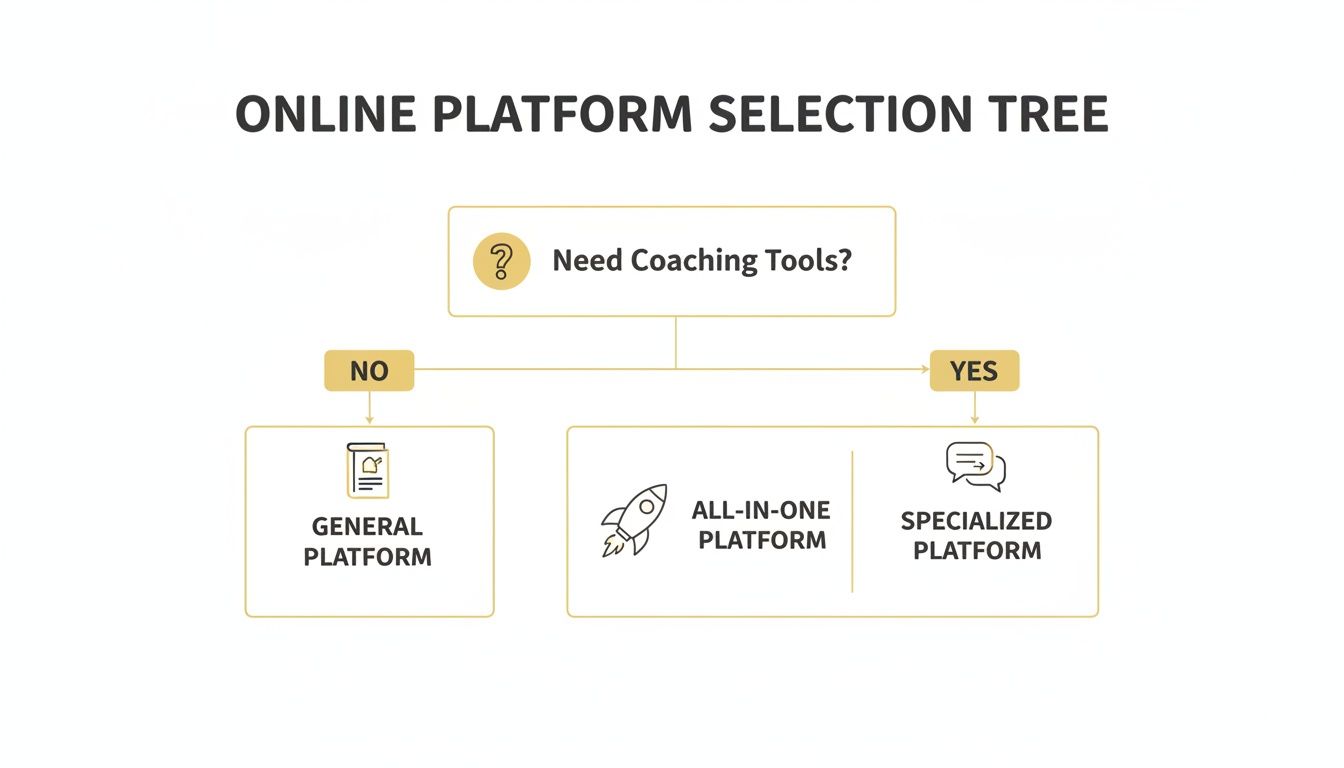
Simply acknowledging that you need true coaching tools—not just a course-hosting site—instantly narrows your search. It saves you from wasting weeks evaluating platforms that were never designed for a business like yours in the first place.
Planning Your Platform Migration And Implementation
So, you've waded through the comparisons and finally picked your new platform. That's a huge step. But once the decision is made, a new set of questions almost always surfaces: “Okay, I've chosen... now what? How much is this going to disrupt my business? And how do I move all my clients and courses without it turning into a complete mess?”
This next phase is less about the technology itself and more about managing a significant change in your business operations. The good news is that modern platforms are built with this exact transition in mind. The whole point is to make the process feel organized, not overwhelming.
The Realities of Platform Migration
Let's get one thing straight: the word "migration" sounds far more intimidating than the reality. It conjures up images of tangled spreadsheets and a flood of confused client emails. "Will I have to manually copy-paste every single client record?" you wonder. While it definitely requires a plan, it's rarely the technical nightmare you might be imagining.
The complexity really hinges on what your current setup looks like. Moving from a patchwork of Google Docs, Calendly, and Stripe is a very different project than migrating from another all-in-one platform. Either way, it's a step-by-step process.
Here’s a practical look at what you’ll typically need to move:
- Client Data: This is usually the easiest part. You'll just need a list of your clients' names and email addresses. Most platforms let you import this directly from a simple CSV file, adding them right into your new system.
- Payment Information: For security and compliance reasons, you cannot directly migrate credit card details. Instead, the standard process is to invite clients to enter their payment information on the new platform as their next billing cycle approaches.
- Course Content: This is often the most hands-on task. You'll need to re-upload your videos, PDFs, worksheets, and other materials into the new course builder. Think of it as setting up your new digital office—a chance to organize and refresh your materials.
My Best Advice: Don't try to migrate everything at once. Pick one core program and build it out completely on the new platform first. This becomes your sandbox—a low-risk way to master the new workflows before you move your entire operation. It seriously cuts down on the stress.
Your Smooth Implementation Checklist
A successful launch comes down to a methodical setup. Rushing this stage is the number one cause of problems down the line. Treat it like a mini-project with its own clear checklist to take you from a brand-new account to welcoming your first client.
You’re not just flipping a switch here; you're building out your business's new headquarters. A phased setup ensures you have a rock-solid foundation before you officially open the doors.
Here’s a simple checklist I give my own clients to guide their implementation:
- Brand Your Space: The very first thing to do is upload your logo and set your brand colors. It's a small but powerful step that makes the platform immediately feel like your territory.
- Connect Your Payment Gateway: Get your Stripe or PayPal account integrated right away. This is the crucial link that enables you to actually get paid for your coaching and courses.
- Set Up Program Templates: Build the full structure for one of your signature programs. Create the modules and lesson placeholders, then upload the content. This becomes a repeatable template for your other offers.
- Configure Your Calendar: Sync your primary calendar (like Google Calendar) and define your availability. Make sure to set up different appointment types for things like discovery calls, 1:1 sessions, and group coaching.
- Run a Test Purchase: Create a "test" product for $1 and go through the entire signup and onboarding process yourself, as if you were a new client. This is the single best way to spot confusing steps or friction points before a paying customer does.
Alright, let's bring this all together. After digging through so much information, it’s easy to feel a bit of analysis paralysis. The goal here isn't to leave you with more questions, but to help you make a final, confident decision.
This isn't about ticking off feature boxes anymore. It’s time to have an honest conversation with yourself about what truly matters for your business. Think about the little frustrations that keep you working late—those are the things a new platform needs to solve.
Your Final Gut-Check
Before you pull the trigger, run your top choice through these three simple, non-negotiable questions. The answer to each should be a clear, resounding "yes."
Does It Fix What's Broken? Forget the fancy features. Will this platform solve your top three biggest administrative headaches? Be brutally honest. If you're constantly chasing down payments, manually sending session reminders, or wrestling with scheduling, you need a tool that automates those specific tasks, not just something that looks good.
What Will My Clients Feel? Walk through the entire client journey in your mind, from the moment they sign up to their final offboarding. Does it feel seamless, premium, and supportive? Or does it feel clunky and patched together with different logins and links? The right platform enhances the high-touch experience you promise, making your clients feel truly cared for.
Will This Grow With Me? Think about your business not just today, but five years from now. Does the pricing and feature set support that vision? If you plan on hiring other coaches, launching group programs, or scaling to hundreds of clients, you need to know the platform won't become a bottleneck. The last thing you want is to be forced into a complicated and expensive migration down the road.
The right platform isn't the one with the longest feature list. It's the one that gives you the most freedom—freeing up your time, elevating your client's journey, and clearing the path for growth.
If your work is centered on delivering high-touch 1:1 or group coaching, our analysis shows the choice becomes much simpler. A dedicated coaching platform like Coachful is purpose-built for your exact workflows. It doesn’t treat client management, scheduling, or progress tracking as add-ons; they are the core of the system. It’s designed to be the operational hub for your entire coaching practice, so you can stop hesitating and get back to coaching.
Frequently Asked Questions About Coaching Platforms
Even after digging through all the features and comparisons, a few questions probably keep nagging at you. That’s a good thing—it means you’re taking this decision seriously. Investing in a platform is a big step for your coaching business.
Let's talk through some of the most common final hurdles that coaches face. Getting these cleared up will help you make a choice with real confidence.
Can't I Just Use a Cheaper Course Platform and Add Other Tools?
This is a really common thought: “Why not just use a simple platform like Teachable for my content and then connect Calendly and a separate CRM? It seems cheaper on the surface.” While this can work, it often turns into a classic case of false economy. The real cost isn't just in subscription fees; it's in your time and your client’s experience.
When you start patching different apps together, you create a ton of hidden administrative work for yourself. You're constantly exporting and importing data, trying to fix broken connections, and piecing together a client's journey from three different dashboards. Imagine a new client signs up but their payment fails, and you have to check three different systems to figure out why. More importantly, it feels amateurish to your clients. They get bounced around to different websites for scheduling, payments, and messaging, which creates a clunky and confusing experience. A true coaching platform brings it all under one roof, saving you hours of admin and giving your business a polished, professional feel.
How Much Technical Skill Do I Really Need?
The idea of setting up a whole new system can feel pretty daunting. It’s easy to worry, “I’m a coach, not an IT expert. Am I going to be wrestling with code and complicated settings all day just to get my course online?”
Here’s the good news: modern coaching platforms are built specifically for people who are experts in coaching, not technology. If you can use social media or manage your email inbox, you already have all the technical skills required. For example, instead of code, you'll use a simple dropdown menu to say, "Drip this lesson 7 days after the client enrolls."
The whole point of these platforms is to remove the technical burden from your plate, not add to it. They rely on simple, drag-and-drop editors and clear, guided setups to get you running quickly.
What if I Choose Wrong and Have to Switch Later?
This is the big one. The fear of picking the wrong platform can lead to total analysis paralysis. "What happens if I pour all this time and money into a platform, only to find out it’s the wrong fit six months from now? I can't afford to make a mistake."
It's a completely valid fear, but let's put it in perspective. First, switching platforms is more common and less of a headache than you might think. Most tools have straightforward options for exporting your client data and content. Second, you can dramatically lower this risk from the start by using the free trial period strategically. Don't just click around. Actually run a test client through your core process: create a test program, sign up for it yourself with a different email, book a "session," and try to track a goal. This hands-on test drive is the single best way to know if a platform truly works for your coaching style before you commit.
Ready to stop juggling a dozen different tools and start running your business from a single, cohesive hub? Coachful was designed from the ground up to support the exact workflows we’ve been discussing. It brings your scheduling, client management, programs, and payments into one intuitive space, freeing you up to do what you actually love—coaching.
Explore how Coachful can simplify your coaching practice today.