ClickUp vs Notion: The Definitive Guide for Coaches (2026)

Coachful

You’re probably reading this with too many tabs open.
One tab has session notes. Another has your calendar. Another has your task list. Client resources live somewhere else. Intake forms are buried in a folder you meant to clean up weeks ago. And every time a client asks, “Can you resend that worksheet?” or “What’s the next step in my plan?”, you feel the tiny tax of a system that never quite became a system.
That’s why clickup vs notion is such a loaded decision for coaches. It isn’t just about features. It’s about whether your operations support the work or drain energy from it.
The Coach's Dilemma Choosing Your Digital HQ
A coaching practice usually breaks before it scales.
It happens in ordinary moments. You finish a strong session, promise a follow-up resource, then spend ten minutes hunting for the latest notes, the right worksheet, and the task you meant to assign. Later that day, a client misses a step because your process lived partly in your head and partly across five tools. That is the point where your digital HQ stops being a back-office decision and starts affecting client trust.
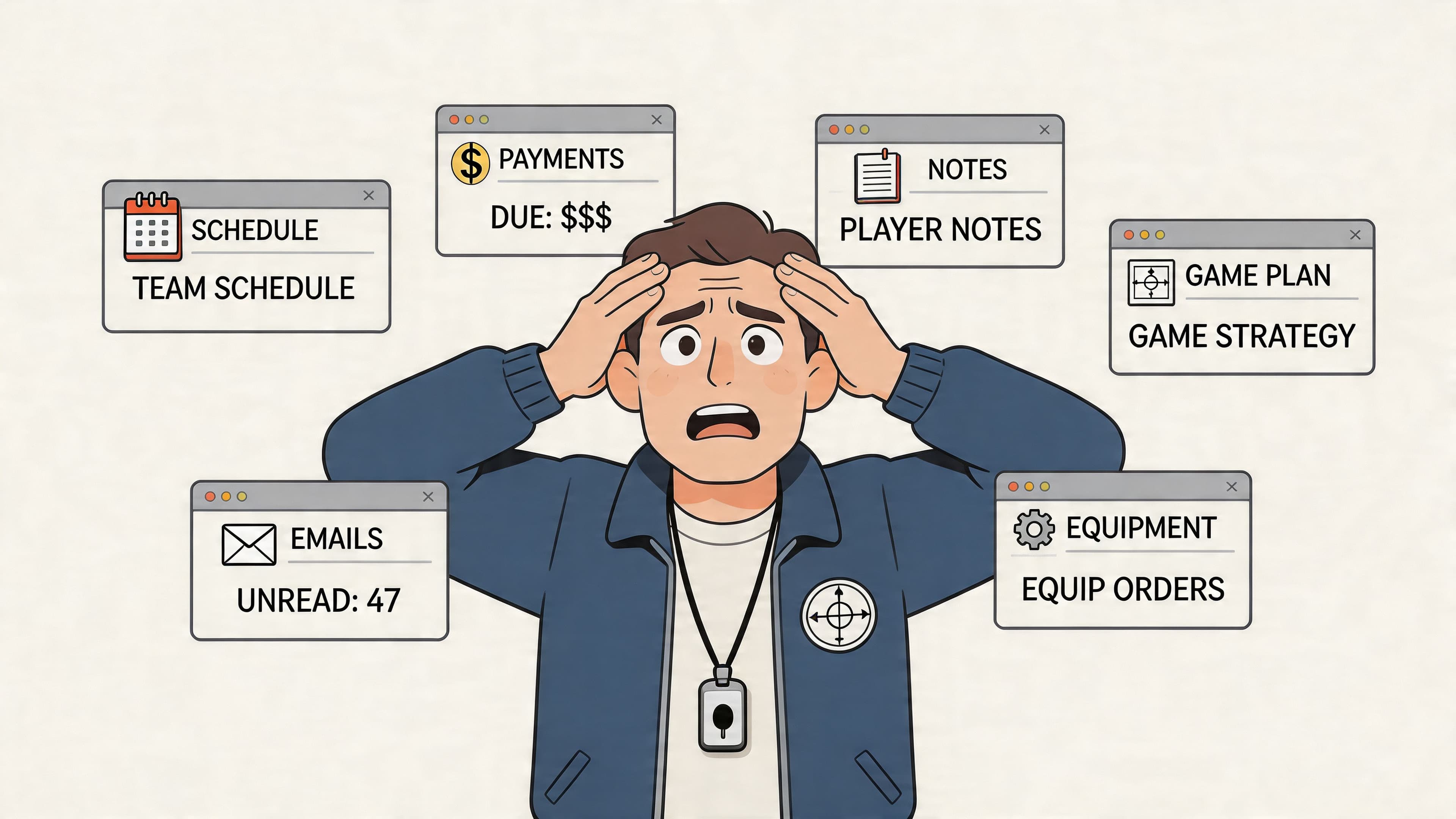
I see this with coaches who are good at delivery and tolerant of messy operations. That tolerance works for a while. Then client volume increases, programs get layered in, and the system that felt flexible starts leaking time every day. The cost is not just inefficiency. It is slower follow-through, more context-switching, and a client experience that feels less polished than the coaching itself.
ClickUp and Notion both promise order, but they create it in very different ways. One is stronger at running recurring work with clear ownership and deadlines. The other is stronger at shaping information into a client hub, a resource library, or a custom workflow that matches how you coach. For many coaches, the choice gets muddled because they compare feature lists instead of testing a simpler question: what happens when a client touches the system, and what happens when another team member needs to run it without you?
That second question gets missed all the time. A setup can feel fine as a solo coach and still become fragile the minute you add an assistant, associate coach, or operations support. If you are also comparing the broader software stack around delivery and communication, this roundup of best collaboration tools for remote teams can help frame where these tools fit.
The question coaches actually need to answer
The better question is not which app has more features. It is whether the tool supports a practice that feels calm to run and clear to experience from the client side.
Use these tests:
- Can you find session history, next steps, and client resources in under a minute?
- Does the client experience feel organized, or does it feel like they are receiving pieces from scattered tools?
- Can someone else step in and follow your workflow without constant clarification from you?
- Will the system still hold up if you grow into cohorts, group programs, or a small team?
- Do you need a configurable workspace, or do you need a purpose-built coaching platform?
A useful rule from practice: if your tool asks for daily maintenance just to stay usable, it is not reducing admin. It is becoming part of the admin.
Understanding the Core Philosophies
The fastest way to understand clickup vs notion is to stop thinking in features and start thinking in design philosophy.
ClickUp is a power toolbox. Notion is a box of digital LEGOs.
That sounds simple, but it explains almost everything that frustrates coaches once they move past the trial phase.
| Lens | ClickUp | Notion |
|---|---|---|
| Core feel | Structured workspace for tasks and execution | Flexible workspace for docs, knowledge, and custom systems |
| Best mental model | Toolbox with labeled drawers | Blank canvas with building blocks |
| Strength in coaching | Operational control | Client knowledge organization |
| Risk | Feature overload | Endless setup and system drift |
| Best for | Coaches who want process and accountability | Coaches who want a custom hub and clean information design |
ClickUp thinks in hierarchy
ClickUp wants you to organize work. It assumes tasks, statuses, ownership, deadlines, views, and accountability all matter. That’s helpful when you run recurring coaching workflows like onboarding, check-ins, follow-up tasks, assistant handoffs, and program delivery.
A coach using ClickUp often builds something like this:
- Workspace for the business
- Space for client delivery
- Folder for each program
- List for each client or cohort
- Tasks for sessions, prep, homework, and milestones
The upside is clarity. You can see what’s due, what’s blocked, what’s complete, and who owns what.
The downside is cognitive load. If your brain doesn’t naturally think in project structures, ClickUp can feel like using a control panel when all you wanted was a desk.
Notion thinks in blocks and pages
Notion starts from a different assumption. It assumes the shape of your work is unique, and you should build the environment that fits your practice.
That’s why it often feels more natural for coaches who think in terms of:
- client pages
- session note templates
- resource libraries
- program hubs
- linked databases
- branded-looking portals
You don’t enter Notion and immediately feel pushed into project logic. You can create a serene home dashboard, a clean client tracker, and a beautiful weekly review without much visual friction.
That freedom is attractive, especially if you like creating a system that reflects your coaching style rather than adapting your style to software.
The trade-off is familiar to anyone who has built too much in Notion. Freedom feels elegant at first. Later, it can become maintenance.
Which one matches your working style
If you’ve ever read a definitive comparison between platforms, you’ve seen the same pattern. One option gives more structure out of the box. The other gives more freedom to shape the experience. Neither is universally better. The better choice depends on how much setup you want to own long term.
Here’s the coaching version:
- Choose structure first if you need follow-through, task visibility, and repeatable workflows.
- Choose flexibility first if your biggest pain is scattered knowledge, messy notes, and inconsistent resource sharing.
Most coaches don’t fail because they chose the wrong app. They struggle because they chose a tool whose philosophy fights the way they operate under pressure.
Feature Showdown for Coaching Workflows
The useful way to compare clickup vs notion is through live coaching workflows, not generic software categories.
A coach doesn’t wake up asking for “database functionality.” You want to know whether a client slipped through the cracks, whether session prep is ready, whether follow-up got sent, and whether your client can find the right resource without emailing you.
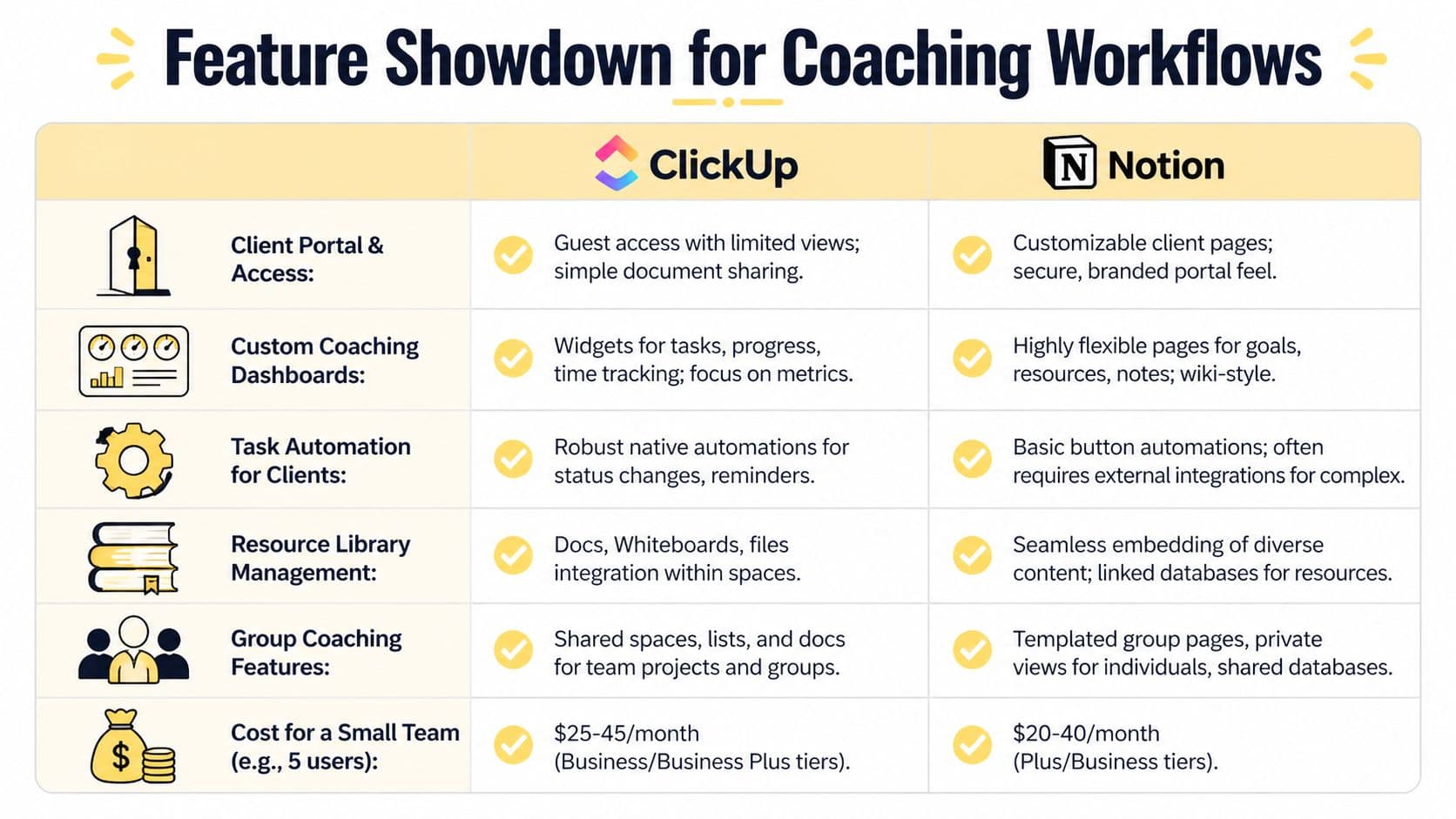
Quick comparison for coaches
| Workflow | ClickUp | Notion |
|---|---|---|
| Session notes | Better when tied to tasks and delivery workflows | Better for rich notes, reflections, and linked context |
| Client milestone tracking | Stronger for status-driven progress and task accountability | Stronger for custom progress records and qualitative tracking |
| Resource hub | Good, but more utilitarian | Excellent for elegant, wiki-style resource libraries |
| Onboarding automation | Strong native workflow control | Works, but often needs more manual setup or extra tools |
| Team handoff | Better when multiple people need shared execution visibility | Better when the main need is shared knowledge and documentation |
| Client-facing polish | Cleaner page design | Usually more visually polished and customizable |
Managing session notes and client history
Notion is usually better for deep client records.
A coach can build one client page with sections for intake, goals, session notes, wins, blockers, resources shared, and a running timeline of insights. Because Notion is page-first, everything feels connected. That matters when you want to review the emotional thread across months of coaching, not just a task history.
Example: A leadership coach creates one client dashboard in Notion with a linked notes database filtered to that client, a goals database, a reading list, and a “watch for” section. Before each session, the coach can scan the page and re-enter the client’s world quickly.
ClickUp can hold notes too, but it often feels more operational. Notes are easier to tie to tasks, checklists, and delivery steps, yet they don’t always feel as natural for reflective, narrative coaching records.
Tracking milestones and accountability
ClickUp is stronger when the coaching model depends on visible execution.
If your clients work through action plans, habits, assignments, or deadlines, ClickUp’s structure gives you cleaner operational oversight. A business coach running a twelve-week offer can set up milestones as statuses, create recurring actions, and monitor which clients are progressing or stalling.
Notion can absolutely track milestones through databases, properties, relations, and views. The difference is that it asks you to design more of the logic yourself. For some coaches, that’s a plus. For others, it becomes another unfinished systems project.
If progress in your practice is measured by “Did the client do the work by the agreed time?”, ClickUp usually fits more naturally.
Building a client resource hub
Notion often feels better here.
A client portal in Notion can look calm, curated, and premium. You can build sections for recordings, worksheets, reading recommendations, session recaps, FAQs, and next actions. For coaches who care about presentation, Notion often creates the stronger impression.
Example: A health coach builds a nutrition resources page with embedded videos, meal-planning documents, a habit tracker, and a “start here” section. The client experiences it like a mini private membership area rather than a task board.
ClickUp can store docs, links, and files, and it does a respectable job for internal operations. But if your standard is “I want this to feel like a polished client environment,” Notion usually wins the aesthetic side.
If you care about the visual layer inside Notion, even small formatting choices matter. Something as simple as cleaner page structure can improve usability, and guides on Notion separators show how coaches can make busy pages easier for clients to scan.
Automating onboarding and recurring admin
Here, the gap gets sharp.
ClickUp Brain can create subtasks, update statuses, generate summaries, and support conditional automation. It also supports 100+ automation templates, while Notion often relies on external tools like Zapier for more operational workflows, according to this analysis of ClickUp Brain and Notion AI for workflow execution.
That difference matters in coaching more than people expect.
A practical example:
- New client pays and signs
- Welcome sequence starts
- Intake form needs review
- Kickoff session needs preparation
- Resource pack gets assigned
- Follow-up tasks need reminders
- Progress status should update after each session
ClickUp is better suited to this kind of event chain because it treats the work like a process that can be moved, triggered, and updated.
Notion AI is more useful once information already exists. It helps summarize notes, classify information, and make large databases more usable. That’s valuable, but it’s not the same as operational execution.
Group coaching and team delivery
For group coaching, the choice depends on what kind of complexity you’re managing.
If your complexity is content and shared knowledge, Notion is often more comfortable. You can create a cohort home page, module pages, weekly prompts, office hours notes, and a resource archive that participants can move through at their own pace.
If your complexity is delivery logistics, ClickUp tends to hold up better. You can track preparation, session tasks, content production, internal responsibilities, and post-session follow-up in one system.
A coaching school is a good example. If they need facilitators, coordinators, and support staff to stay aligned on who is doing what, ClickUp often provides better visibility. If they mainly need a polished information layer for learners and mentors, Notion often feels better.
What works and what doesn’t
Here’s the shortest honest version:
ClickUp works when your business runs on process, deadlines, repeatable workflows, and team coordination.
ClickUp doesn’t work as well when you want a light, elegant workspace for reflective coaching and client-facing presentation.
Notion works when your business runs on knowledge, resources, documentation, and a custom client experience.
Notion doesn’t work as well when your practice needs lots of native operational logic, accountability tracking, and automations that act on work.
A coach trying to use ClickUp like a digital journal often feels boxed in.
A coach trying to use Notion like an operations engine often ends up building around its gaps.
The Make-or-Break Test Client-Facing Workflows
Most software comparisons miss the part coaches feel every day. The client-facing experience is where your system either builds trust or erodes it.
Your client doesn’t care whether your workspace has a clever database relation. They care whether they can find the right note, the next action, the promised resource, and a sense of momentum without confusion.
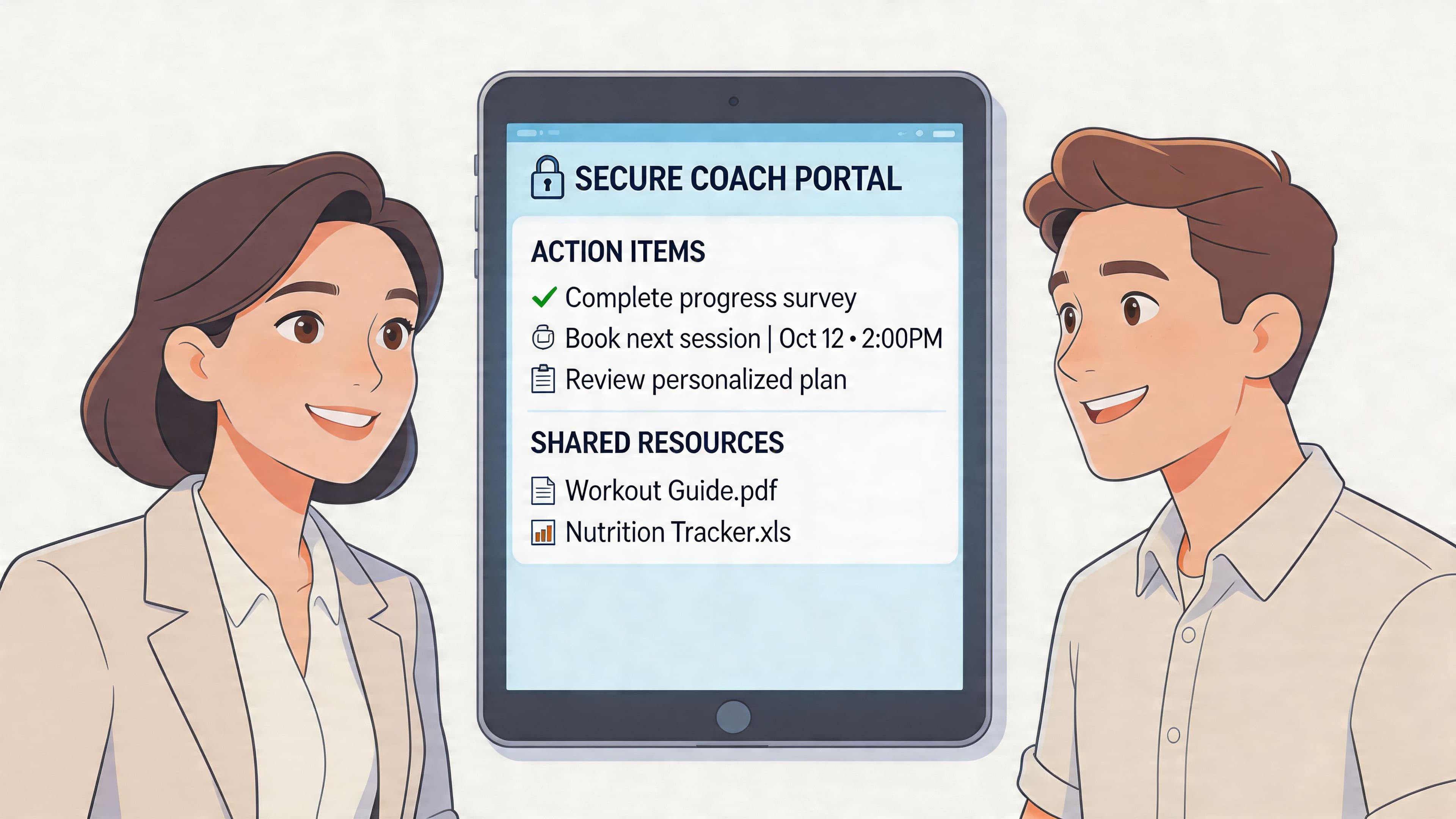
Notion feels better on the front stage
If your priority is presentation, Notion usually creates the stronger client-facing environment.
A coach can build a client homepage with a welcome note, goals, weekly priorities, recordings, resources, and session recaps. It can feel clean and branded. Clients often understand it quickly because the experience is page-based rather than task-based.
That’s a real advantage. Coaching is emotional work. A cluttered interface creates friction that clients rarely name directly, but they feel it.
The caution is permissions and boundaries. The more you customize a shared environment, the more carefully you need to think about what clients can see, what they shouldn’t see, and how you separate internal coaching notes from external-facing materials.
ClickUp feels safer operationally
ClickUp’s guest access model is more naturally aligned with permission control, but the experience can feel more utilitarian for clients.
That’s not always bad. Some clients don’t need elegance. They need a clear list of steps, due dates, and updates. In executive coaching or performance coaching, that can work well because the system reinforces accountability.
But if you want a private portal that feels warm, branded, and intentionally designed, ClickUp often feels like a powerful internal tool being adapted for external use rather than a client environment built from the ground up.
Coaches usually regret two things with client portals. Sharing too much by accident, or sharing too little in a way that makes the experience feel fragmented.
The real test
Ask these questions:
- Can a client log in and know what to do next without asking me?
- Can I share resources without exposing internal notes?
- Can I maintain a consistent experience across all clients?
- Will this still feel professional when I’m tired, busy, or delegating?
Those questions matter more than a long feature checklist.
A small implementation detail can become a trust issue fast. If a client has to hunt for links, download files from multiple places, and guess which page is current, they experience that as uncertainty. You experience it as repeat admin.
Video walkthroughs can help when you're trying to picture what a cleaner client journey should feel like:
Where coaches get tripped up
A lot of coaches think they need “a portal,” but what they need is a full journey.
That includes:
- Entry point: one obvious place to start
- Navigation: simple paths to notes, resources, and next actions
- Boundaries: private coach notes kept separate
- Continuity: each session builds on the last without confusion
If your client journey also starts from social profiles and short-form content, a strong link in bio for coaches can clean up the front end of the experience before clients ever enter your delivery system.
Scaling Your Practice From Solo Coach to Team
The system that works when you have a light roster can become the system you outgrow first.
That’s the hidden pressure in clickup vs notion. You’re not only choosing for the coach you are today. You’re choosing for the business you’ll have if things go well.

For solo coaches
Solo coaches usually want speed, simplicity, and low admin drag.
If you work alone and your practice is relationship-heavy, Notion often feels lighter. You can keep client records, session notes, templates, and resources in one calm environment without turning your business into a project management exercise.
ClickUp can still work solo, especially if your coaching includes assignments, deliverables, or operational complexity. But some solo coaches end up overbuilding because the platform makes it possible to build almost anything.
A useful gut check is this. If your business bottleneck is forgetting follow-up, missing tasks, or losing oversight, ClickUp can help. If your bottleneck is scattered information, duplicate notes, and disorganized resources, Notion often helps faster.
For growing practices
Growth changes the requirement.
Once you add an assistant, operations lead, associate coach, or cohort manager, the challenge shifts from “Where do I keep things?” to “How do multiple people deliver consistently?”
That’s where ClickUp often becomes more attractive. Shared ownership, visible statuses, workload-oriented views, and process consistency matter more when client delivery isn’t sitting in one person’s head.
Notion can support teams, especially teams that work document-first. But when a practice depends on standard operating procedures being followed on time, process visibility becomes harder to ignore.
The system that feels slightly too structured when you’re solo can become the one that saves you once delegation starts.
The scalability friction coaches should take seriously
For practices managing 50+ clients, scalability becomes a real concern. A 2026 benchmark referenced in this performance discussion on larger ClickUp and Notion workspaces notes that ClickUp can show 20-30% slower load times in workload views with over 100 tasks, while Notion can become sluggish in workspaces with heavily interconnected databases.
That’s important because both tools can strain for different reasons.
ClickUp tends to strain when the operational view gets heavy. Notion tends to strain when the relational architecture gets too intricate. Coaches often discover this late, after building a lot of business logic into the platform.
Build for the next version of your practice
A simple planning exercise helps here:
| If your next stage looks like this | You’ll likely value |
|---|---|
| More one-to-one clients with high-touch support | Better client records and resource organization |
| More cohorts, deadlines, and assistant support | Better task management and delivery accountability |
| More brand polish and content libraries | Better page design and knowledge structure |
| More staff visibility and operational reporting | Better hierarchy and execution control |
If your growth plan includes a broader web presence, a dedicated coaching website builder also matters because the handoff between marketing and delivery often becomes messy before coaches realize it.
Analyzing Cost Security and Implementation Effort
A coach can save $3 per seat and still make the more expensive decision.
I see that mistake most often after the first build. The workspace looks promising in week one. By month two, the true cost shows up in setup time, cleanup, staff questions, client confusion, and the quiet drag of maintaining a system that never quite fits how the practice runs.
What you pay is not the whole story
ClickUp’s paid tiers start at $7/user/month annually, while Notion’s Plus plan starts at $10/user/month, based on this pricing and migration comparison. ClickUp looks cheaper at first glance.
For coaches, the larger expense usually sits elsewhere. It sits in the hours required to shape the tool into a client-safe, staff-usable system.
Notion often starts fast, then asks you to design more than you expected. You build templates, views, linked databases, and client hubs. Later, you realize you also need tighter task control, reminders, and operational rules. That usually leads to more setup work or extra tools.
ClickUp creates the opposite pressure. It gives you more operational control on day one, but many coaches have to simplify the workspace before it feels calm enough to use consistently. If you plan to add an assistant or coordinator, that structure can pay off. If you run a lighter-touch practice, it can feel like overhead.
Budget for migration and rebuilding
If you are switching systems, budget real time for the move. The same analysis estimates 10-20 hours for migration and rebuilding, and that range is believable for a coaching business because the hard part is rarely the export.
The hard part is rebuilding the logic behind the work.
Coaching data is messy in a specific way. You are not just moving contact records. You are moving session notes, client history, milestones, forms, resources, permissions, and the client-facing experience attached to all of it.
Migration usually breaks into three jobs:
Clean the old system
Old tags, duplicate notes, abandoned templates, and half-used fields come with you unless you remove them first.Rebuild how the practice works
Imports can bring over content, but they rarely recreate statuses, formulas, permissions, naming rules, dashboards, and shared client views in a usable way.Test the workflow under real conditions
A system is ready when you can onboard a client, prep a session, assign follow-up, and find the right history quickly. Import success alone means very little.
Implementation reality: The setup that feels smart during a weekend build often becomes the system your team avoids on a busy Tuesday.
Security depends on the tool and your setup choices
Coaches handle sensitive information, so this part deserves plain thinking.
Both tools offer AES-256 encryption and GDPR/CCPA compliance. ClickUp also offers HIPAA and a 99.99% uptime SLA, according to the earlier ProductiveTemply comparison already referenced above. Those vendor protections matter, but they do not fix poor workspace design.
In practice, security problems usually come from sharing the wrong thing with the wrong person. In Notion, that often means a client-facing page exposes more context than intended. In ClickUp, it often means a shared view or permission setting gives clients or contractors access beyond their role.
The safer tool is the one you can configure clearly and maintain consistently.
Watch the hidden add-ons
Subscription price is only one line in the budget.
As noted in the same analysis, some coaches using Notion end up paying for automation tools to recreate dependencies, reminders, or workload visibility that ClickUp handles more directly. That does not automatically make ClickUp the cheaper option. It means your real software cost depends on whether you need a knowledge hub, an operations engine, or both.
The solo-to-team question is again important. A solo coach with a clean, resource-heavy client experience may spend less and work faster in Notion. A growing practice with assistants, deadlines, handoffs, and recurring delivery work often saves more time in ClickUp, even if the monthly bill is slightly higher.
The better decision usually comes from asking two questions: What will clients experience inside this system, and will this setup still work when more people touch it every day?
The Verdict A Decision Checklist for Coaches
There isn’t one universal winner in clickup vs notion. There’s only the better fit for the kind of practice you run.
Choose ClickUp if
You think in workflows. You want statuses, task ownership, recurring processes, and operational visibility. Your coaching business has enough moving pieces that structure feels calming, not restrictive.
ClickUp is usually the better pick for coaches managing delivery complexity, assistants, handoffs, or programs where accountability is central.
Choose Notion if
You think in pages, notes, client context, and curated experiences. You want your workspace to double as a knowledge hub and a clean client resource environment.
Notion is usually the better pick for coaches who value elegant documentation, flexible dashboards, and a more custom-feeling client-facing setup.
Use this checklist
Answer each question with the option that feels more true right now.
Do clients need structured follow-up tasks and visible status changes?
If yes, lean ClickUp.Do you want a calm, customizable home for notes, resources, and client context?
If yes, lean Notion.Are you likely to add team members or support staff soon?
If yes, lean ClickUp.Is presentation part of your premium client experience?
If yes, lean Notion.Do you enjoy building systems from scratch?
If yes, Notion may suit you. If not, ClickUp may save frustration.
Pick the tool that supports your tired brain, not your idealized future self who has endless time for setup.
Frequently Asked Questions
Which is better for group coaching programs
If your group program depends on schedules, internal delivery tasks, and team coordination, ClickUp usually handles the operational side better. If your group program depends on shared resources, curriculum pages, and a cleaner member experience, Notion often feels better.
Which mobile app is better for coaches on the go
Notion generally has the edge for quick reading, browsing, and mobile editing based on the earlier comparison already cited. For coaches capturing ideas, reviewing notes, or pulling up a resource between sessions, that matters. ClickUp is still useful on mobile, but it tends to feel more task-centric.
Which one is easier to learn
Most coaches find Notion easier to enjoy early and ClickUp easier to operationalize once the system is defined. Notion has less initial friction. ClickUp has more built-in structure once you commit to using it properly.
Can either tool replace my whole coaching tech stack
Sometimes, but that’s where many coaches get overoptimistic. Both can cover a lot. Neither automatically creates a polished end-to-end coaching journey without thoughtful setup. If you need scheduling, payments, messaging, notes, resources, and progress tracking to work together cleanly, purpose-built coaching software is often a better long-term fit.
If you’re tired of stitching together notes, tasks, client resources, scheduling, and follow-up across multiple tools, Coachful gives coaches a more integrated way to run the whole practice. It’s built for real coaching workflows, so you can spend less time maintaining systems and more time helping clients move forward.