Kajabi vs. Teachable: The Definitive Guide for Coaches

Coachful

You’re probably reading kajabi vs. teachable with a dozen tabs open and one private fear running underneath all of them.
You don’t just need a place to upload videos. You need a platform that can sell your offer, onboard clients, deliver lessons, handle payments, keep people engaged, and not make your business feel like a pile of taped-together software.
That’s where most coaches get stuck.
A business coach running a hybrid group program might be using Calendly for calls, Stripe for payments, Google Docs for worksheets, Zoom for sessions, email for reminders, and a course platform for recordings. A life coach selling a lower-ticket program might be asking a different question: do I really need a premium all-in-one tool, or am I about to overbuy and regret it?
Kajabi and Teachable both look like answers. In some ways, they are. But they solve a different problem than many coaches think they do.
Choosing Your Coaching Platform The Right Way
A coach usually starts with a simple goal. Sell a program, make delivery smoother, and stop chasing admin.
Then the stack grows.
You add Teachable or Kajabi for content. Calendly handles bookings. Zoom runs calls. Stripe collects payments. A shared drive holds templates. Email reminders live somewhere else. Your community is separate again. Clients can still get results in that setup, but the experience often feels stitched together instead of designed.
That matters more than is often acknowledged. Clients feel friction even when they can’t name it. They miss links. They lose passwords. They ask where to find the worksheet, where the replay lives, where to book, where to message you. Every extra step chips away at momentum.

The real question coaches are asking
When coaches compare kajabi vs. teachable, they often think they’re choosing between two course platforms.
They’re choosing how much business complexity they want to manage themselves.
If your offer is mostly self-paced training with a few support touchpoints, either platform can work. If your business depends on live workshops, cohort accountability, group momentum, and visible client progress, the decision gets harder. Ruzuku’s comparison of Teachable and Kajabi highlights a key gap: cohort-based courses achieve 64% median completion rates vs. 48% for self-paced courses, yet neither Kajabi nor Teachable is optimized for live, cohort-based coaching programs.
That gap explains why so many coaches feel oddly dissatisfied after buying a course platform. The tool may be solid, but it was built around asynchronous delivery first.
Most coaches don’t have a course problem. They have a delivery model problem.
Start with the business model, not the logo
Before you compare features, get clear on what you’re selling.
A few examples:
- If you sell a signature self-paced course with occasional email support, platform simplicity matters more than deep client management.
- If you sell a membership or multi-offer business, your platform choice affects marketing, retention, and margins.
- If you run cohorts, the more your program depends on live touchpoints, the more likely you’ll need workarounds.
If you’re still sorting through categories beyond just these two tools, this guide to best membership site platforms helps widen the lens. For a broader side-by-side look at the market, Coachful’s own online course platform comparison is also useful.
Kajabi vs Teachable Understanding Their Core DNA
A coach usually feels this difference about two weeks after launch.
You upload the lessons, set the price, and the sales page goes live. Then the essential work begins. Clients need reminders, context, accountability, quick wins, and a sense that someone is guiding their progress. That is where Kajabi and Teachable start to separate.
Teachable is built to deliver education cleanly. Kajabi is built to run more of the business around that education.
That distinction matters because coaching clients do not judge your program by video hosting alone. They judge it by how organized the experience feels, how clearly they know what to do next, and how much manual follow-up you need to do behind the scenes.
Teachable stays closer to the course itself
Teachable makes sense for coaches who want a focused delivery tool and already have the rest of their stack handled elsewhere.
If your site is on another platform, your email system already works, and your offer is mainly a self-paced program with light support, Teachable is often faster to set up. It asks fewer big operational decisions up front. That lowers the chance of getting stuck in tech instead of selling.
I have seen this work well for coaches validating a first offer. You can build the curriculum, organize lessons, take payments, and start serving clients without rebuilding your whole business. For a coach who is protecting cash flow, that matters.
It also handles lesson design in a practical way. If your program mixes video teaching, written prompts, worksheets, and bonus resources in one place, Teachable keeps that experience straightforward for the client.
Kajabi tries to own more of the client journey
Kajabi is aimed at coaches who are tired of stitching together separate tools.
The appeal is not just course hosting. The appeal is running pages, email, automations, offers, and brand presentation from one system. If your client experience depends on consistent messaging from first click through renewal, Kajabi gives you more control over that arc.
That control comes with a cost. The monthly price is higher, and the setup burden is real. Coaches who buy Kajabi too early often pay for potential they are not using. Coaches who outgrow simpler tools often feel relief once they centralize more of the business.
Brand also lands differently here. If polished presentation is part of your positioning, Kajabi gives you more room to shape the environment clients enter. Teachable can still look professional, but Kajabi gives you a stronger foundation if you care about cohesion across your site, funnel, and member experience. If you need to tighten that visual consistency first, How To Create Brand Guidelines is a useful reference.
Their real difference is operational
Teachable functions more like a well-run lecture hall. Kajabi operates more like the broader campus around it.
That does not make Kajabi the better choice. It means each platform assumes a different business model.
| Decision lens | Teachable | Kajabi |
|---|---|---|
| Core identity | Focused course platform | All-in-one business platform |
| Best first fit | Simpler offers, lean budget, existing tool stack | Multiple offers, stronger brand control, more centralized operations |
| Setup experience | Faster to grasp | More configuration up front |
| Native marketing tools | Lighter | Stronger built-in options |
| Client experience bias | Clean content delivery | More managed end-to-end journey |
The gap coaches need to see early
Here is the part many comparisons miss.
Neither platform was built around the actual workflow of high-touch coaching. Both were designed from the online course world first. So even though Kajabi covers more of the business and Teachable keeps delivery simpler, both still center the content product more than the transformation process.
If your offer depends on live calls, private feedback, milestone tracking, habit change, or personal intervention when a client stalls, you will still end up creating workarounds. Kajabi reduces more of that strain than Teachable in some businesses. It does not remove it.
That is the core DNA issue. You are not only choosing between cheap and expensive, or simple and advanced. You are choosing between two platforms that both do a solid job with education delivery, while neither was built to track coaching outcomes in a native, coaching-first way.
A Coach's Guide to Features Pricing and Branding
A coach usually feels this decision in two places first. The client experience and the monthly bill.
If your business depends on trust, follow-through, and a premium feel, feature lists are not enough. You need to know which platform helps you deliver a program that feels organized to the client and sustainable to run behind the scenes. That is where Kajabi and Teachable start to separate.
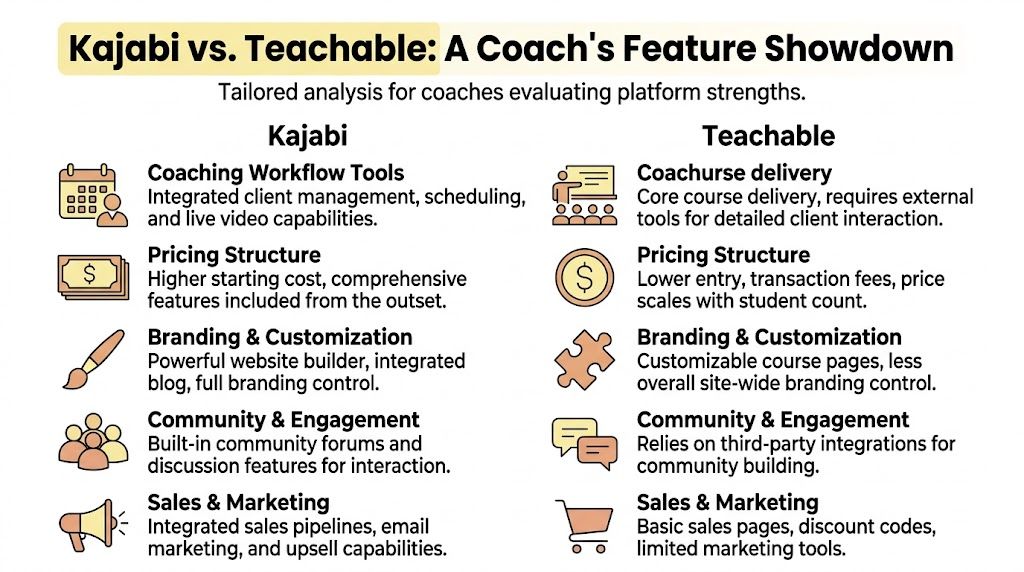
| Area | Kajabi | Teachable |
|---|---|---|
| Entry pricing feel | Premium from the start | Lower barrier, including free option |
| Course delivery | More structured, stronger program presentation | Faster to build, easier for simpler lessons |
| Branding control | Greater control across site, pages, and product experience | Cleaner baseline, but less room to shape the full client journey |
| Native marketing | Email, funnels, offers, automations | Lighter built-in sales and marketing tools |
| Reporting depth | Better visibility into subscriptions and business performance | Basic course-focused reporting |
| Best fit | Coaching business with several offers and a stronger brand standard | Newer offer, lean budget, simpler delivery model |
Delivery features that matter to a coach
Course creators often compare lesson builders. Coaches should look at delivery pressure.
Teachable is easier to justify when the offer is straightforward. The Zapier comparison of Kajabi and Teachable highlights Teachable’s support for multiple content types in a lesson, bulk uploads, student notes, enforced lesson order, and unlimited students on paid plans. That makes it a practical choice for a coach selling a recorded starter program or a workshop library without many moving parts.
Kajabi puts more weight on the full program environment. Zapier also notes Kajabi’s nested product structure, customizable course themes, mobile app access, live video and scheduling tools, stronger assessments, and built-in communities. Those features matter when clients need more than content. They matter when the offer includes accountability, discussion, reminders, and a sense that everything belongs to one guided experience.
Here is the trade-off I have seen in practice. Teachable helps you publish faster. Kajabi gives you more control over how the whole offer feels once clients are inside.
A leadership coach with one flagship self-paced course may prefer Teachable because setup is lighter. A business coach running a premium program with curriculum, community, events, and follow-up usually feels the limits sooner.
The hidden work sits in onboarding
This is the part many coaches underestimate until they start scaling.
Neither platform was built around the actual operating flow of high-touch coaching. Intake forms, client goals, milestone tracking, session prep, private notes, and progress visibility still tend to live outside the platform or in manual processes. That creates extra admin, but the bigger problem is the client experience. A premium coaching client wants to feel known, not processed through a student portal.
Kajabi can carry more of the surrounding journey because it includes more business infrastructure. Teachable keeps the content side cleaner. Neither closes the core gap between course delivery and coaching delivery.
That gap matters because onboarding is not a technical event. It sets the tone for the engagement, lowers buyer's remorse, and creates momentum before the first call.
Branding affects what clients are willing to pay
Branding is not decoration. It shapes perceived value.
If you charge modest prices, a plain member area can still work. Once your offer moves upmarket, clients notice every mismatch. They notice whether the login area feels generic, whether the course pages match the sales pages, whether the program has its own identity, and whether communication feels deliberate or pieced together.
Kajabi usually gives coaches more room to create that consistency. It supports a more controlled brand experience across pages, products, offers, and community elements. Teachable can still look professional, but it gives you less control across the full client journey.
That difference gets expensive when your positioning depends on polish. If your visual identity is still inconsistent, this guide on How To Create Brand Guidelines is worth reviewing before you migrate anything. Software can strengthen a clear brand. It cannot create one for you.
Pricing is really a stack decision
Teachable wins on entry cost. That matters, especially when cash is tight and you are still testing demand.
A newer coach can start there with less financial pressure. If the offer is simple and you already use separate tools for email, sales pages, scheduling, and client follow-up, Teachable may be the more rational choice.
Kajabi is a bigger commitment. It can still be the cheaper decision over time if it replaces enough tools and cuts enough friction. I have seen coaches save money by paying more for software and removing three subscriptions, a patchwork of zaps, and a lot of weekly cleanup work.
So the pricing question is not just, "Which monthly plan is lower?" It is, "What will this platform force me to add, manage, or rebuild later?"
Use this filter:
- Choose Teachable if preserving cash matters more than consolidating systems right now.
- Choose Kajabi if your business already has enough offers, upsells, or recurring revenue that fragmentation is slowing you down.
- Pause before choosing either one if your offer depends heavily on milestones, private coaching context, and intervention between sessions. That workflow is where both platforms start to show their course-first design.
Most money anxiety comes from picking the wrong operating model, not from the software fee itself.
That is why this comparison cannot stop at course features. Coaches are not just buying a place to host videos. They are choosing how much manual work, brand compromise, and client experience risk they are willing to carry as they grow.
Beyond Completion Rates Tracking Real Client Outcomes
A client finishes module three, misses two coaching calls, stops replying in Slack, and quietly fails to renew.
If your platform reports that story as "67% complete," you have a visibility problem.
That is the gap many coaches discover after they scale past a simple course. Kajabi and Teachable can both tell you what content was consumed. Neither was built to track the full arc of a coaching relationship, where progress depends on attendance, implementation, feedback, milestones, and timely intervention.
What Teachable shows and where it stops
Teachable gives you the basics. You can review course progress, quiz results, and student activity inside a product.
For a self-paced starter course, that may be enough. If the promise is education, not hands-on transformation, basic reporting can still support a solid client experience.
The strain shows up once the offer includes live support, recurring payments, or multiple products. A coach running a hybrid program usually needs answers that sit outside a course dashboard. Which clients are drifting before they cancel? Which offer keeps people engaged longest? Which cohort needs intervention this week, not at the end of the month?
Teachable does not organize the business around those questions. You can patch some of it together with outside tools, spreadsheets, and manual check-ins. I have done that. It works until enrollment grows, then your reporting process becomes another part-time job.
Kajabi gives you a better business view, but not a full coaching view
Kajabi is stronger if you need to monitor the health of a growing practice. You get a clearer picture of revenue trends, subscription performance, and engagement across a broader customer journey.
That matters when your business depends on renewals.
If you run a membership, continuity program, or layered coaching offer with content plus calls, Kajabi helps you see more of the commercial side of retention. You are less likely to operate blind on churn or recurring revenue trends, and that can prevent expensive mistakes. For coaches comparing systems built for this kind of growth, this guide to best online coaching platforms is a useful next reference point.
But Kajabi still reports like an advanced course platform, not like a coaching operations system. It can show engagement. It does not naturally show whether a specific client hit a goal, submitted work late three weeks in a row, or needs outreach before confidence drops.
The metric coaches actually need
Completion rate is rarely the result you sell.
Coaches sell progress. Sometimes that means consistency. Sometimes it means implementation. Sometimes it means behavior change, client readiness, or measurable movement toward a goal.
A leadership coach may need to track participation and milestone completion across a cohort. A health coach may care more about check-in consistency than lesson completion. A business coach may watch renewals, session attendance, action-item follow-through, and goal progress together because one number alone misses the full story.
This is the practical trade-off. Kajabi gives you more useful business intelligence than Teachable. Teachable keeps things lighter and simpler if your offer is mostly educational. Neither platform closes the loop between content consumption and client outcomes very well.
That missing layer is why many coaches feel oddly under-informed even when their dashboards look busy. They can see activity. They still cannot reliably see transformation.
Which Platform Fits Your Specific Coaching Model
Platform advice gets more useful when it’s attached to a business model instead of a generic pros-and-cons list.
The right answer for kajabi vs. teachable changes depending on what you sell, how you deliver it, and what you can tolerate operationally.
The new coach testing a first offer
If you’re a life coach, career coach, or wellness coach launching your first lower-ticket program, Teachable is often the safer starting point.
Its lower entry cost reduces pressure. You can validate your idea, enroll students, and avoid paying premium software fees before the offer has proven itself. If your program is mostly pre-recorded and you’re comfortable using separate tools for calls or communication, Teachable does the job.
The compromise is future friction. If the business grows into bundles, subscriptions, more advanced sales flows, or stronger branding demands, you may outgrow it.
The established coach with multiple offers
Kajabi fits better if you already have momentum.
An experienced business coach or consultant with a flagship program, lead magnet, email nurture, upsells, and maybe a membership layer usually benefits from Kajabi’s all-in-one structure. The platform is better suited to someone who wants marketing, offers, automation, and delivery living closer together.
That doesn’t mean every feature will matter on day one. It means the system is designed for a broader commercial engine.
The coach who sells 1 on 1 with a course as support
Now, the choice gets awkward.
If your real business is private coaching, and the course is only there to support implementation between sessions, neither platform feels perfect. Teachable may feel too educational. Kajabi may feel more polished but still not centered on the ongoing coaching relationship.
In that case, ask a harder question: is the course platform the center of the business, or just one component?
If it’s just one component, don’t let course features dominate the decision.
The cohort coach running live accountability
This coach usually feels the most friction.
You need timed delivery, group momentum, clear communication, and a clean place for resources, replays, and accountability. You can make either platform work, but you’ll likely feel the compromise more often because your delivery depends on live rhythm, not just content access.
That’s why it helps to also review a broader set of best online coaching platforms if your model is coaching-led rather than course-led.
Quick-fit summary
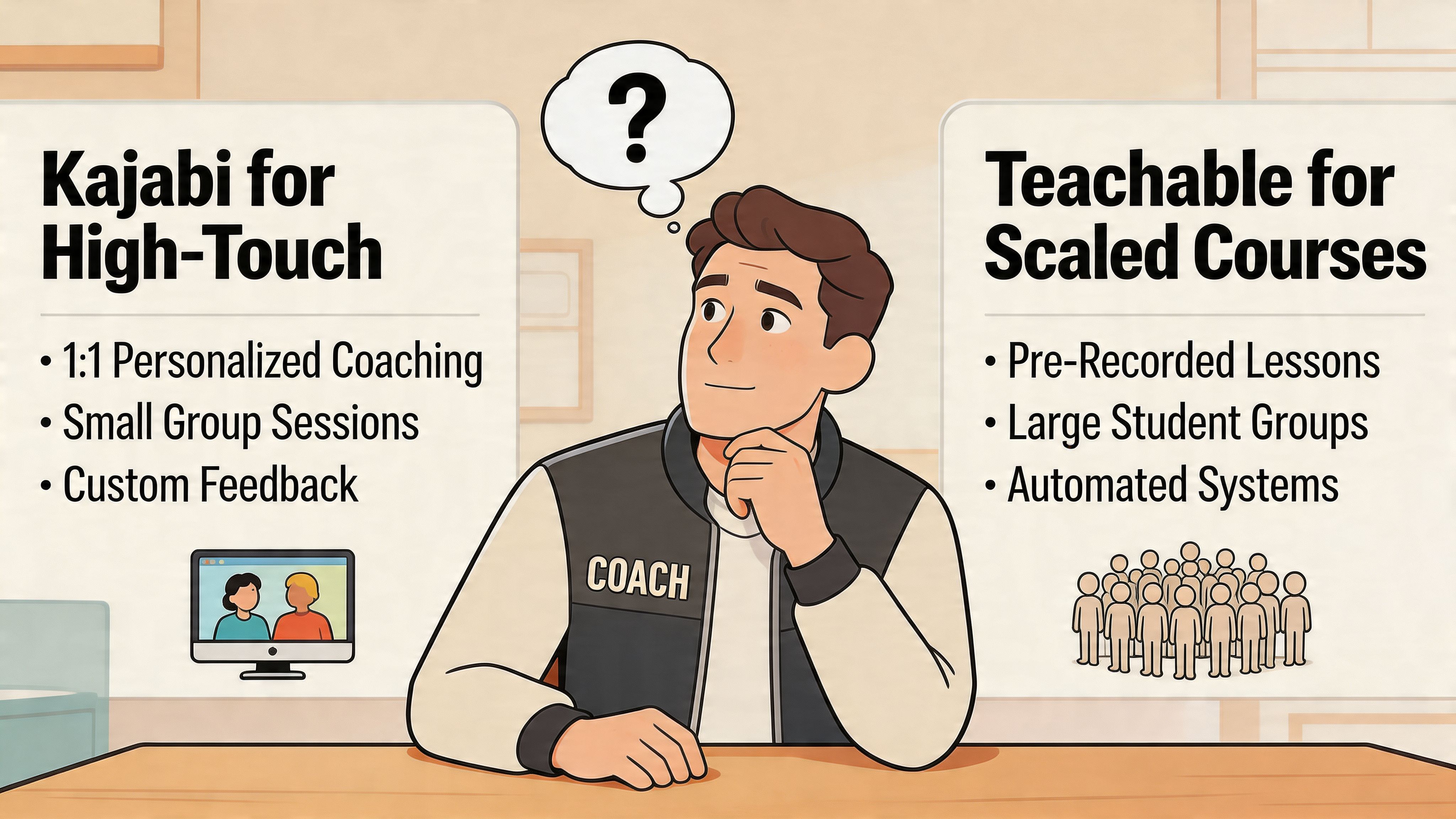
- Pick Teachable if you want the lightest financial commitment and your offer is content-first.
- Pick Kajabi if you want stronger branding, automation, and business consolidation.
- Pause the binary choice if your business depends on coaching workflows more than course mechanics.
When Neither Is Perfect The Case for a True Coaching Platform
After enough time with Kajabi and Teachable, the same conclusion keeps surfacing.
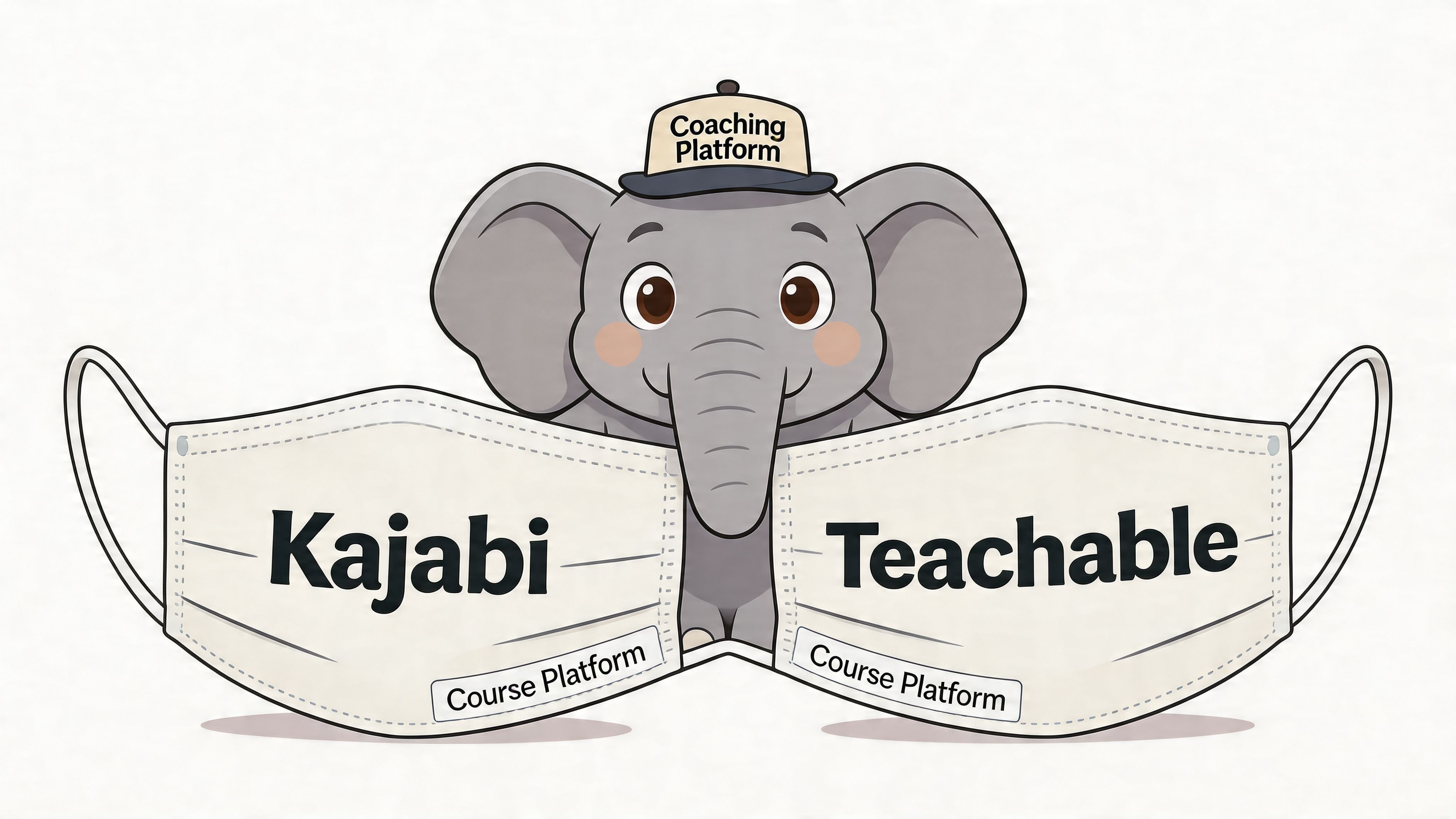
Both are solid. Neither was built from the ground up around how a serious coaching practice runs.
The hidden mismatch
Course platforms organize the world around content, checkout, and consumption.
Coaching businesses organize the world around people, sessions, momentum, and outcomes.
That sounds subtle until you feel it in daily operations. The intake form lives in one place. Session notes live somewhere else. Goals are tracked manually. A client asks what they should focus on this week, and the answer isn’t reflected anywhere inside the platform itself.
The AppsAware comparison of Kajabi and Teachable makes this gap explicit: Kajabi and Teachable’s analytics focus on course and sales data. For coaches needing to track client-specific progress, neither platform natively offers features like shared goal setting, milestone tracking, or session note logs.
That’s the point where many coaches stop asking which course platform is better and start asking whether they’re solving the right problem at all.
A premium coaching business needs more than content delivery. It needs a working system for accountability.
What a coaching-first platform changes
A true coaching platform starts with the relationship, not the library.
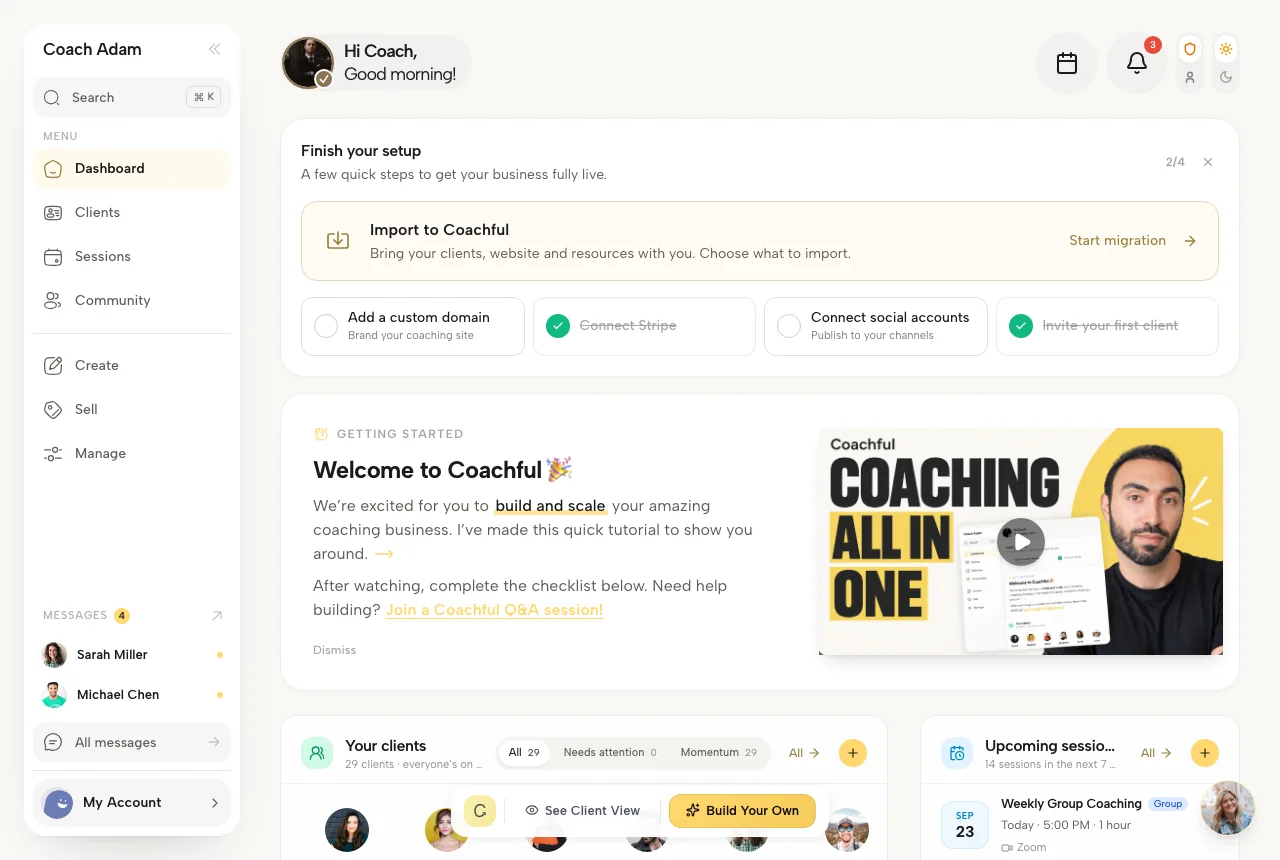
That means the core workflows are different. You expect onboarding, scheduling, notes, messaging, progress tracking, payments, and program structure to work together in one client-facing experience. You’re not bending a course tool into a coaching tool. You’re using software that assumes coaching is the product.
Here’s a short walkthrough of what that looks like in practice.
A coach running a six-month leadership engagement doesn’t just need a lesson area. They need a private workspace where goals, milestones, assignments, messages, and session records stay connected. A coaching school doesn’t just need checkout pages. It needs a consistent delivery environment across mentors, cohorts, and clients.
If you’ve felt underwhelmed by both sides of kajabi vs. teachable, that’s usually why. The tools aren’t bad. They’re just aimed at a neighboring business model.
If you’re evaluating software from that coaching-first angle, this guide to coaching business software is a better next step than another generic course-platform roundup.
Planning Your Move A Practical Migration Checklist
Most coaches delay switching platforms for one reason. They imagine chaos.
That fear is reasonable. A messy migration can confuse clients, break payments, and bury important data. A clean migration is less about technical brilliance and more about sequence.
Audit before you move
Start with a plain inventory of what you use now.
List every tool tied to delivery: payments, scheduling, files, forms, email, community, contracts, and course assets. Then mark what must be moved, what can be archived, and what should be retired. This prevents the common mistake of rebuilding yesterday’s clutter in tomorrow’s platform.
Migrate in business order
Don’t begin with aesthetics. Begin with operations.
A practical order looks like this:
- Map the client journey from purchase to onboarding to delivery to renewal.
- Export critical records such as client data, content files, and payment-related references.
- Set up the new structure first so you know where each asset belongs before moving anything.
- Test with a small internal flow using your own email, a test client, or a trusted beta user.
- Run payment systems carefully during the transition so revenue doesn’t stall.
Communicate like a guide, not a technician
Clients don’t need a software lecture.
They need reassurance. Tell them what’s changing, why it benefits them, what they need to do, and where to get help. A short welcome video inside the new portal often reduces support questions more than a long email ever will.
Practical rule: Migrate the experience, not just the files.
A worksheet library moved badly is still a mess. A simpler portal with a clear first step feels like an upgrade immediately.
Keep your standards during the switch
A migration is a brand moment.
If your business promises calm, clarity, and transformation, the move should reflect that. Broken links, scattered announcements, and vague instructions send the opposite message. Even if you’re changing platforms because the old one no longer fits, your clients should experience the transition as thoughtful and steady.
If you’ve outgrown course-first tools and want a platform built around real coaching workflows, Coachful is worth a serious look. It brings onboarding, scheduling, payments, messaging, progress tracking, programs, and client accountability into one place, so you can spend less time managing software and more time coaching.