10 Essential Templates for Coaches to Use in 2026

Coachful

You didn't become a coach to spend your evenings wrestling with Google Docs, chasing invoices, hunting for last week's session notes, and sending reminder emails one by one. You became a coach to help people change. But once a practice starts growing, the work around the work starts creeping in. A new lead needs an application. A client needs a welcome packet. A group program needs a curriculum, reminders, and assignments. By Friday, you're thinking less like a coach and more like an accidental operations manager.
There is a better way to handle templates for coaches. The right template system doesn't just save time. It creates consistency, reduces decision fatigue, and gives clients a smoother experience from the first form to the renewal conversation. It also solves a deeper problem. Clients trust structure. When your onboarding is clear, your progress tracking is visible, and your follow-up is reliable, clients feel held. That sense of safety keeps engagement from fading after the initial excitement wears off.
Most coaches often get stuck in a similar pattern. They collect random files, worksheets, and swipe folders, then end up with a messy stack of disconnected tools. One form lives in Jotform. Notes live in Notion. Scheduling happens elsewhere. Group delivery sits in another app. Nothing talks to anything. Admin multiplies. Momentum leaks.
The smarter move is to think in workflows. Intake. Agreement. Session delivery. Accountability. Group facilitation. Review. Renewal.
That mindset matters even if you're also focused on visibility and lead flow through channels like organic Instagram growth for coaches. More leads won't help if your backend feels chaotic.
The tools below aren't just downloads. They're practical systems for specific moments in the coaching journey, each tied to a real psychological job. Some calm anxious new clients. Some reduce your cognitive load. Some keep people engaged between sessions. And one, if you want the cleanest setup, can tie the whole thing together.
1. Coachful
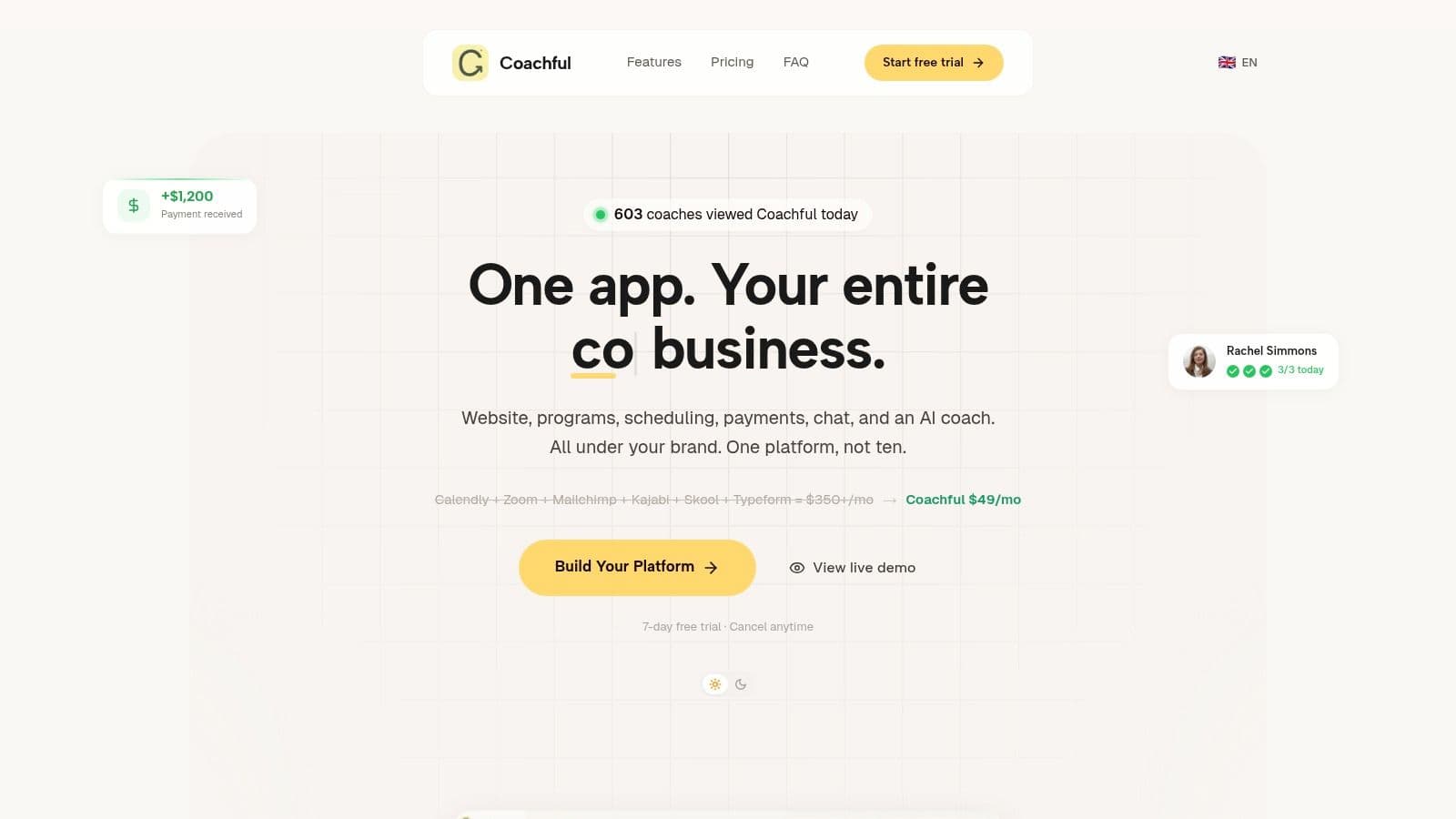
A client signs the agreement, pays the invoice, and feels ready to start. Then the cracks show. The welcome email is in one tool, the intake form is in another, session notes live in a doc you have to hunt for, and accountability messages depend on whether you remember to send them. That is usually where momentum drops.
Coachful is built for coaches who want their templates organized by workflow, not scattered by file type. Instead of treating a coaching template as a standalone worksheet, it puts each piece inside the actual client journey. Onboarding, scheduling, payments, notes, messaging, programs, and progress tracking sit in one system, so clients keep moving instead of getting bounced between apps. If you also need to build a coaching website, that front-end can connect directly to the same delivery flow.
The psychological value is simple. Clear sequence reduces anxiety.
New clients want proof that they made a good decision. They look for cues. A clean intake process tells them, "there is a plan." A client portal with the next step already waiting tells them, "I won't have to chase you." Consistent reminders and follow-ups tell them, "this won't disappear between sessions." Those signals matter because coaching often asks people to face uncertainty. Your system should not add more of it.
For the coach, the mindset problem is different. It is cognitive overload. Too many coaches rely on memory for tasks that should be automatic. Coachful helps by keeping session records, assignments, communication, and program materials in one place. Its AI features can summarize calls, pull out action items, and support follow-up. Used well, that reduces the mental clutter that builds up when you manage ten clients one way and twenty clients another.
Practical rule: A template only helps if it appears at the exact moment the client needs it, without you having to remember it manually.
That is why Coachful works well across the full coaching lifecycle. Intake forms reduce first-call vagueness. Session templates create consistency without making sessions feel scripted. Accountability tools support the period between calls, which is where clients often drift. Review and renewal flows make progress visible, which helps clients justify continuing instead of not renewing after a package ends.
There are trade-offs.
Coachful makes the most sense for coaches who want one operating system for delivery. It is a strong fit for solo practitioners growing beyond a handful of clients, and for practices running cohorts, assignments, or branded programs. If you only need a single form and a few downloadable PDFs, a full platform may feel heavier than necessary. It also takes setup discipline. The more thoughtfully you configure your workflows, the more useful the automations and AI become.
For coaches who are tired of managing a patchwork backend, Coachful is less about collecting templates and more about turning templates into a working practice.
2. Jotform
Jotform's coaching intake templates solve a very specific problem. You need to look organized before the first call, and you need enough information to make that first conversation useful. Most coaches wait too long to tighten this step, then wonder why discovery calls feel vague or emotionally flat.
A strong intake form does more than collect contact details. It starts the coaching process. When someone fills out questions about goals, obstacles, readiness, and history, they begin organizing their own thinking. That's valuable before you've said a word.
Where Jotform shines
Jotform is fast. You can take an existing form, adapt it for life coaching, business coaching, or health coaching, add conditional logic, collect e-signatures, and even include a payment field for a deposit. If you're trying to build a coaching website, embeddable forms are especially useful because the intake flow can live directly on your site instead of sending prospects into a clunky off-site process.
The psychological advantage is simple. Good onboarding lowers resistance. Clients don't want to repeat themselves across email, a scheduler, and a call. A single form that asks the right questions tells them you're prepared and that their time will be respected.
Long forms don't create better insight. Better questions create better insight.
A practical example: instead of asking ten broad questions about "goals," ask three layered ones. What do you want to change? What have you already tried? What tends to get in your way when you try to change it? That sequence gets cleaner answers and gives you a sharper first session.
The trade-offs
Jotform is excellent for forms, but it isn't your full coaching system.
- Strongest use case: Applications, intake, agreements, waivers, and onboarding questionnaires.
- Big advantage: Integrations with sheets, email tools, and CRMs reduce re-entry work.
- Common mistake: Coaches keep adding questions until the form becomes a burden.
- Limitation: Growing practices can outgrow the free plan quickly.
If the front end of your practice feels messy, Jotform is one of the quickest fixes available.
3. The Coaching Tools Company
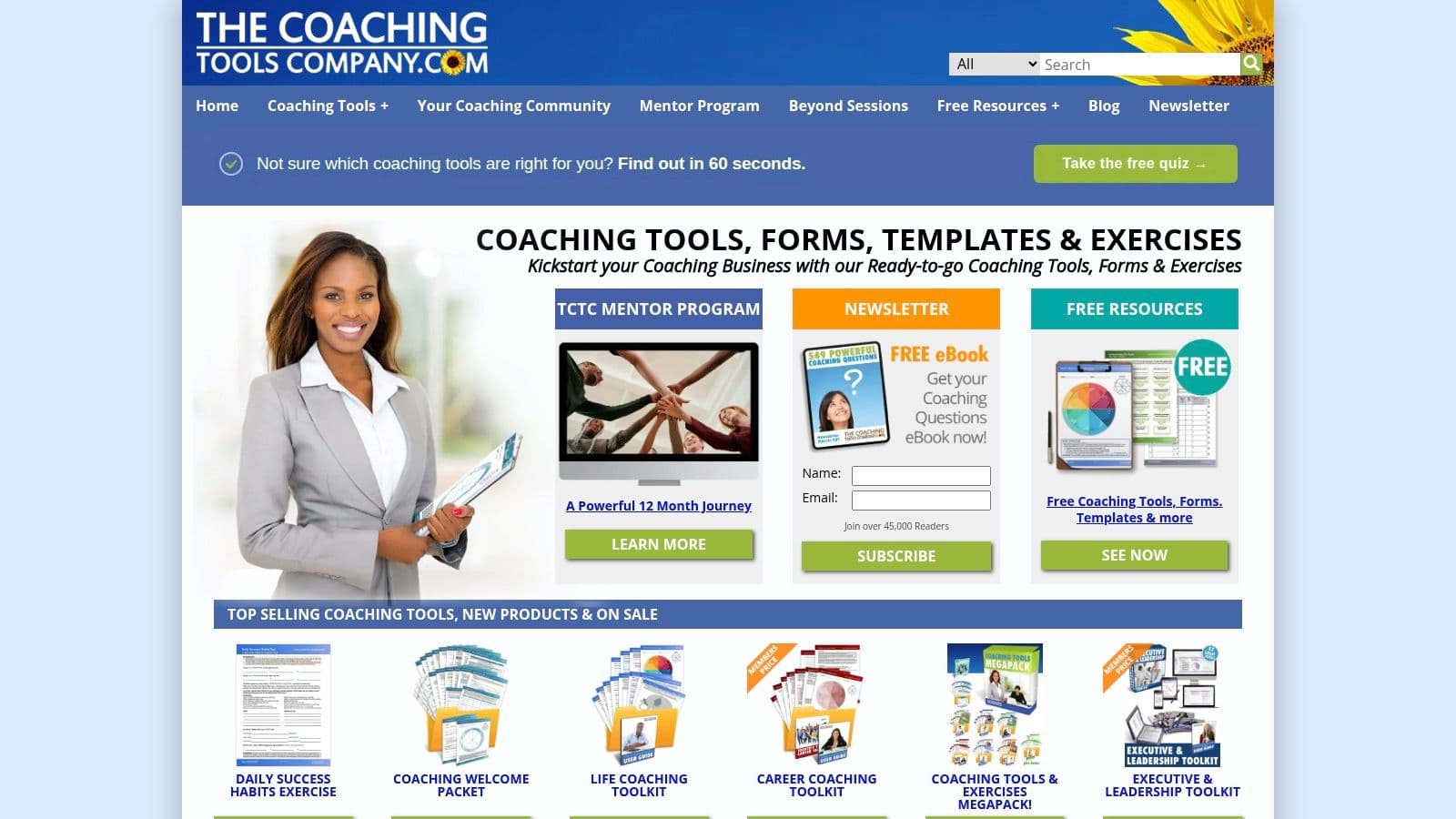
The Coaching Tools Company is where many coaches go when they need a welcome packet, Wheel of Life, action log, or pre-session form today, not next month. That immediacy matters. A lot of templates for coaches fail because they're theoretically useful but practically unfinished. This library wins on usability.
Its forms and toolkits are built for coaches who want client-facing materials they can edit, brand, and deploy quickly. The design isn't flashy out of the box, but the substance is solid. In practice, that often matters more.
Why coaches keep reaching for it
You don't always need a software overhaul. Sometimes you need a reliable worksheet that helps a client think clearly in session three, or a simple action tracker that creates follow-through after a breakthrough conversation. That's where this resource feels strong. It covers foundational moments that almost every practice runs into.
For newer coaches, it also helps reduce a subtle kind of anxiety. Many feel pressure to invent every tool from scratch to prove originality. That's rarely the best use of energy. A coach-tested form that gets used consistently is better than a brilliant draft sitting unfinished in your laptop.
A simple example is the welcome packet. Used well, it doesn't just explain logistics. It sets emotional boundaries. It tells the client what coaching is, what it's not, how communication works, what to do between sessions, and how responsibility is shared.
The real trade-off
This is a template library, not a workflow engine.
- Works well for: Foundational documents, coaching exercises, and client handouts you can customize.
- Useful for: Coaches who want editable DOCX or PDF tools without learning a new platform.
- Less strong for: Automation, client portals, payment workflows, and integrated tracking.
- Watch for overlap: Multiple packs can cover similar ground.
If you're missing the basic documents every professional practice should have, The Coaching Tools Company is a practical place to fill those gaps fast.
4. Miroverse
Miroverse's coaching canvases are useful when a static document isn't enough. Some clients think better when they can see the work. Some team coaching conversations improve dramatically when people can co-create expectations in real time instead of passively reading a PDF.
That makes Miroverse especially good for agreements, retrospectives, values work, and collaborative goal setting. The board becomes part worksheet, part conversation map.
The psychological use case
Visual collaboration increases buy-in. When a client helps build the agreement, they don't experience it as a rule sheet you've imposed. They experience it as a shared structure they helped create. That difference matters when commitment gets tested later.
This also works well for public-facing mini experiences. A coach might use a visual values board in a workshop and then connect that audience touchpoint to a link in bio page for lead capture, workshop sign-up, or follow-up resources. The transition feels more coherent than sending people from an interactive session into a pile of disconnected links.
Co-created structure tends to stick better than delivered structure.
A practical example: in a team coaching kickoff, use one area of the board for "what support looks like," another for "what avoidance looks like," and another for "how we'll handle difficult conversations." That creates a much richer agreement than a simple checkbox form.
What doesn't work as well
Miroverse is powerful, but it isn't uniform. Community-made boards vary in quality, depth, and style.
- Best for: Visual coaches, team coaches, and collaborative remote sessions.
- Best moment in the workflow: Early alignment, live exercises, and interactive reviews.
- Potential friction: Clients who aren't comfortable with digital whiteboards may need guidance.
- Practical limit: It's a collaboration layer, not a coaching CRM or delivery platform.
If your sessions feel too talk-heavy and not interactive enough, Miroverse can lift engagement quickly.
5. SessionLab
SessionLab templates suit coaches who deliver workshops, cohorts, leadership offsites, or team programs and need consistency across repeated sessions. Strong facilitation is only part of the job. The harder part is producing the same level of clarity, pacing, and client experience every time, especially when a program grows beyond one coach.
SessionLab helps you design the session before you enter the room. That matters because group coaching usually breaks at the level of flow, not intention. Reflection gets squeezed, discussion runs long, and the action step disappears because no one protected the arc of the session.
The mindset problem it solves is different from the one solved by intake forms or worksheet libraries. Coaches often assume they can hold a multi-person session in their head. That works until the group gets bigger, the stakes go up, or another facilitator needs to run your method. A documented session plan reduces decision fatigue in the moment and gives clients a stronger sense of containment, which is often what keeps a group engaged when the conversation gets messy.
A practical use case: build a repeatable cohort session with clear time blocks for check-in, teaching, paired reflection, group processing, and commitment. Then save that as your baseline. You can adapt the topic each week without rebuilding the structure from scratch. That protects the psychology of the session. Clients know where they are, what is expected of them, and when they will turn insight into action.
SessionLab is strongest in the delivery phase of the coaching workflow. It helps you run the live experience well. It does not replace your onboarding, follow-up, billing, or accountability system, which is where many coaches create tool-stack chaos for themselves. If you use SessionLab, it works best as the session-design layer inside a broader operating system such as Coachful, where client communication, resources, and progress tracking can stay in one place instead of being scattered across docs, email, and calendar notes.
- Best for: Group coaches, facilitators, and coaches running repeatable team or cohort-based programs
- Best moment in the workflow: Live delivery and program design
- Psychological use case: Reduces coach overload and gives clients a clearer sense of structure and safety
- Trade-off: Excellent for planning sessions, limited for client management outside the session
- Best operational benefit: Makes it easier for multiple facilitators to deliver the same program with fewer quality drops
If your 1:1 process is strong but your group sessions still feel loose or inconsistent, SessionLab usually fixes the hidden problem. The issue is often session architecture.
6. PositivePsychology.com
Positive Psychology Toolkit is best for the coach who wants stronger intervention quality, not just cleaner admin. Many templates for coaches are operational. This library is different. It's about what happens inside the coaching conversation and between sessions.
The value here is depth. You get a large collection of science-based worksheets, exercises, and interventions across strengths, values, motivation, resilience, and performance, along with practitioner guidance that explains how and when to use them.
The mindset problem it solves
Clients often stall because they don't lack insight. They lack a structure for applying insight. A well-chosen exercise gives shape to reflection. It turns "I know I need to change" into something specific enough to act on.
This toolkit also helps coaches avoid another common trap. When a client brings in a complex issue, it's tempting to improvise from memory. Sometimes that's fine. Sometimes it leads to repetitive sessions that feel supportive but don't move forward. Having a deeper exercise library helps you match the tool to the moment.
The right worksheet isn't paperwork. It's a container for a conversation the client couldn't hold on their own.
A practical example: if a client says they're "unmotivated," don't stop at motivation talk. Use a strengths or values-based exercise to separate low energy from value conflict, burnout, fear, or lack of meaningful reward. The exercise changes the question.
The trade-offs
This is not where you'll fix scheduling or automate onboarding.
- Excellent for: Evidence-informed session prep and between-session exercises.
- Useful across niches: Life, executive, leadership, wellness, and performance coaching.
- Limitation: It's a content library, not a business operations system.
- Cost consideration: Access is subscription-based rather than one-off.
For coaches who want their templates to deepen transformation rather than just organize paperwork, this is a strong addition.
7. Notion
Notion's coaching templates marketplace appeals to a very specific kind of coach. You like building systems. You want your client CRM, session notes, goals, meeting logs, and planning dashboard to connect in one place. You don't mind tweaking databases if it means the final setup matches how your brain works.
For that person, Notion can be excellent. It gives you a flexible back office and a huge ecosystem of ready-made templates that you can duplicate and adapt.
Where Notion feels brilliant
When Notion works, it feels elegant. A client page links to goals, each goal links to session notes, each session note links to action items, and your dashboard shows what needs attention this week. For coaches who think relationally and like seeing the whole practice as a connected map, this can reduce mental clutter.
It also supports gradual building. You can start with a simple CRM and note system, then add check-ins, dashboards, resource libraries, and team spaces later. That modularity is useful if you're still refining your offer suite.
Where coaches get stuck
Notion can become a hobby. That's the danger. Coaches who love systems sometimes spend more time perfecting their workspace than using it. The flexibility that makes Notion powerful also makes overbuilding easy.
- Best for: DIY coaches who want control over structure and don't mind configuring things.
- Useful setup: Client database, notes hub, program dashboard, content vault.
- Big risk: Template quality varies a lot depending on the creator.
- Not ideal if: You want a ready-to-run client experience without backend tinkering.
If you enjoy building custom workflows, Notion can become the operational brain of your practice. If you want simplicity, it may feel like too much unfinished possibility.
8. ClickUp

ClickUp's Coaches CRM template is useful when your biggest headache isn't session design. It's visibility. You want to know exactly where every lead and client stands without digging through email threads or sticky notes.
This template turns ClickUp into a structured pipeline. Leads move through stages. Client details sit in custom fields. Different views show the sales process, your assignments, and onboarding progress.
The mindset challenge it addresses
Many coaches resist CRM structure because it feels too salesy. But its primary function isn't pressure. It's clarity. Without a pipeline, follow-up becomes emotional. You reach out when you remember, when guilt spikes, or when things feel quiet. A visible process makes follow-up calmer and more professional.
This is especially helpful for coaches balancing client delivery with business development. You can separate active clients from warm leads, track who needs a proposal, and stop relying on memory to manage revenue.
A practical example: set one view for discovery calls booked, another for proposals sent, and another for clients waiting on onboarding. That alone can expose where leads are getting stuck.
The trade-offs that matter
ClickUp is a process tool first.
- Best for: Sales pipelines, client stages, reminders, and operational visibility.
- Helpful if: You already use ClickUp for projects and don't want another app.
- Less strong for: Client-facing delivery, worksheets, and polished portal experiences.
- Advanced setup: Automations and dashboards get better on higher-tier plans.
If your practice has enough activity that leads and clients are slipping between the cracks, ClickUp gives you a more disciplined pipeline without forcing a full business overhaul.
9. The Coaches Console
The Coaches Console has a different appeal from template libraries. It isn't saying, "Here are some forms." It's saying, "Here is a business-in-a-box approach." For some coaches, that's exactly the right move.
Its built-in templates cover forms, documents, reminder emails, autoresponders, and a prebuilt course asset. The main advantage is that these pieces are already connected to the platform's broader system for scheduling, CRM, billing, and delivery.
Why turnkey matters
A lot of coaches don't need more options. They need fewer decisions. When every system decision feels open-ended, implementation drags. An established platform with prewired templates shortens the path from "I should fix my backend" to "my backend works."
That can be especially helpful for coaches who are strong in client work but weak in digital assembly. Instead of choosing a dozen standalone tools and trying to make them cooperate, they can start with a working framework and customize from there.
A good default system often beats a perfect custom system that never gets finished.
One practical example is email follow-up. Many coaches know they should automate reminders, onboarding emails, and pre-session prompts, but they never write the sequences. Built-in email templates remove that bottleneck.
Trade-offs to consider
The convenience is real, but so is the commitment.
- Best for: Coaches who want an integrated environment with core templates already in place.
- Strong point: Forms, emails, and workflows are wired into the broader platform.
- Potential downside: Brand customization can take time if you want a highly distinct look.
- Important consideration: It sits at a higher commitment level than buying a standalone template pack.
If your main need is implementation speed and a more turnkey practice setup, The Coaches Console is worth a close look.
10. CoachAccountable
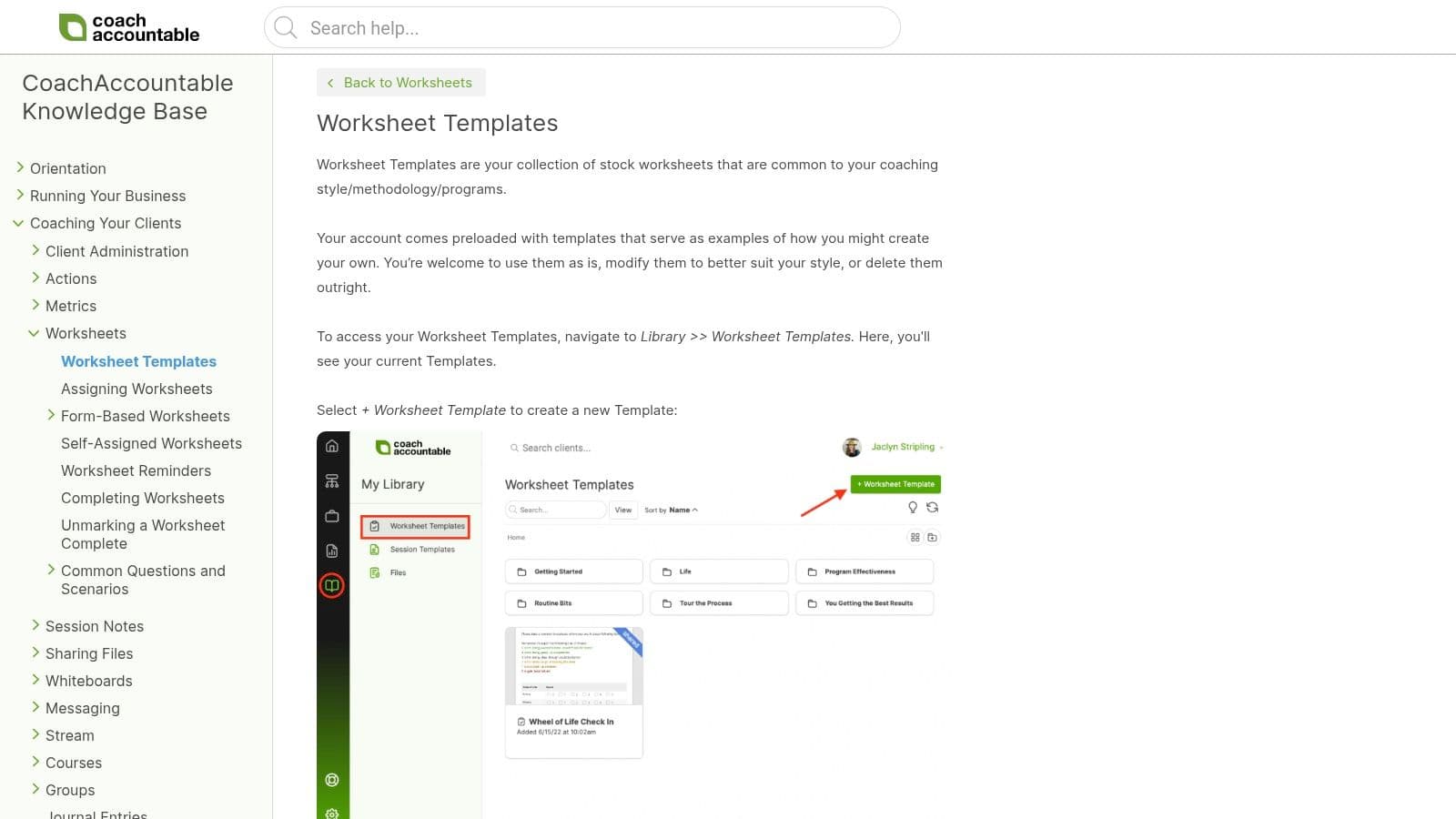
A client leaves the session motivated on Tuesday. By Friday, the worksheet is still untouched, the action step feels vague, and your next call starts with rehashing what already felt clear. CoachAccountable's template system is built for that exact gap between insight and follow-through.
Its value shows up in the middle of the coaching workflow, after onboarding and before renewal, where client momentum usually slips. Worksheets, session notes, agreements, and action items sit inside the client portal, so the template is tied to behavior, not buried in an attachment. That matters psychologically. Clients are more likely to complete work they can see, revisit, and track in one place. Coaches are more likely to stay consistent when the system prompts the process instead of relying on memory.
I have found that accountability-heavy coaching breaks down when the admin layer is too loose. If homework lives in Google Docs, notes live somewhere else, and reminders go out from another tool, clients feel friction and coaches create extra follow-up work for themselves. CoachAccountable reduces that problem by keeping assignments, metrics, and progress records connected.
That makes it a better fit for coaches who run structured engagements than for coaches who mainly want a library of downloadable forms.
Why these templates work
CoachAccountable is strongest in delivery and progress tracking. A worksheet is not just a worksheet here. It becomes a prompt inside an active coaching container. Session notes can connect to goals. Agreements can live where clients return to them. Action items can be reviewed in context instead of being rewritten at the start of every call.
The mindset challenge it solves is inconsistency. Clients often confuse insight with change. Coaches often assume good sessions will carry their own momentum. They usually do not. A tracked template gives both sides a visible next step, which lowers avoidance and makes progress easier to discuss openly.
There is also a systems benefit. If you are trying to build a cleaner workflow inside a unified platform such as Coachful, this section is a useful comparison point. CoachAccountable goes deeper on accountability mechanics inside its own environment. The trade-off is platform commitment. You get more structure, but you also need to use the platform the way it was designed.
The practical trade-off
- Best for: Coaches running structured programs, recurring engagements, or accountability-centered offers.
- Major strength: Templates connect directly to actions, notes, and measurable progress.
- Team advantage: Shared templates help multiple coaches deliver a more consistent client experience.
- Limitation: If you only need simple documents or one-off worksheets, the platform can feel heavier than necessary.
For coaches who want clients doing the work between sessions, not just agreeing to it in the room, CoachAccountable is a serious option.
Top 10 Coaching Template Resources, Quick Comparison
A coach usually feels template sprawl before they name it. Intake lives in one app, worksheets in another, notes in a doc, accountability in a portal clients barely open. The key comparison isn't merely feature count. It is where each resource fits in the coaching workflow, and which mindset problem it helps you solve.
Use the table below that way. Some tools are strongest at onboarding. Some help during live sessions. Some are better for follow-through, reviews, and renewals. If you want fewer handoffs and less tool-stack chaos, unified platforms such as Coachful matter because the template is only half the job. The handoff to the next step is what keeps clients engaged.
| Platform | Core features | Experience (★) | Price & Value (💰) | Best for (👥) | Unique selling point (✨) |
|---|---|---|---|---|---|
| Coachful 🏆 | All-in-one: scheduling, payments, CRM, website, programs, messaging, AI assistant | ★★★★☆ | 💰 ≈ $49/mo, positioned as a replacement for a larger stack | 👥 Solo coaches to scaling multi-coach teams | ✨ AI assistant for call summaries, action items, and client nudges, plus automated funnels and a brandable client workspace |
| Jotform, Intake Templates | Drag-and-drop intake, conditional logic, e-sign and payment fields | ★★★☆☆ | 💰 Free tier, paid plans for higher volume | 👥 Coaches who need polished onboarding fast | ✨ Strong for early-stage trust building. Good forms reduce client hesitation and cut back-and-forth before the first session |
| The Coaching Tools Co., Toolkits | Downloadable DOCX and PDF forms, agreements, bundled toolkits | ★★★☆☆ | 💰 Low-cost one-time purchases, free samples | 👥 Coaches needing ready-to-use client documents | ✨ Useful when you need structure fast. It helps coaches avoid blank-page fatigue and gives clients a more prepared first impression |
| Miroverse, Coaching Canvases | Collaborative visual canvases, one-click board templates | ★★★☆☆ | 💰 Free templates, Miro paid for advanced features | 👥 Visual and remote coaches who co-create in sessions | ✨ Best for clients who think by seeing. Shared boards lower passivity and make abstract conversations concrete |
| SessionLab, Facilitation Templates | Drag-and-drop agenda builder, facilitation methods, team templates | ★★★★☆ | 💰 Freemium, paid plans for team sharing | 👥 Group coaches, facilitators, corporate trainers | ✨ Strong for program flow. It helps coaches prevent workshop drift and keeps group energy tied to a clear sequence |
| PositivePsychology.com, Toolkit | Evidence-based worksheets, practitioner and client versions | ★★★★☆ | 💰 Annual membership for full access | 👥 Evidence-based coaches working on motivation, strengths, or values | ✨ Helpful when clients need more than insight. The worksheets give psychological depth, not just prompts to fill out |
| Notion, Templates Marketplace | Duplicateable coaching workspaces, CRM, notes, dashboards, automations | ★★★☆☆ | 💰 Free and paid templates, plus team plans | 👥 DIY coaches comfortable customizing systems | ✨ Flexible enough to shape around your method. The trade-off is setup time and ongoing maintenance |
| ClickUp, Coaches CRM Template | Pipeline statuses, custom fields, multiple views, automations | ★★★☆☆ | 💰 Free tier, advanced automations on paid plans | 👥 Process-oriented coaches already using ClickUp | ✨ A detailed CRM pipeline inside a full project management system. Good for coaches who run operations like a service business |
| The Coaches Console, Turnkey Platform | CRM, billing, scheduling, email templates, prebuilt course tools | ★★★☆☆ | 💰 Higher price point for a fully integrated system | 👥 Coaches wanting a proven, out-of-the-box business system | ✨ Built for coaches who want fewer setup decisions and more standardization across delivery |
| CoachAccountable, Accountability OS | Interactive worksheets, session notes, client portal, metrics tracking | ★★★★☆ | 💰 Subscription, strongest value for recurring programs and teams | 👥 Coaches focused on accountability and group programs | ✨ Assignable interactive worksheets tied to client metrics and visible progress, which helps turn good intentions into follow-through |
A quick reading tip. If your main pain is admin drag, look first at Coachful, The Coaches Console, and CoachAccountable. If your pain is session quality, Miroverse, SessionLab, and PositivePsychology.com usually add more value. If your pain is setup cost, Jotform, Notion, and ClickUp are often the practical starting point, but they ask for more assembly work from you.
Stop Collecting Templates, Start Building Your System
Most coaches don't have a template problem. They have a systems problem.
The usual pattern goes like this. You download a few onboarding forms. Then you add a worksheet library. Then you create a Notion dashboard. Then you bolt on a scheduler, payment tool, email platform, community app, and maybe a whiteboard for workshops. Each piece works on its own. Together, they create friction. You spend more time managing transitions between tools than improving the client journey itself.
That's why the best way to think about templates for coaches isn't as a folder of assets. It's as a sequence of experiences. A prospect applies. A client signs and pays. A welcome sequence sets expectations. Sessions generate notes and action items. Between sessions, reminders and assignments keep momentum alive. Reviews surface progress. Renewal becomes a natural conversation instead of an awkward ask.
When those moments live in different apps, consistency depends on your memory and energy. That's risky. Coaching work already asks a lot of your attention. You shouldn't also have to remember whether a client got the onboarding email, whether someone completed their action plan, or whether a cohort member missed two assignments in a row.
A unified platform changes that. Instead of manually pushing people from one tool to another, the system carries them forward. Intake forms trigger the next step. Scheduling links to session records. Notes connect to progress. Program content arrives when it's supposed to. Clients know where to go. You know what needs attention.
That matters for more than efficiency. It changes the emotional tone of your business. You stop feeling like you're constantly catching up. Clients stop feeling like they're navigating your backend blind. The practice becomes calmer, more professional, and more scalable.
This is also where many coaches under-estimate the business value of operational clarity. Better systems don't just save time. They protect trust. They reduce dropout caused by confusion. They help clients stay engaged long enough to get results. And they make your delivery look as thoughtful as your coaching is.
If you only need one or two standalone tools, several options on this list can serve you well. Jotform is strong for intake. SessionLab is strong for cohorts. PositivePsychology.com is strong for deeper exercise libraries. Notion is strong for custom back-office design. CoachAccountable is strong for accountability-heavy programs.
But if you're ready to stop juggling and start operating like a real practice, the smarter move is consolidation. Coachful stands out because it lets you embed the full template journey into one branded environment, from onboarding through delivery to renewal. That removes tool-stack chaos without flattening your process into something generic. You still get structure, but it lives inside a system clients can readily follow.
The shift is simple. Stop asking, "What template do I need next?" Start asking, "What should my client experience at each stage, and how can that happen with less manual effort from me?"
That's the difference between a coach who has files and a coach who has a business.
If you're trying to create more consistency in how you work, the same principle applies to your own writing and admin habits too. Simple systems beat scattered effort, whether you're organizing delivery or trying to master faster neat writing.
If you're ready to replace scattered forms, notes, reminders, and client tools with one efficient system, Coachful is a strong place to start. It gives you a practical way to turn templates into an actual coaching workflow, so you can spend less time managing your practice and more time coaching inside it.